

Step 1: Visit https://www.srilankahosting.lk/
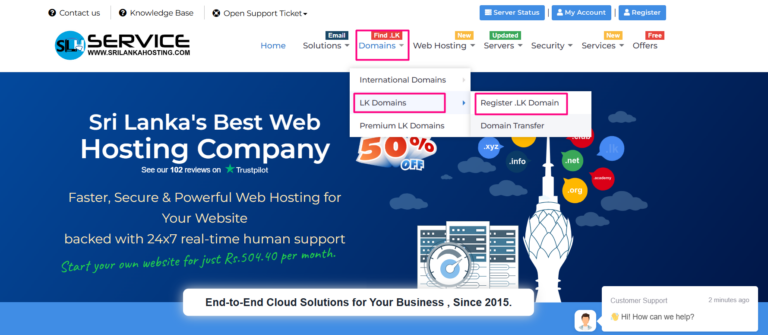
Step 2: Select Domains –> LK Domains –> Register .LK Domain
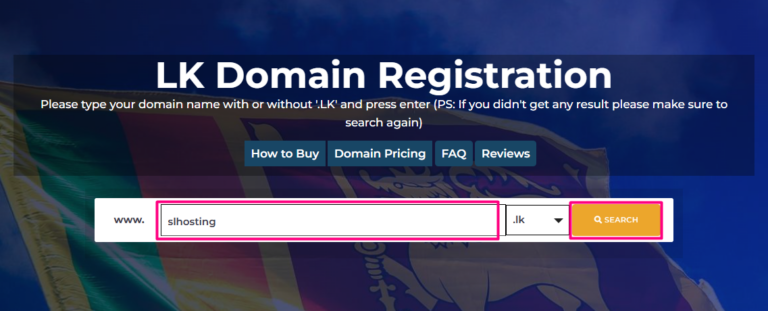
Step 3: Domain Name Search
- Enter the Domain name without .lk.
- Then click the SEARCH button and check is it available?
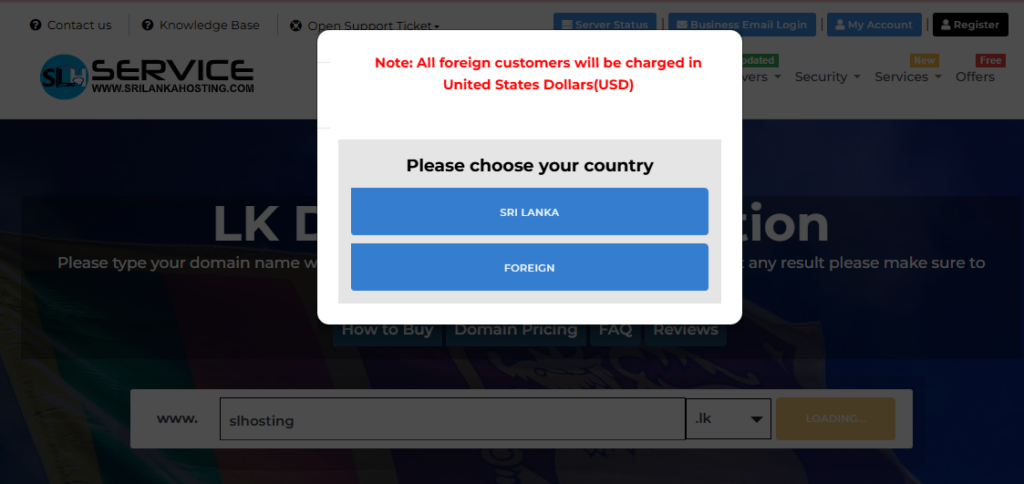
- Choose your country
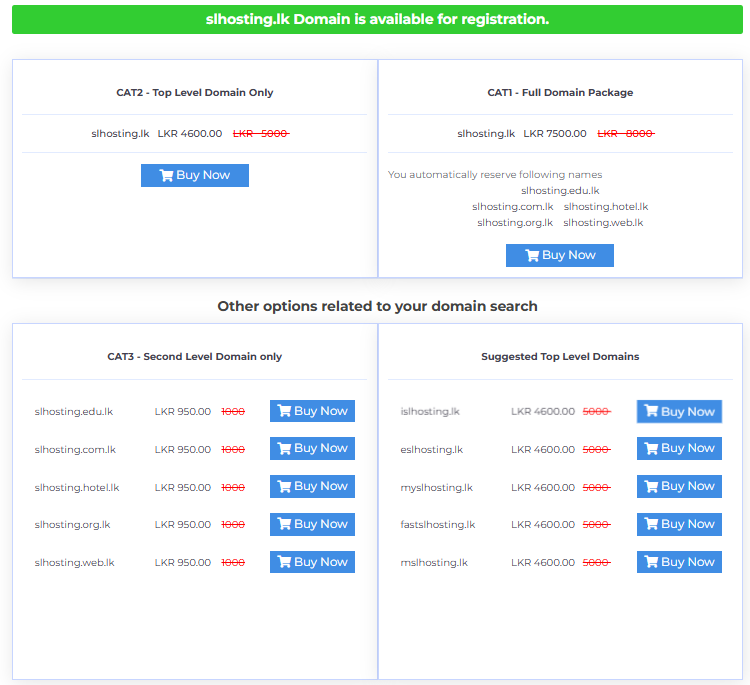
Step 4: If the domain name is available, you can buy below packages suit into your business by clicking “Buy Now”.
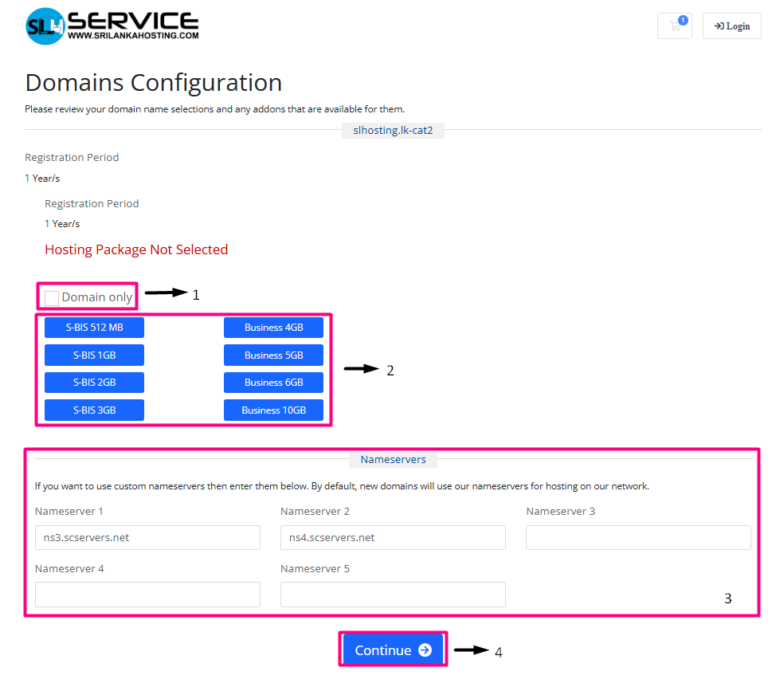
Step 5: Domain Configuration.
- If you wish to buy only domain, you can put the tick to Domain only check box.
- If you wish to buy also hosting package, you can select it now.
- Update Name servers (By default, new domains will use our nameservers for hosting on our network)
- After you can click Continue button and move on.
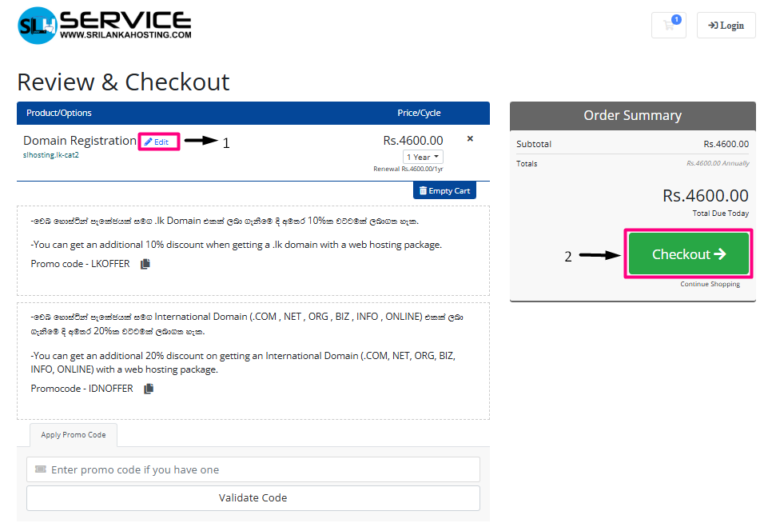
Step 6: Review and checkout
- If you want to change the package requirements please click the Edit button.
- After checking your package details, now you can Checkout.
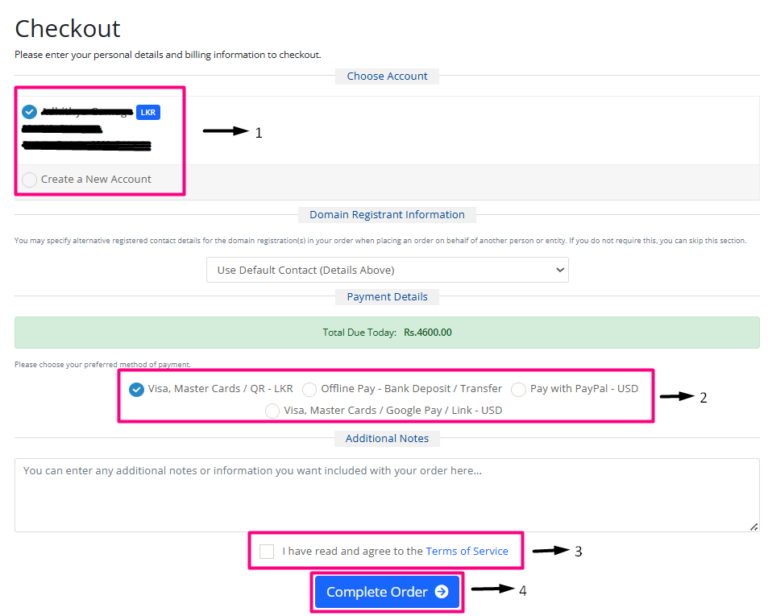
Step 7: Complete the order
- Choose your account or create new account
- Select a payment option.
- Read and tick the checkbox I have read and agree to the Terms of service
- Click Complete Order button.
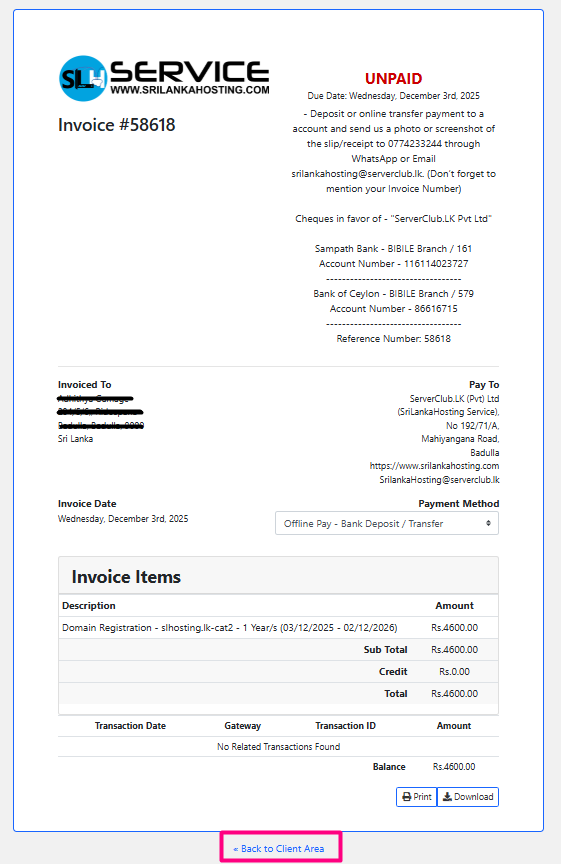
Step 8: Next click Back to Client Area button
Step 9: Form Submission
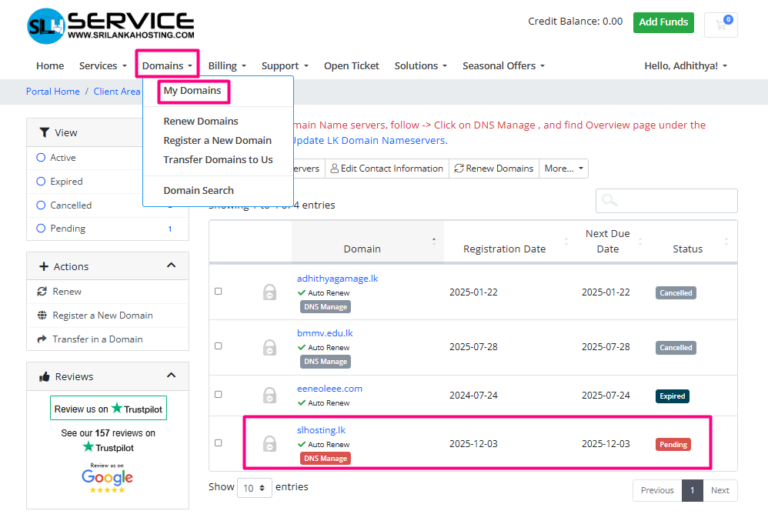
- Select Domains -> My Domains.
- Select your domain.
- Fill the application.
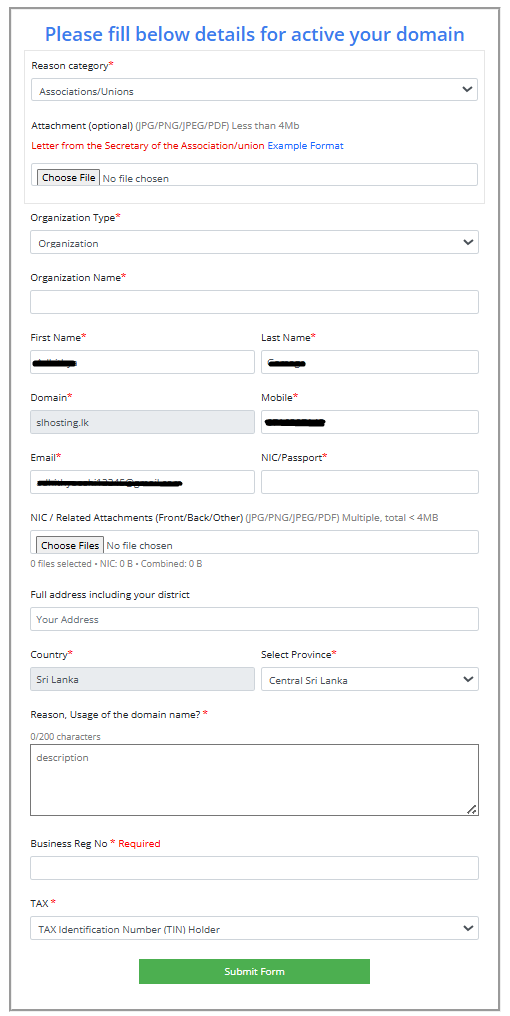
- Submit the form.


