

Step 1: Go to Srilankahosting.lk website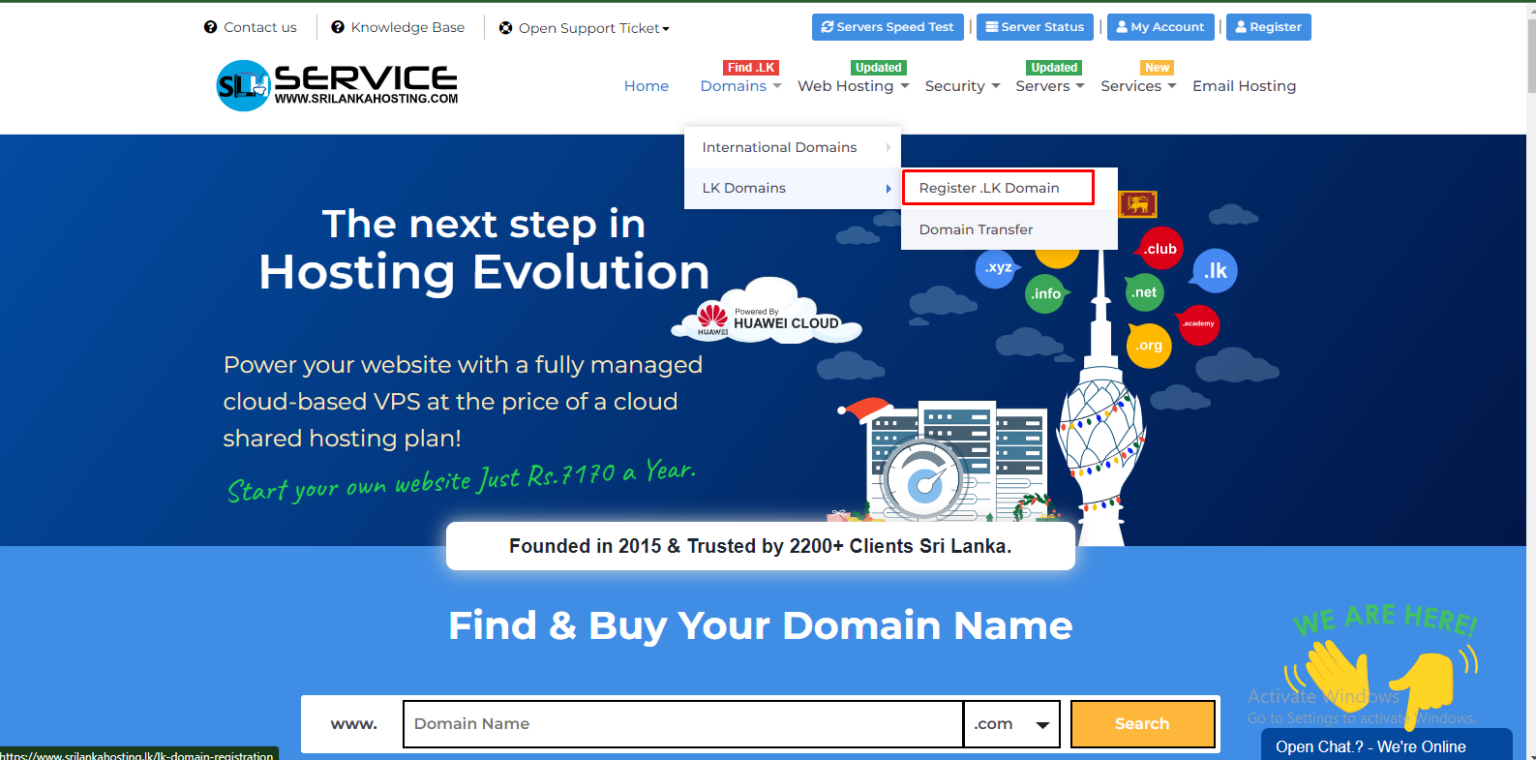
Step 2: Select Domains -> LK Domains -> Register .LK Domains
1. Type the domain name with or without .LK.
2. Click Enter Button.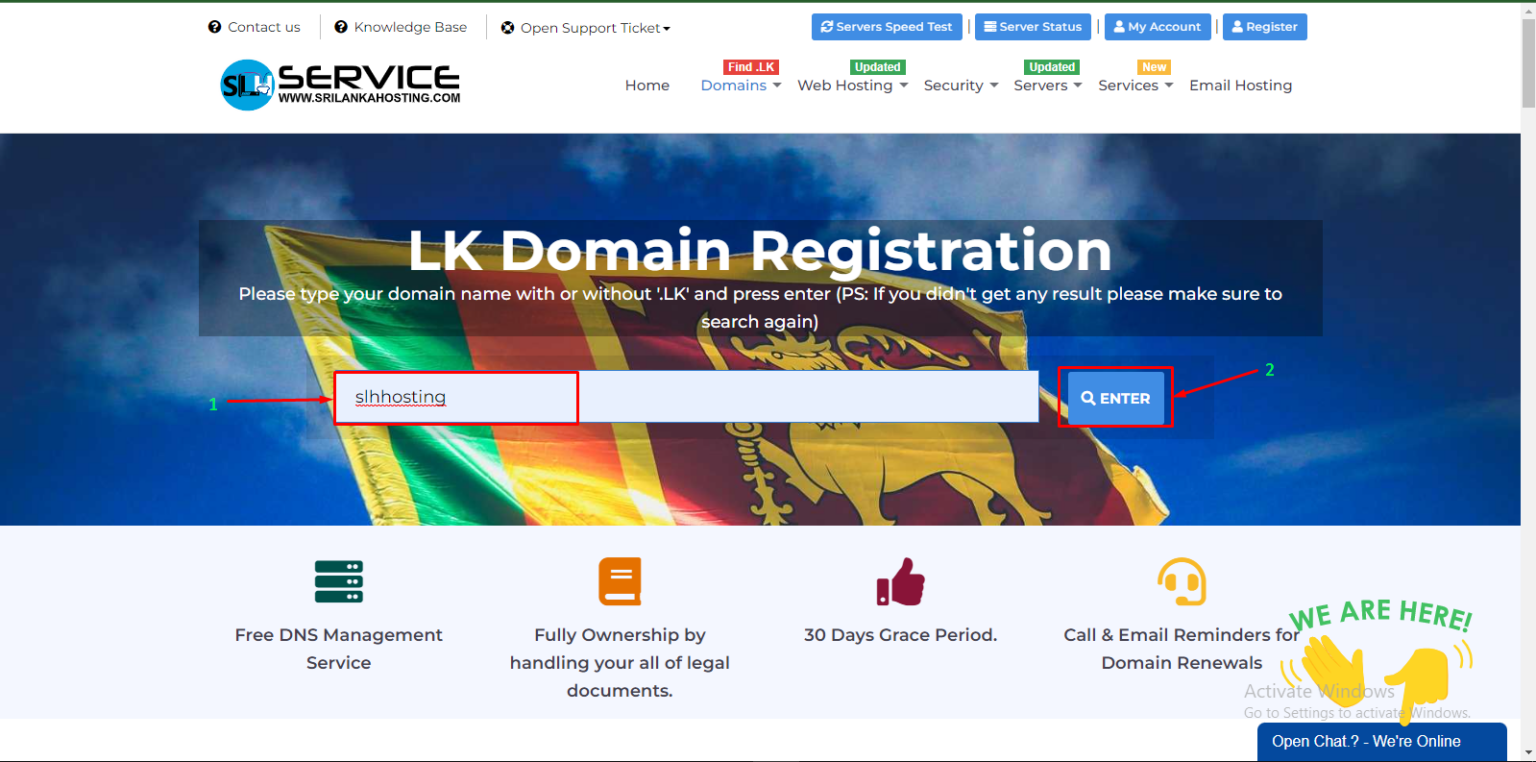
Step 3: Select your country
Select Sri lanka to get a LK domain.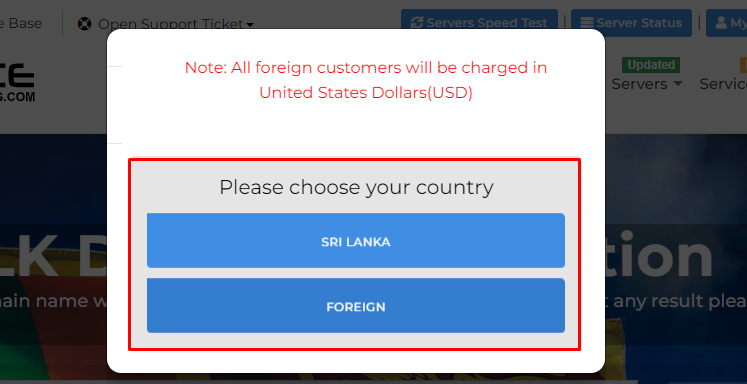
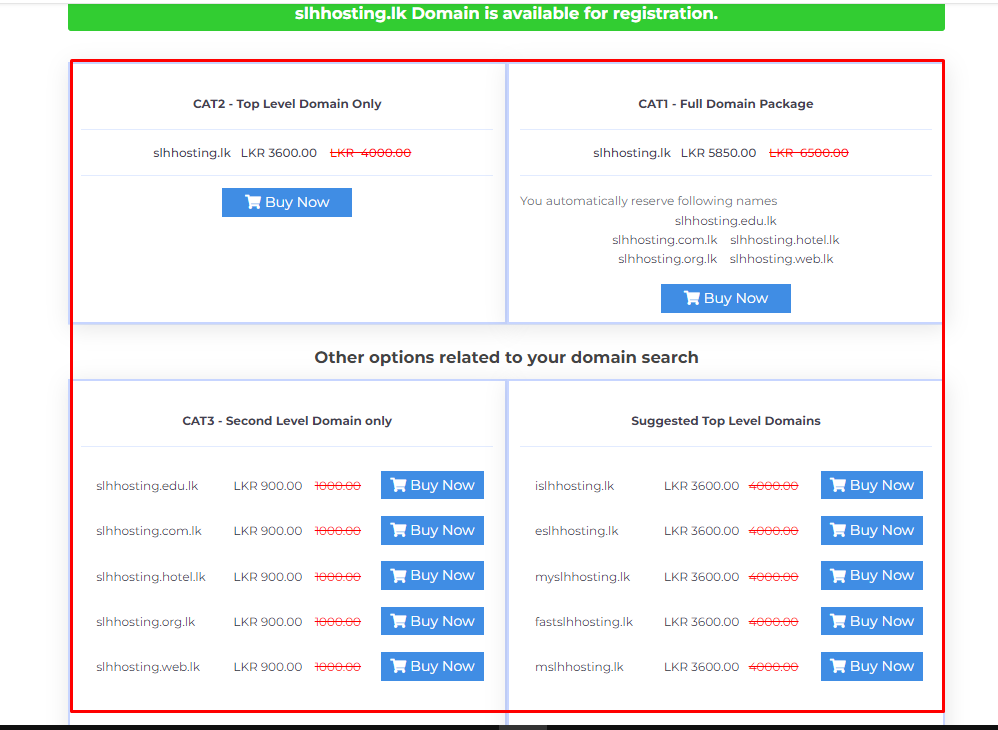
The domains available for registration are shown here.
Choose your domain type and click Buy Now button.
Step 3: Here is the domain configuration section
Tick for DNS Management and ID Protection if you wish.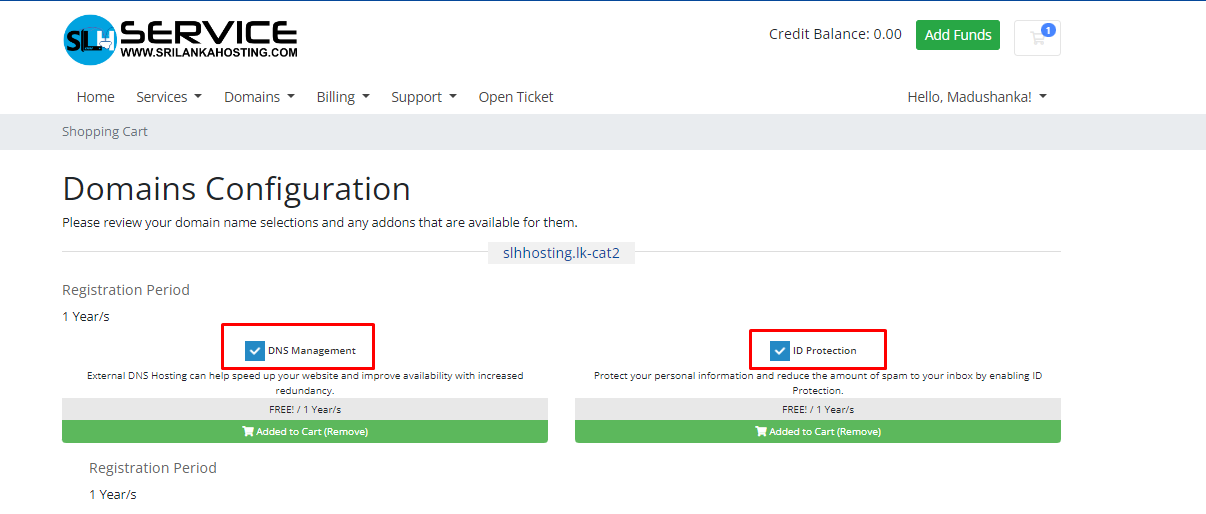
01. Update Name servers (By default, new domains will use our nameservers for hosting on our network).
02. Click the Continue button.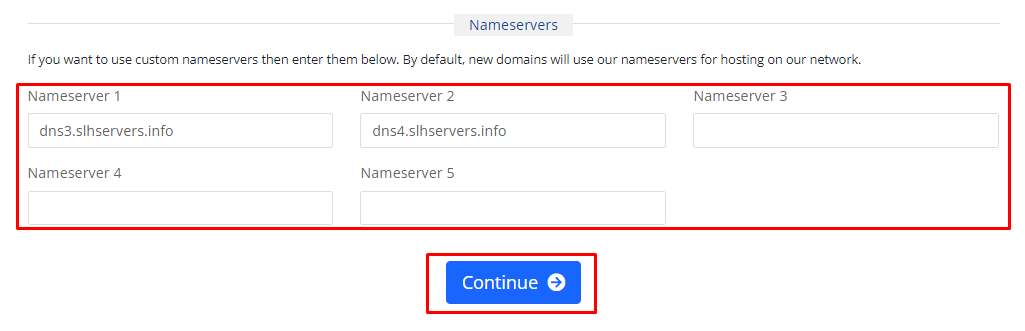
Step 4: Review your domain and click Checkout button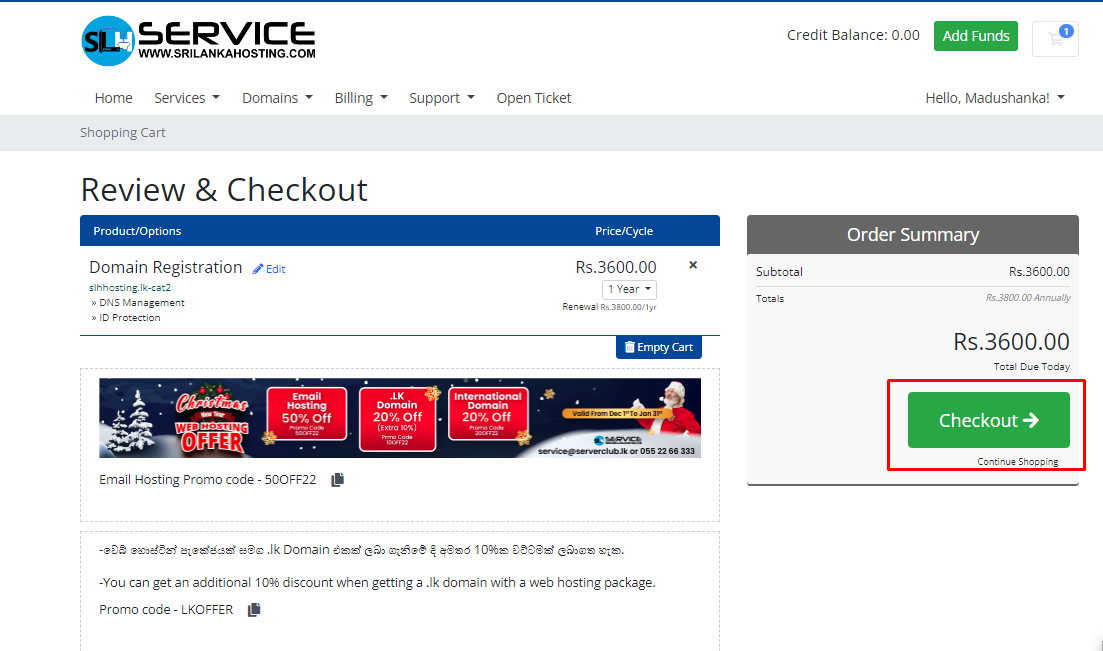
1. Choose your account or create new account.
2. Select a payment option.
3. Read and tick the checkbox I have read and agree to the Terms of service.
4. Click Complete Order button.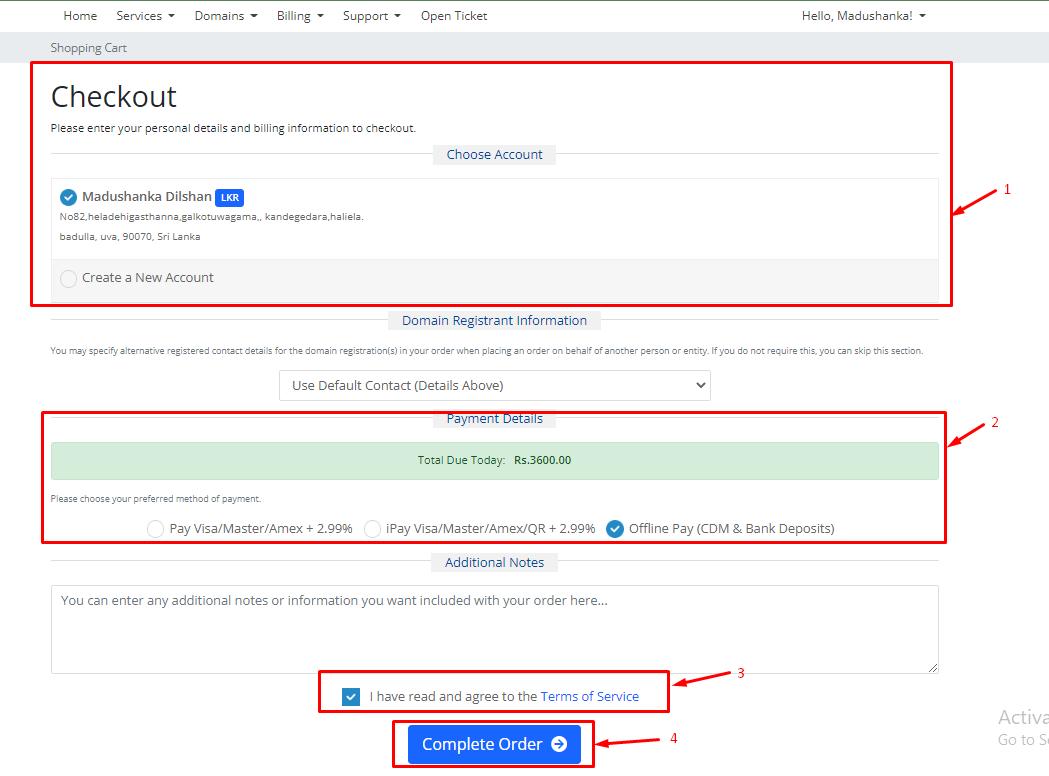
Step 5: Next Click Back to client area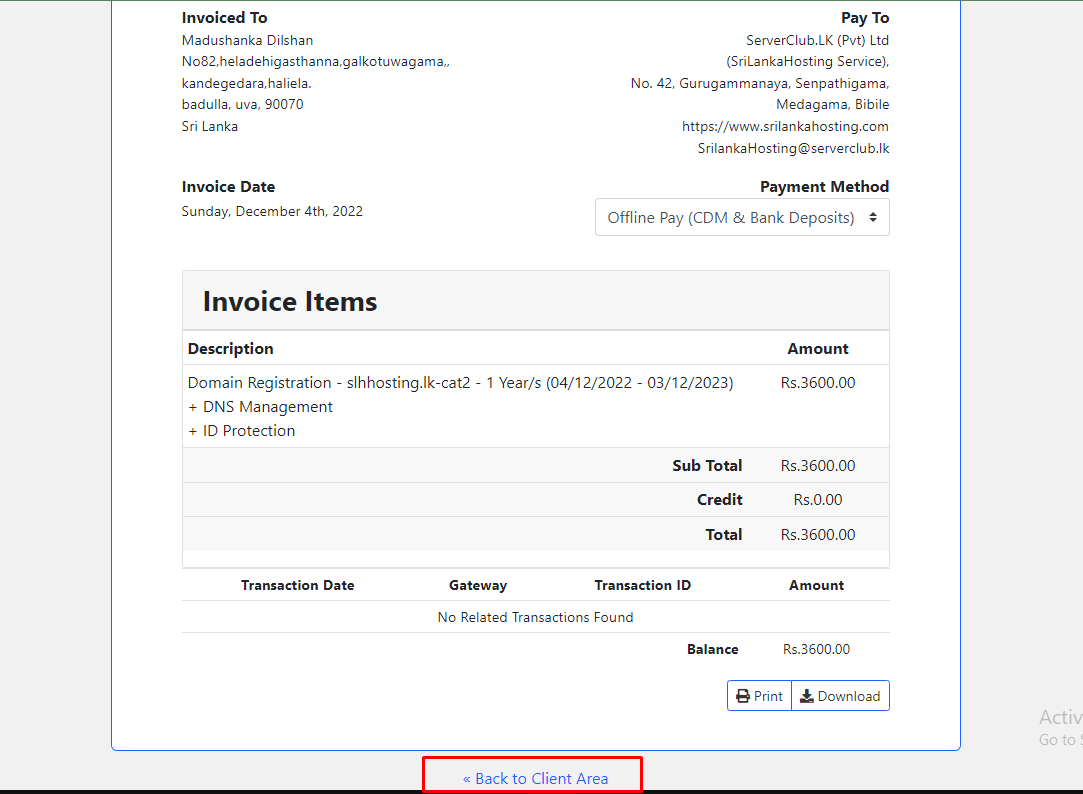
Step 6: Click My Domains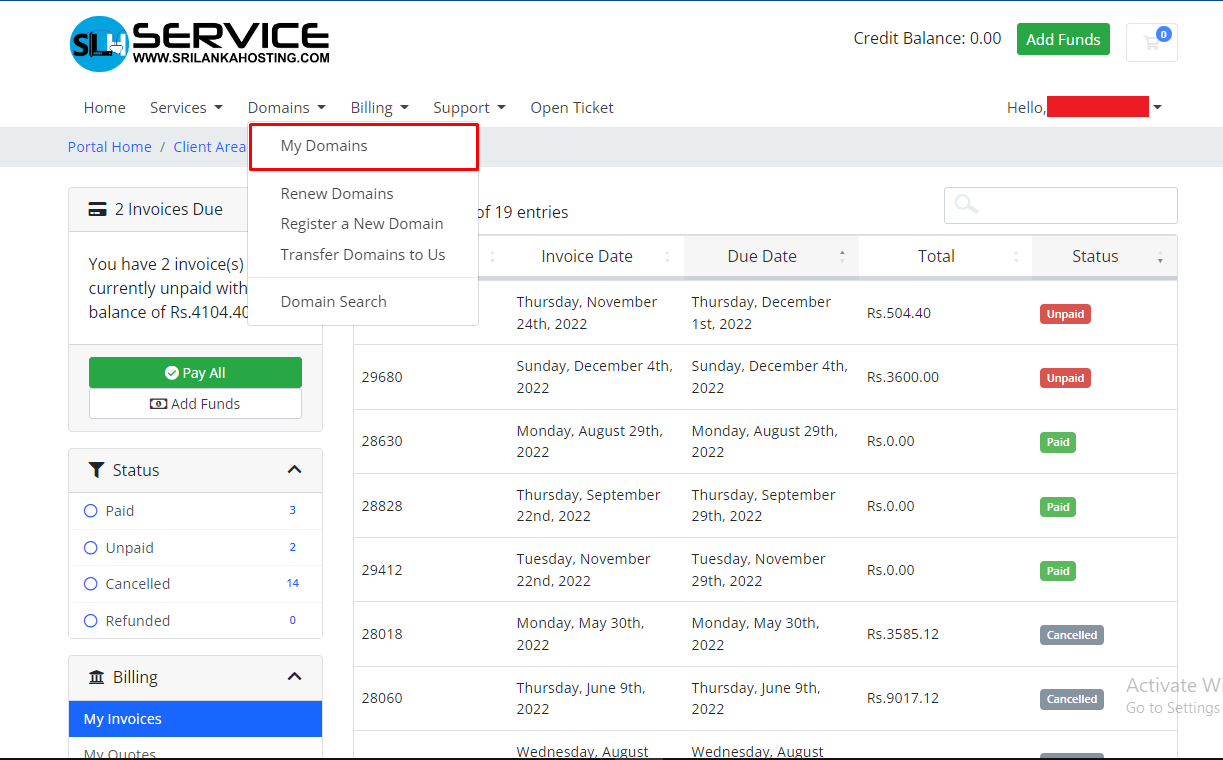
Step 7: Select your domain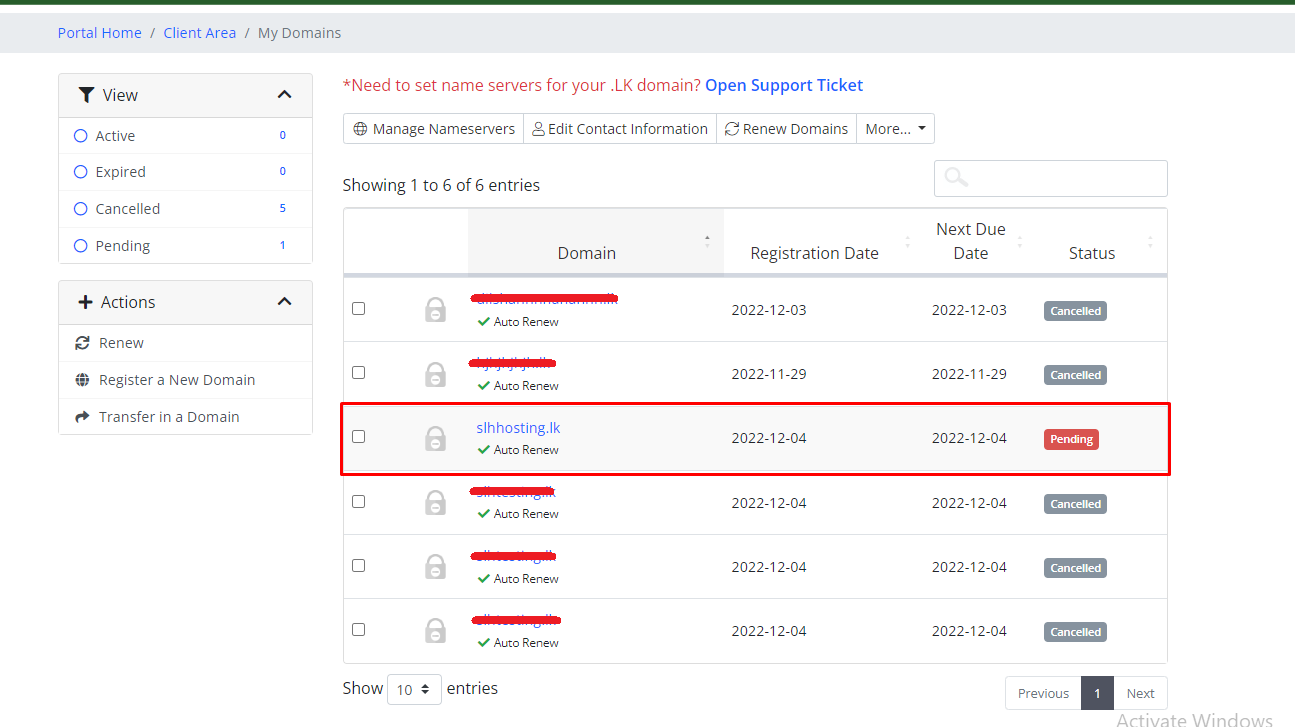
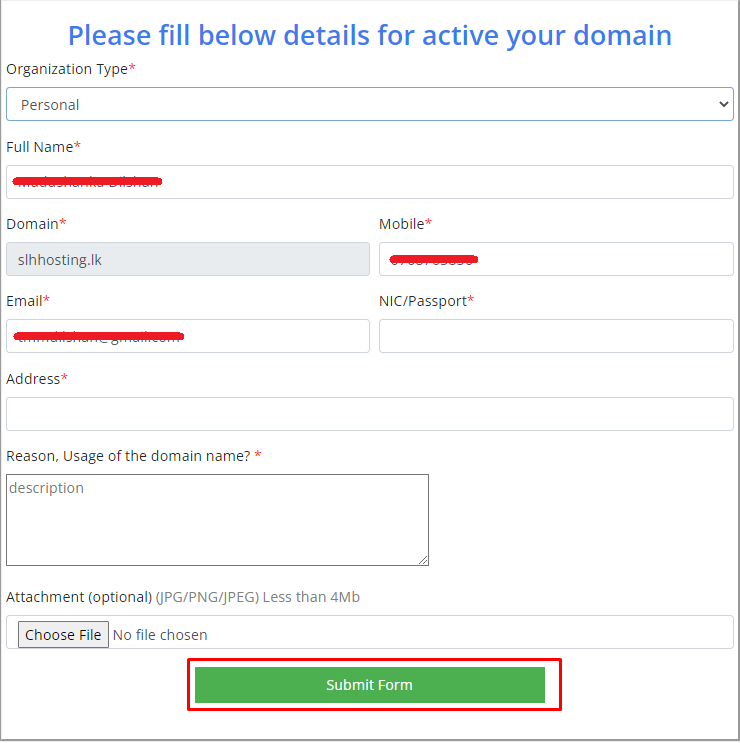
Step 8: Fill below details with your Organization type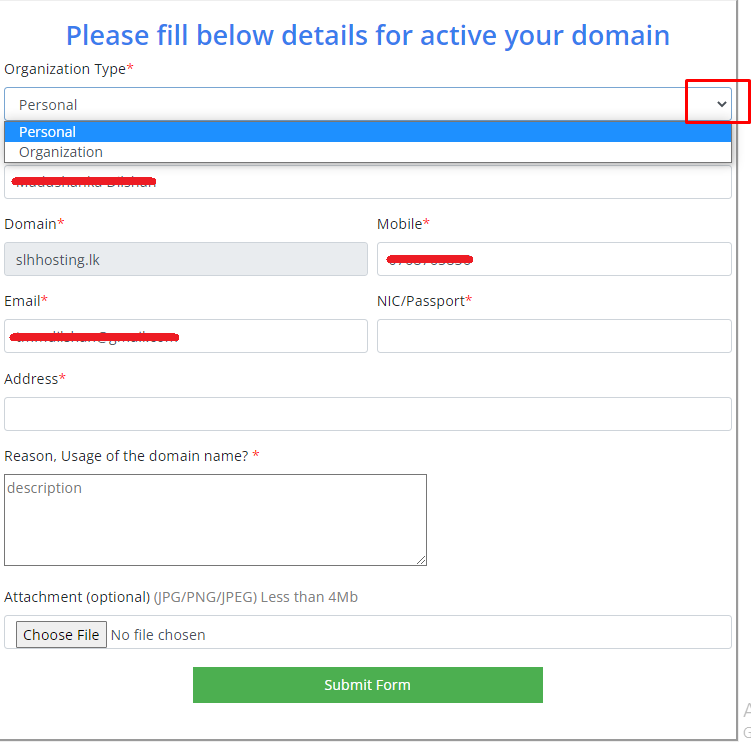
- Form overview for personal domains.
- Form overview for organization domains.
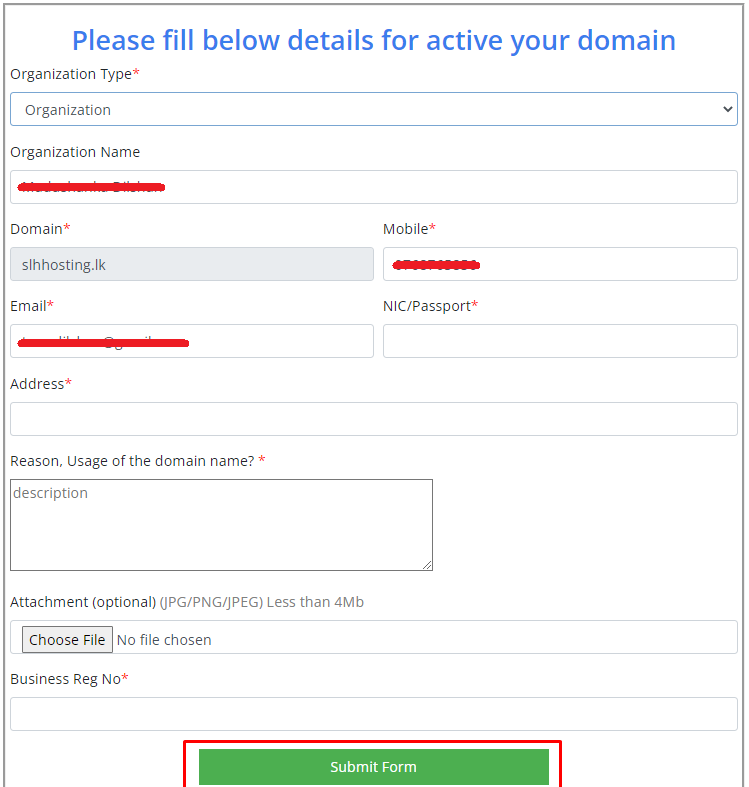
Click Submit form


