

Step 01: Login to client area

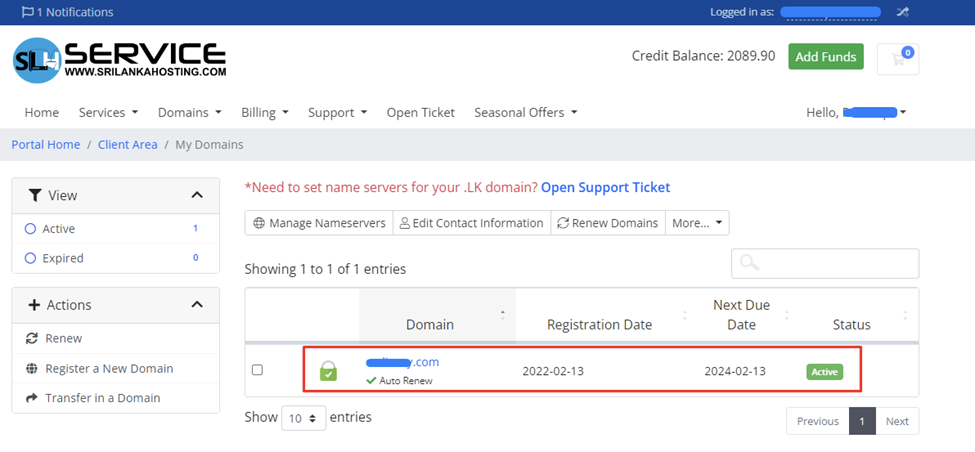
Step 02: Locate my domains in domains section
.png)
Step 03: Select your domain then click details button in the right
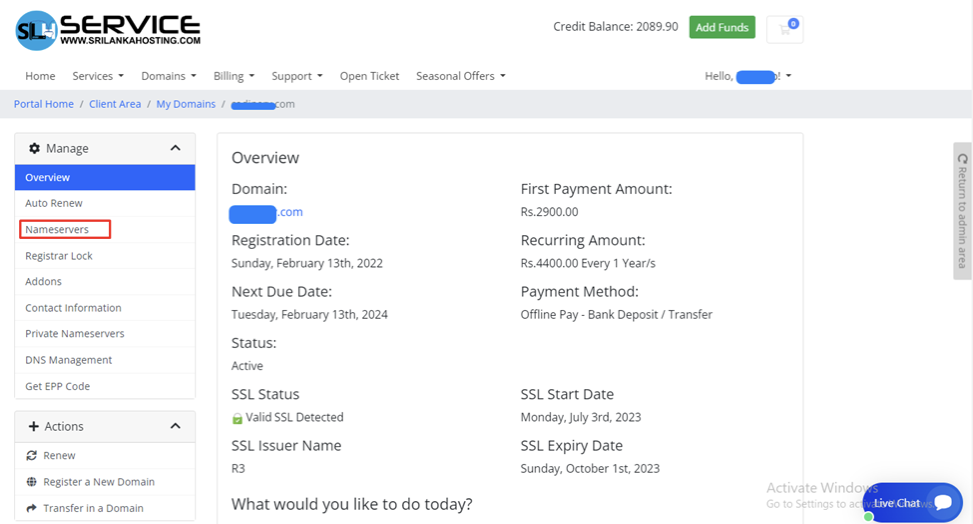
Step 04: Locate nameservers in right sidebar
Step 05: Add the nameservers that you received from the new account information email and click change nameservers
.png)
Thats all!


