

Step 1: Visit https://www.srilankahosting.lk/
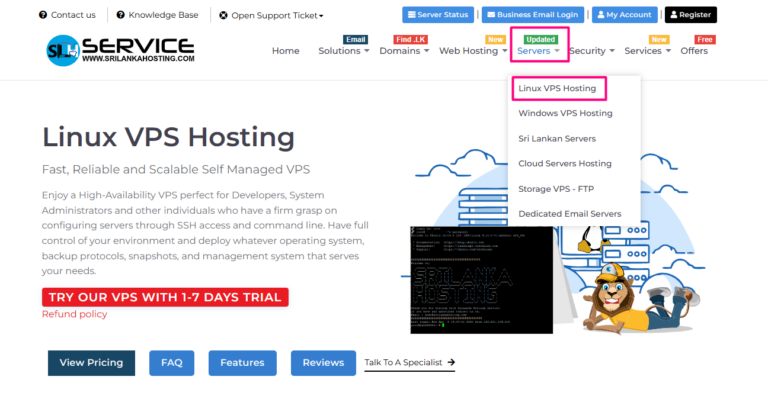
Step 2: Select Servers –> Linux VPS Hosting
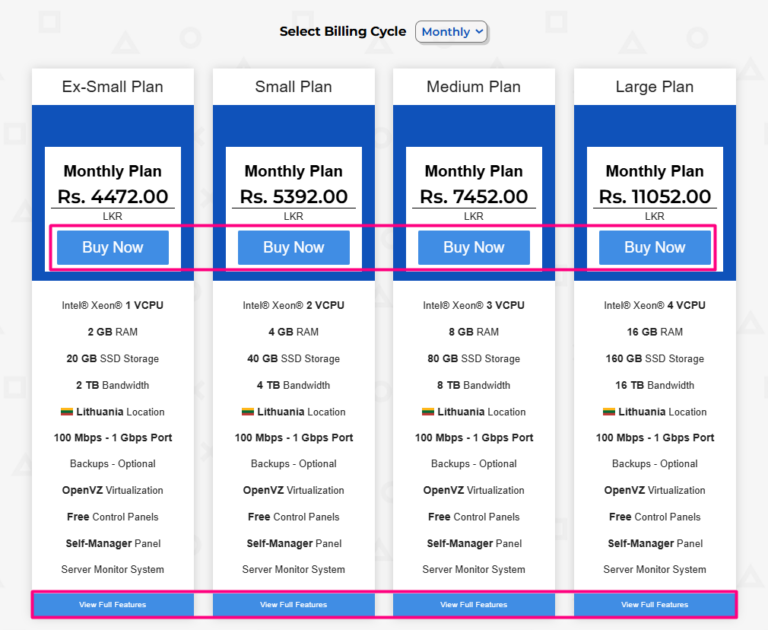
Step 3: After you get package details
- Here you can select the package that based on your needs.
- If you need to more details about package, click View Full Features
Step 4: Configure your desired options
- Choose the billing cycle.
- Please select configurable options that you want.
- If you add any addons, now you can do it.
- All configurations are done then click the “Continue” button.
.png)
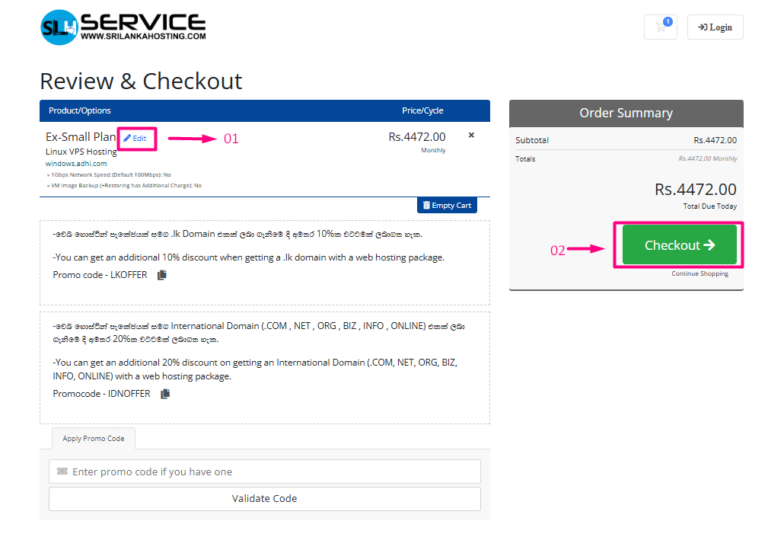
Step 5: Review your package and click Checkout button.
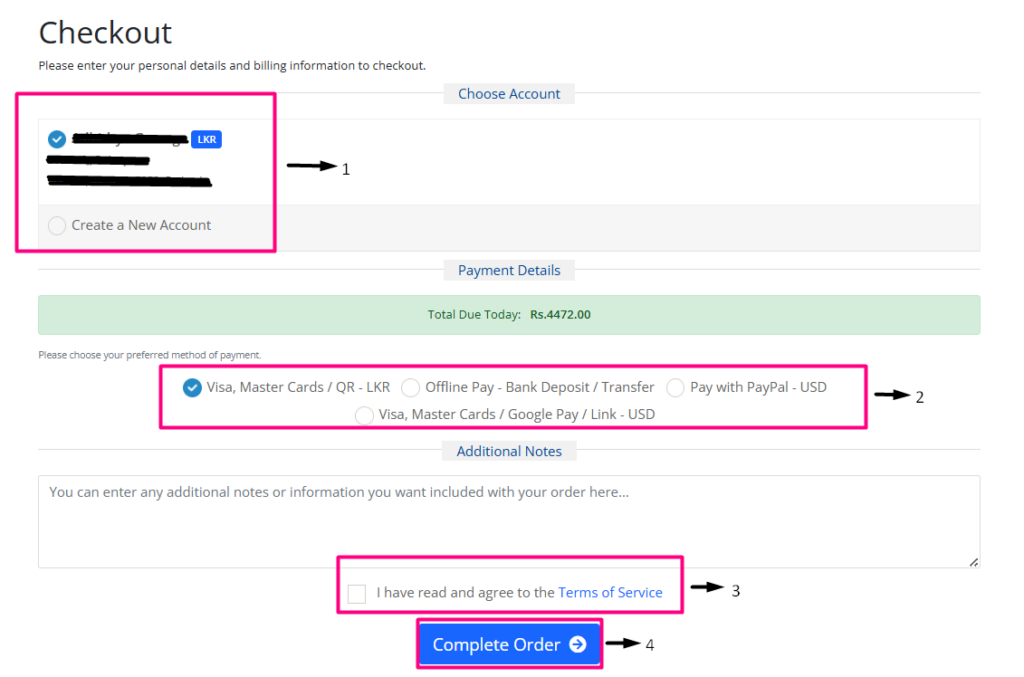
Step 6: Complete the order
- Choose your account or create new account
- Select a payment option.
- Read and tick the checkbox I have read and agree to the Terms of service.
- Click Complete Order button.
Step 7: You will receive an email with invoice and order details
Step 8: After the payments, the service was successfully activated within 15 minutes


