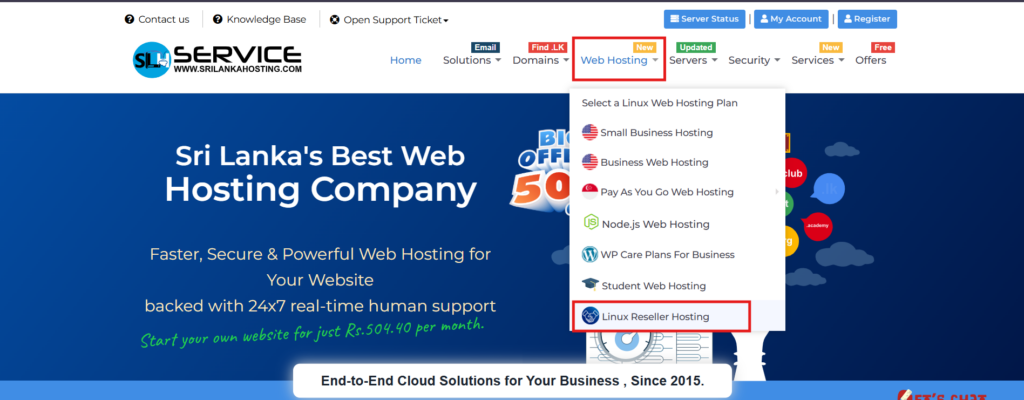
Step 1: Visit https://www.srilankahosting.lk/
Step 2: Select Web Hosting –> Linux Reseller Hosting
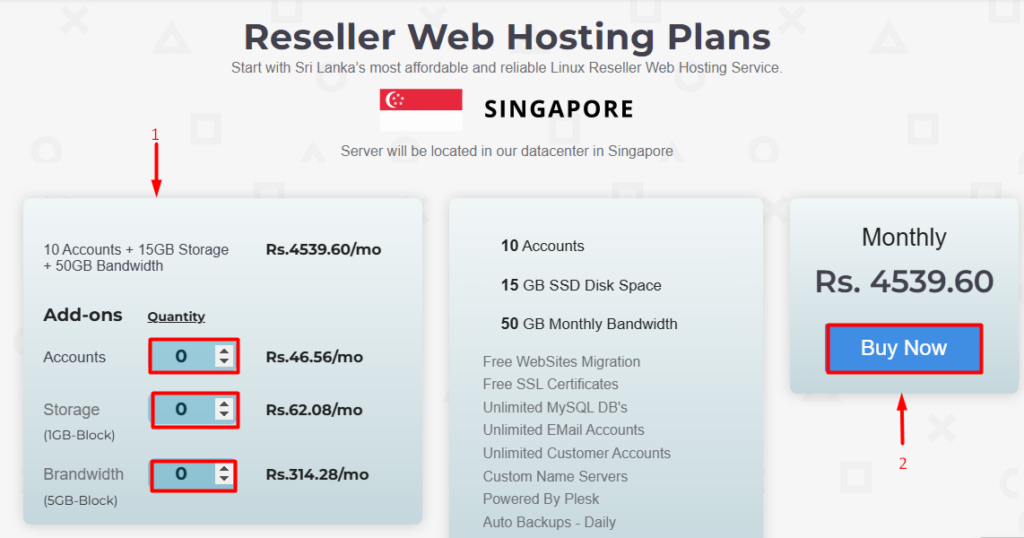
Step 3: Choose your requirements
- You can check price based on your needs.
- Click the Buy Now button and move to next step.
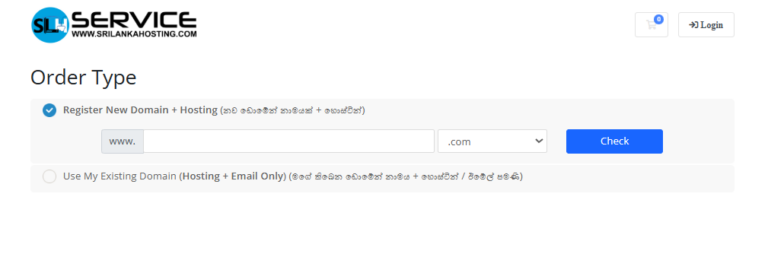
Step 4: Assign the domain
- If you have to idea to register the web hosting with new domain please choose the Option 1 and enter the domain name to continue.
- If you have an existing registered domain name, use Option 2 and enter domain name to continue.
Step 5: Adjust requirement Settings
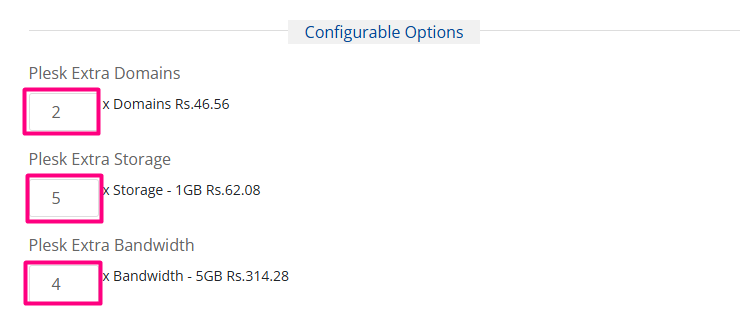
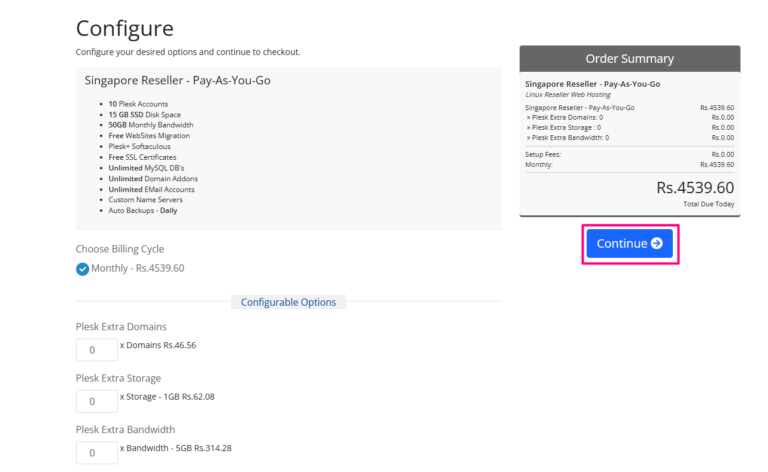
1.You can customize your plans based on your needs.
- Ex: Extra Domains – 2 , Extra 1GB Storage – 5, Extra 5GB Bandwidth – 4
2. Now you can complete this step by choosing Continue button.
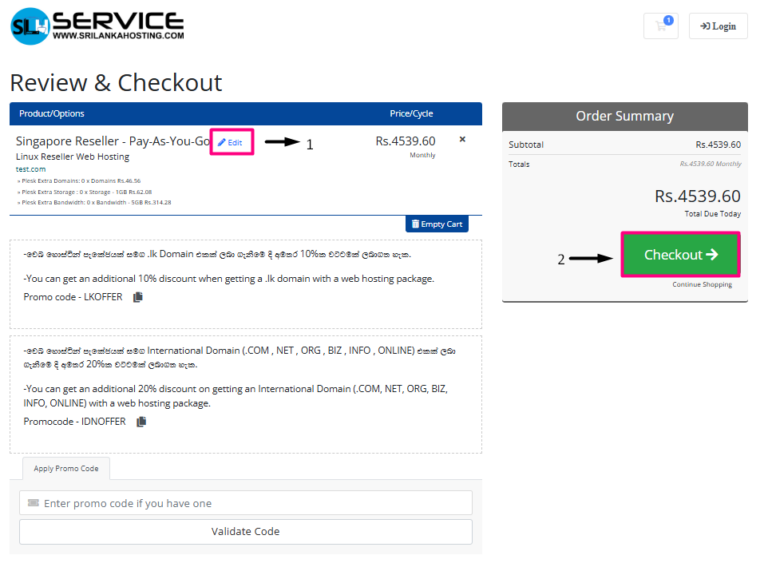
Step 6: Review & Checkout
- If you want to change the package requirements please click the Edit button.
- After checking your package details, now you can Checkout
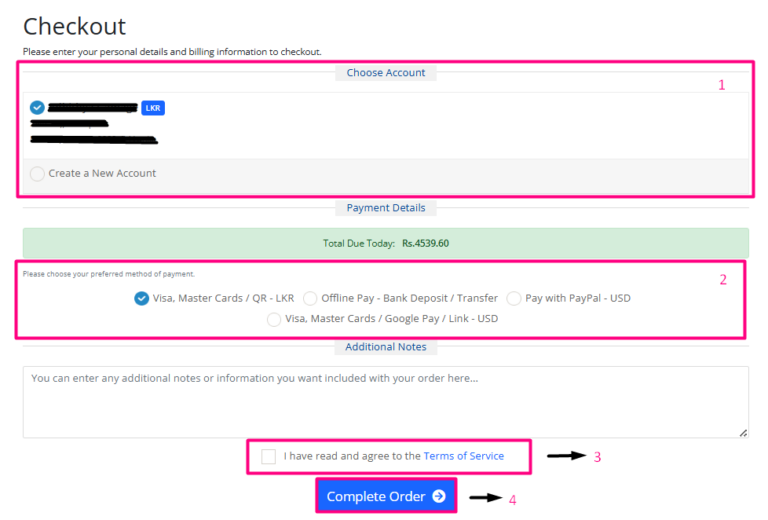
Step 7: Complete the order
- Choose your account or create new account
- Select a payment option.
- Read and tick the checkbox I have read and agree to the Terms of service
- Click Complete Order button.