

Step 1: Login to Plesk Panel
Step 2: Click on the domain you want to forward
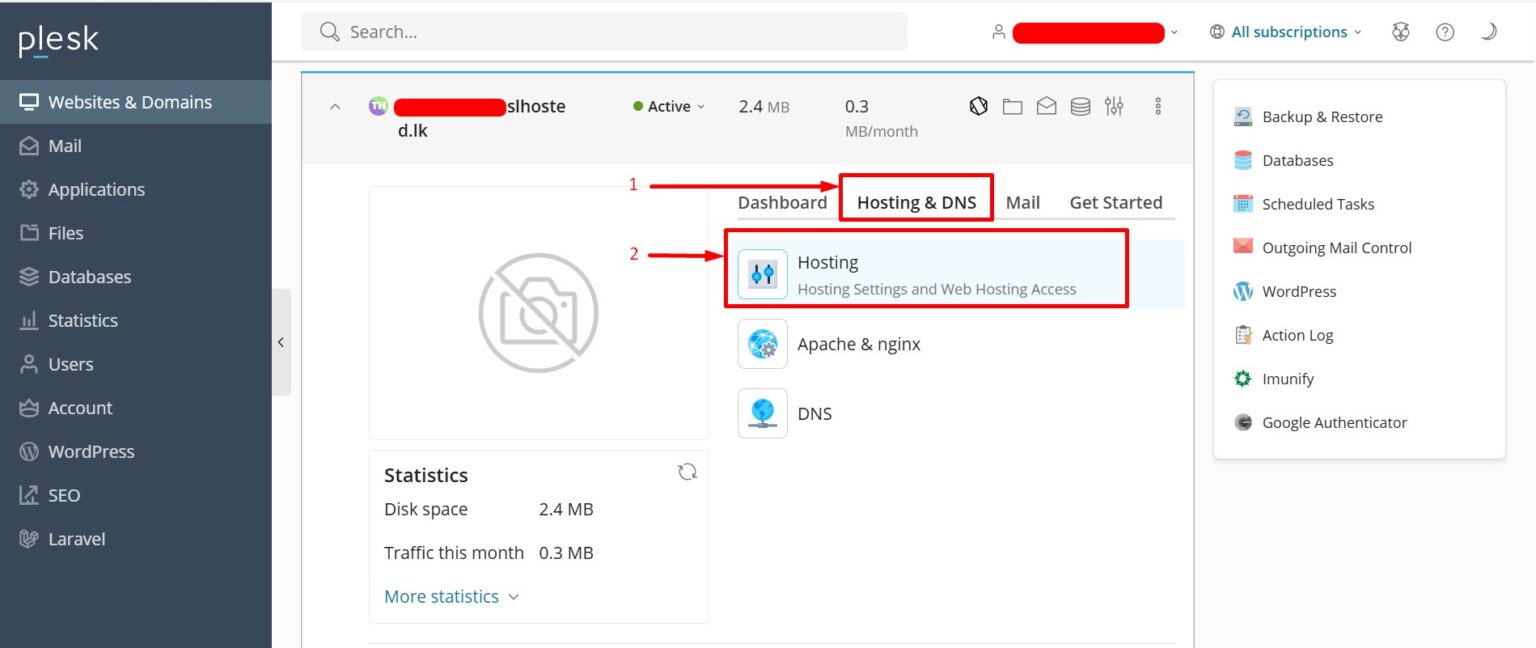
Step 3: Click on Hosting & DNS –> Hosting
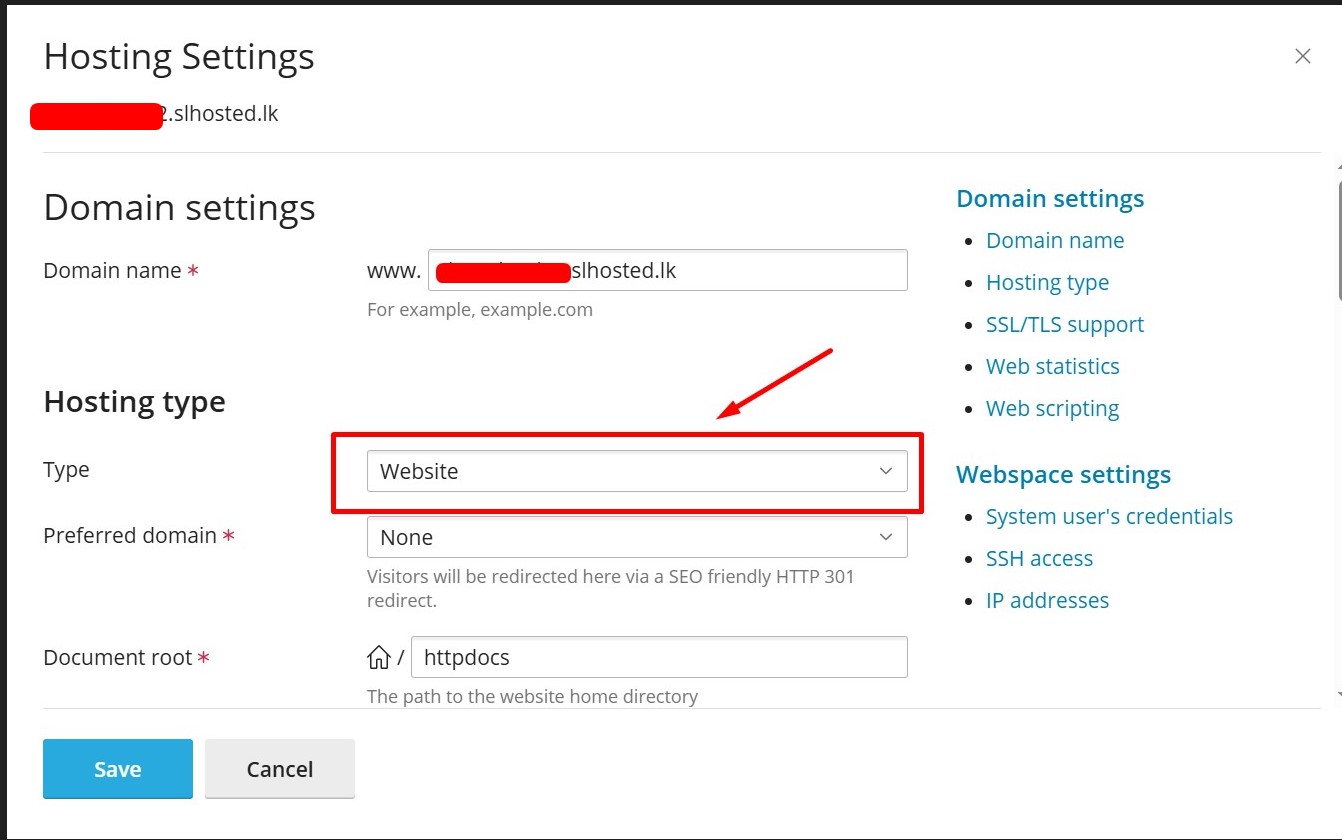
Step 4: Change Hosting Type to Forwarding
- In the Hosting Type section, change from Website Hosting to Forwarding.
Step 5: Enter the Destination URL
- In the Destination address field, enter the full URL you want the domain to forward to.
.jpg)
Step 6: Choose the Forwarding Type
- Standard (302) – Temporary redirect.
- Permanent (301) – SEO-friendly permanent redirect (recommended).
Step 7: Click Save


