

Step 1: Log in to your CloudMail Account
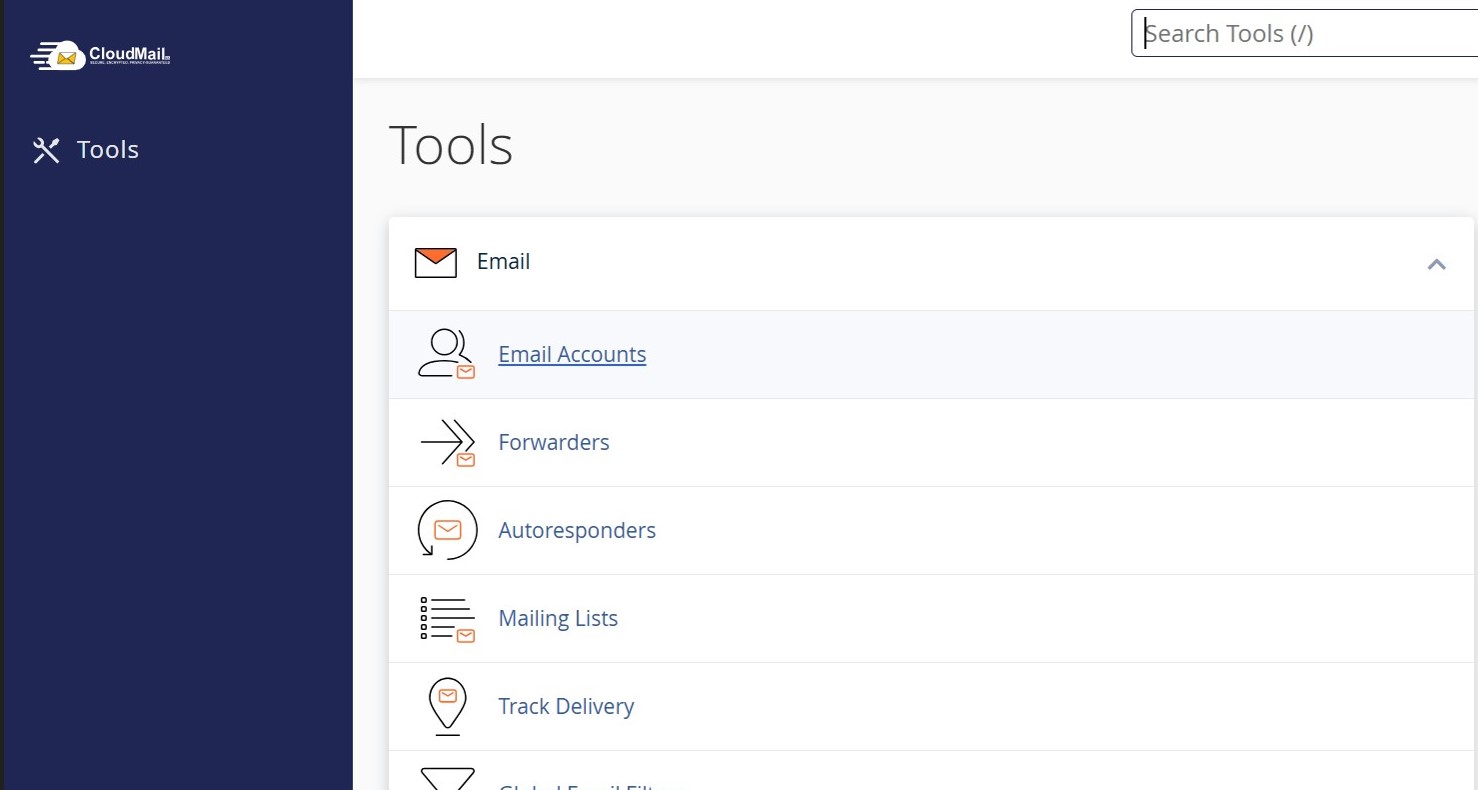
Step 2: Select Email Accounts
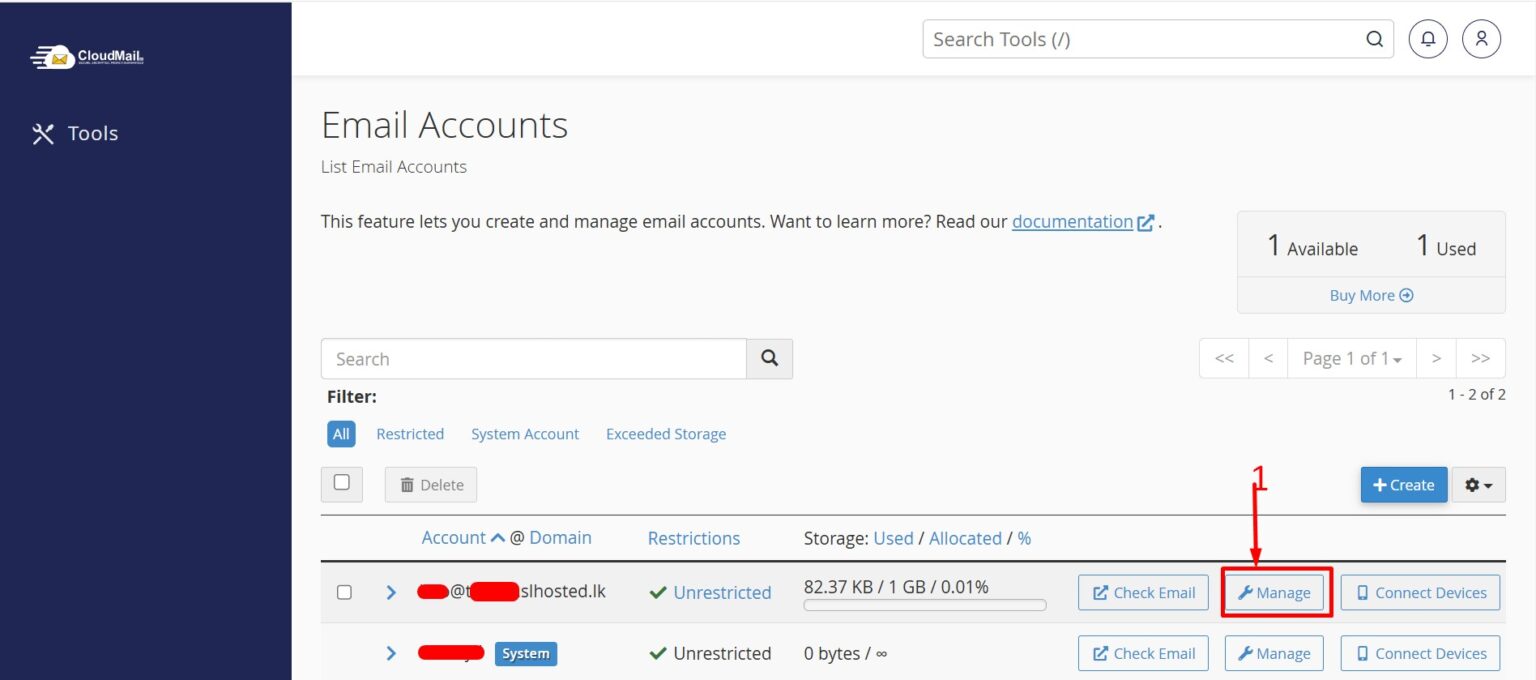
Step 3: Select Manage next to the email account for which you need to change the password
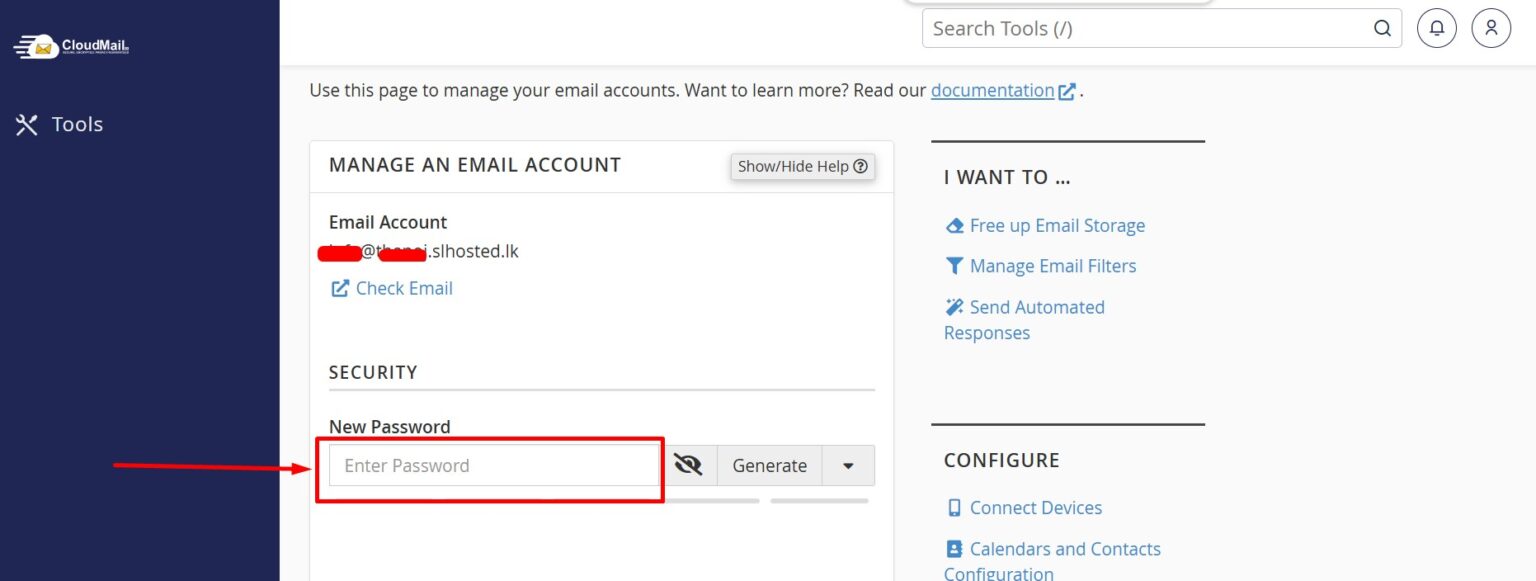
Step 4: Enter your new password under the Security section
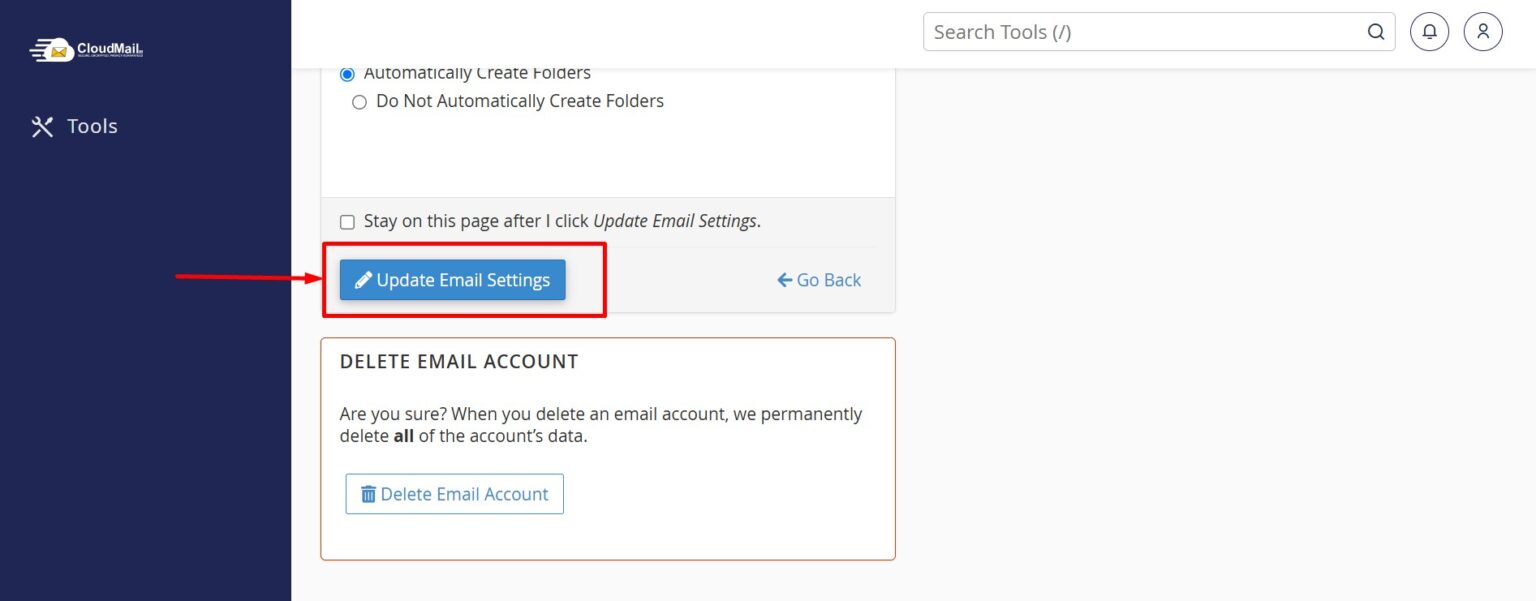
Step 5: Click Update Email Settings to complete your password changes
Your password has now been successfully updated


