

.png)
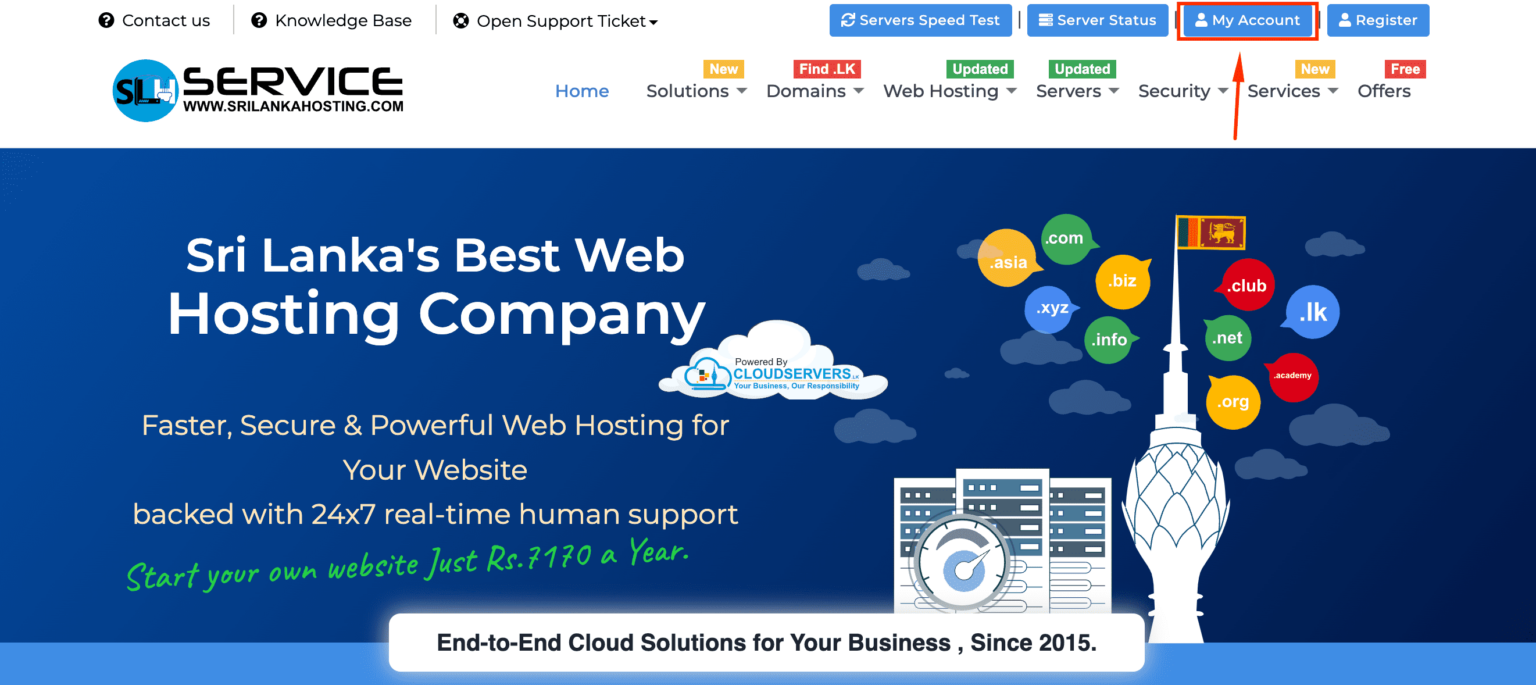
Step 1: My account -> Login
Login to your client area account using: https://manager.srilankahosting.com
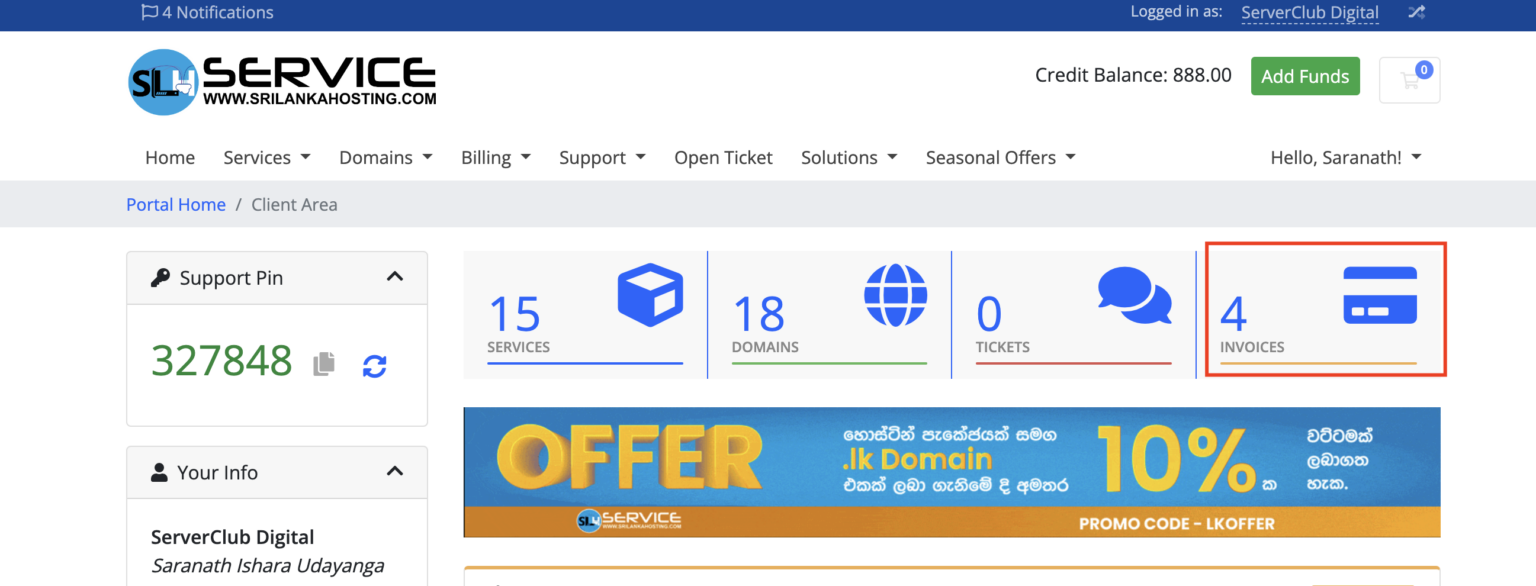
Step 2: Go to Invoices
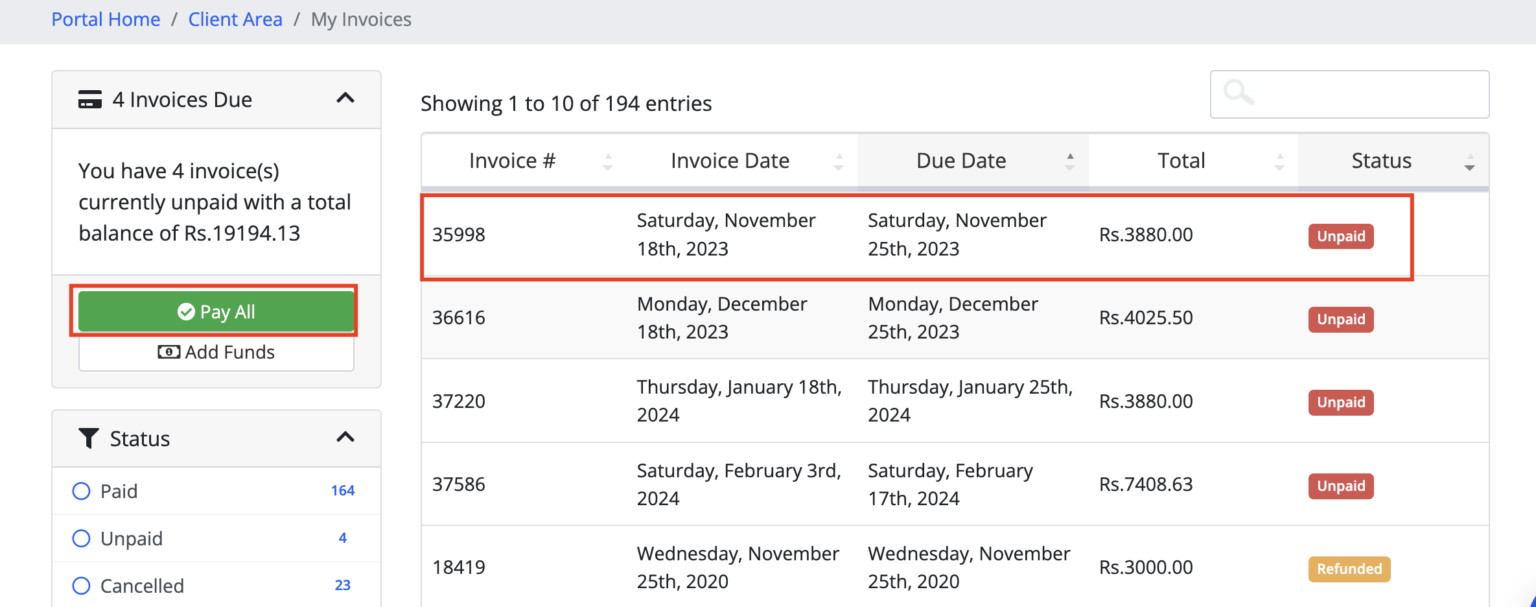
Step 3: Select unpaid invoice or pay all option
Step 04: Select the Offline Payment option and take the Bank Details & Total
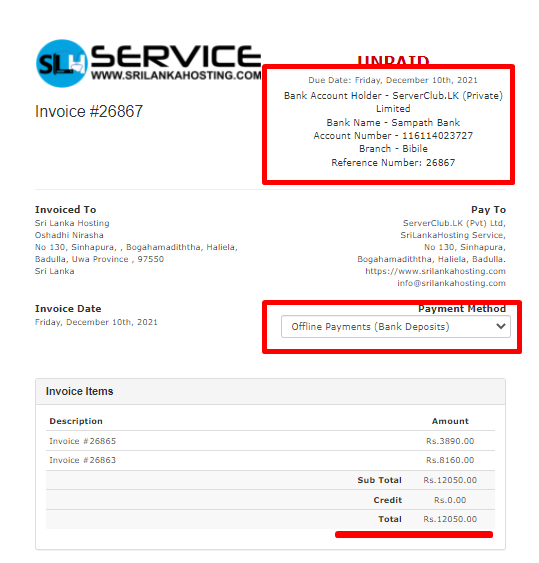
Step 5: Process your offline payment and take a clear image of your payment slip
Step 6: Submit your payment proof instantly to the Billing Department
.png)
Check our getting start articles here


