

Step 1: Log in to your cPanel dashboard
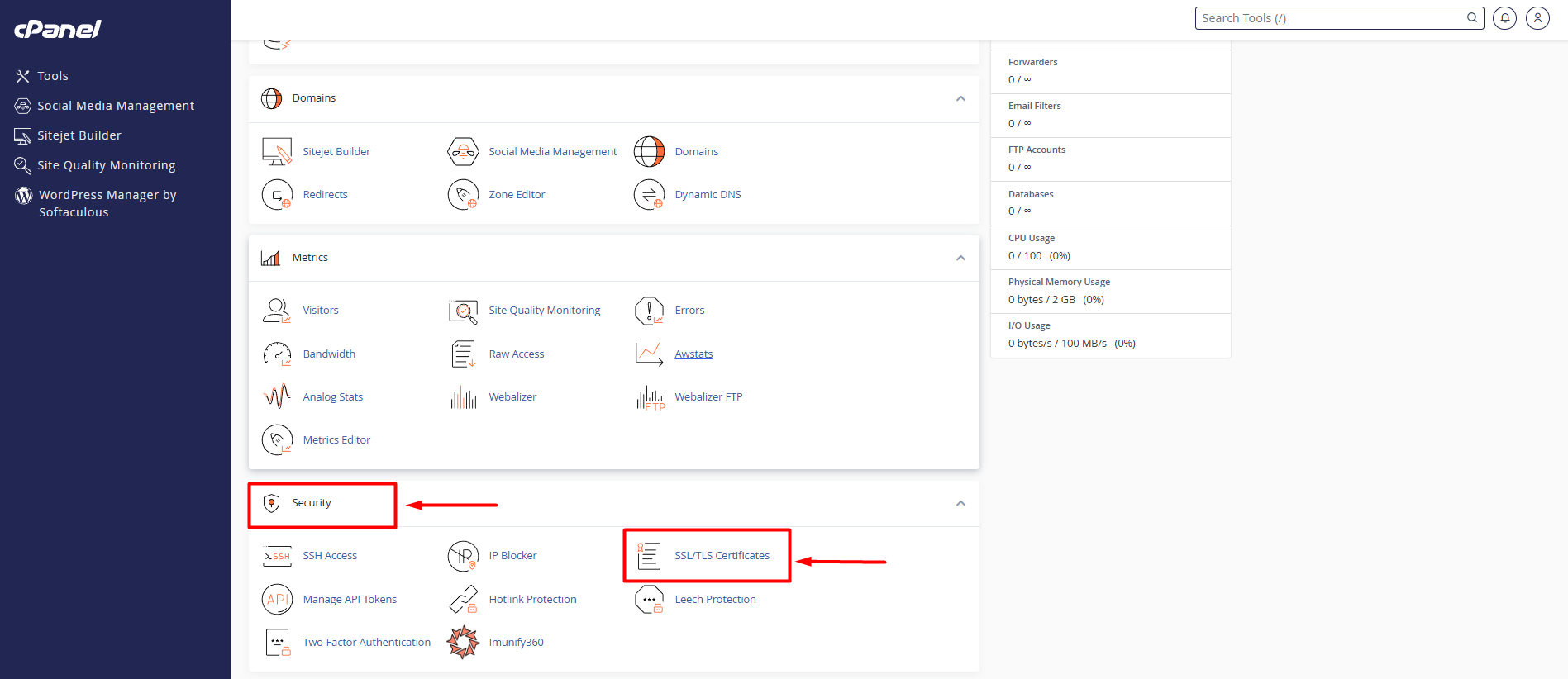
Step 2: Select Security → SSL/TLS Certificates
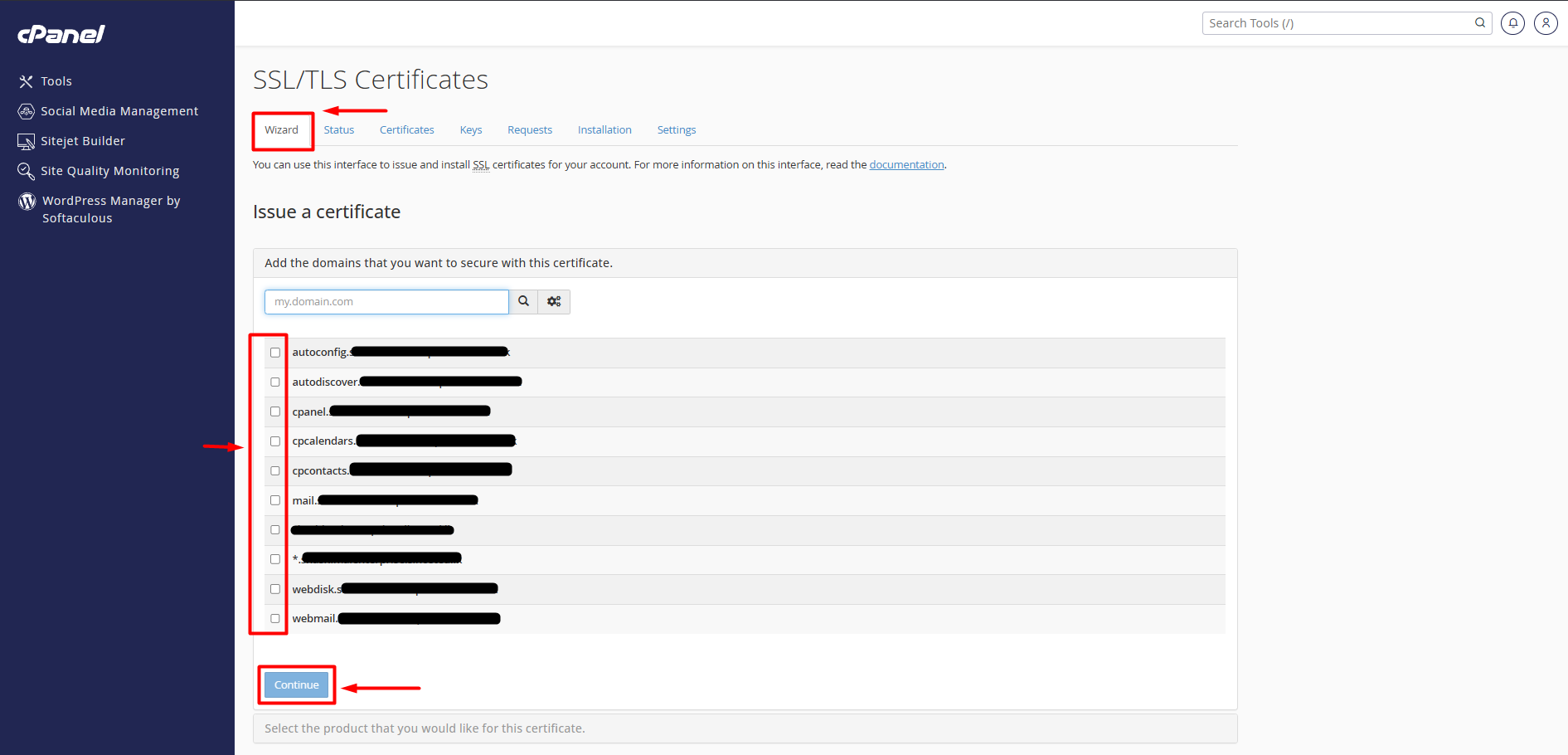
Step 3: Select Domain & Run AutoSSL:Select domains.
- Check the boxes next to your primary domain and subdomains (e.g., example.com and [www.example.com](https://www.example.com)).
- Click the blue Run AutoSSL button at the top of the page.
- The process will take 1–3 minutes to validate and issue the certificate.
Step 4: Check SSL Status
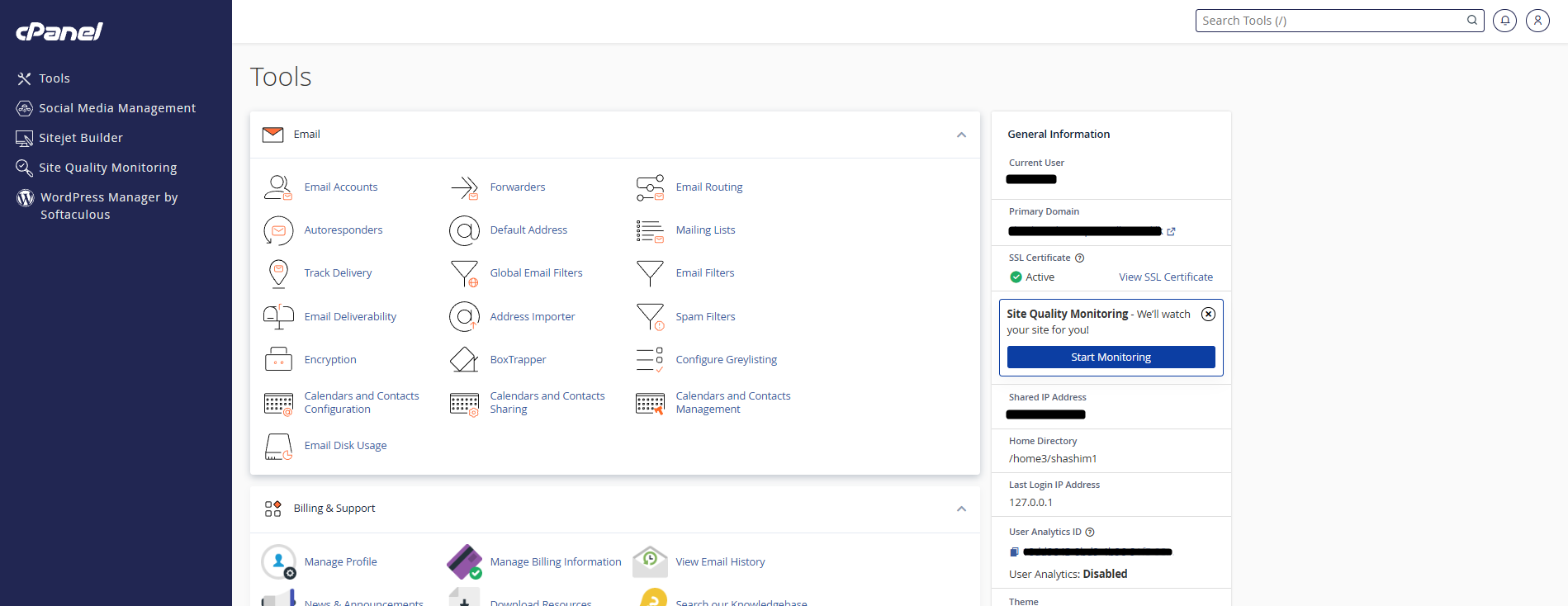
Done.