

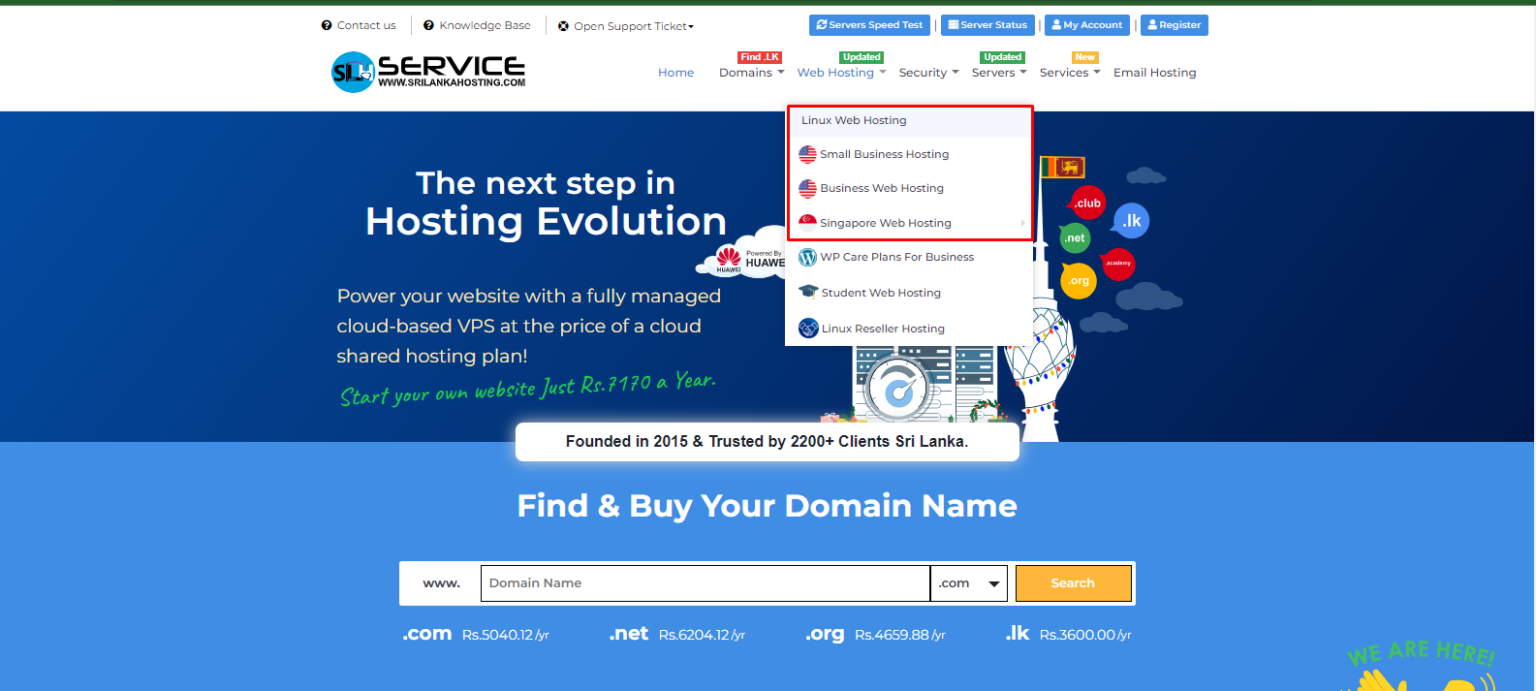
Step 1: Select your Hosting package from Sri Lanka hosting
If you need any assistance in selecting your hosting package contact us
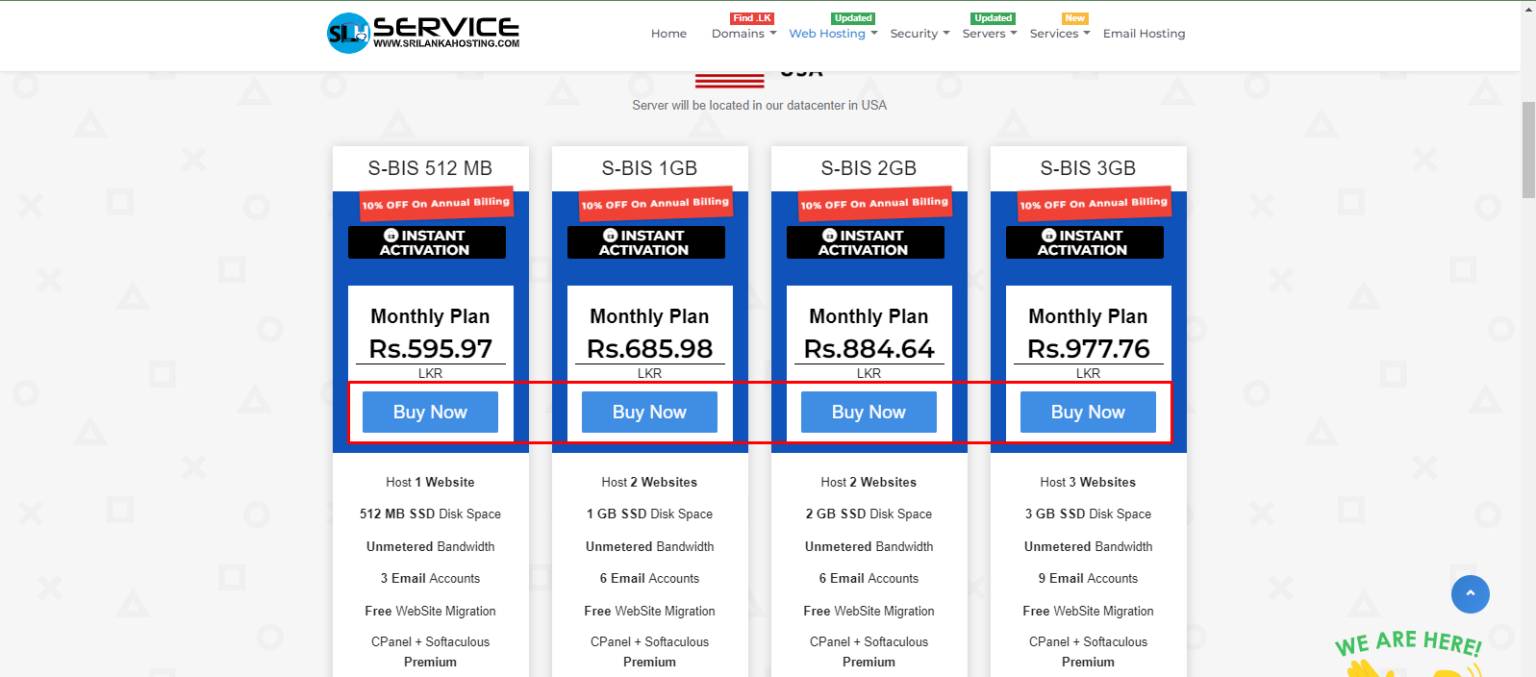
Step 2: Click on Buy now
Step 3: Choose domain option
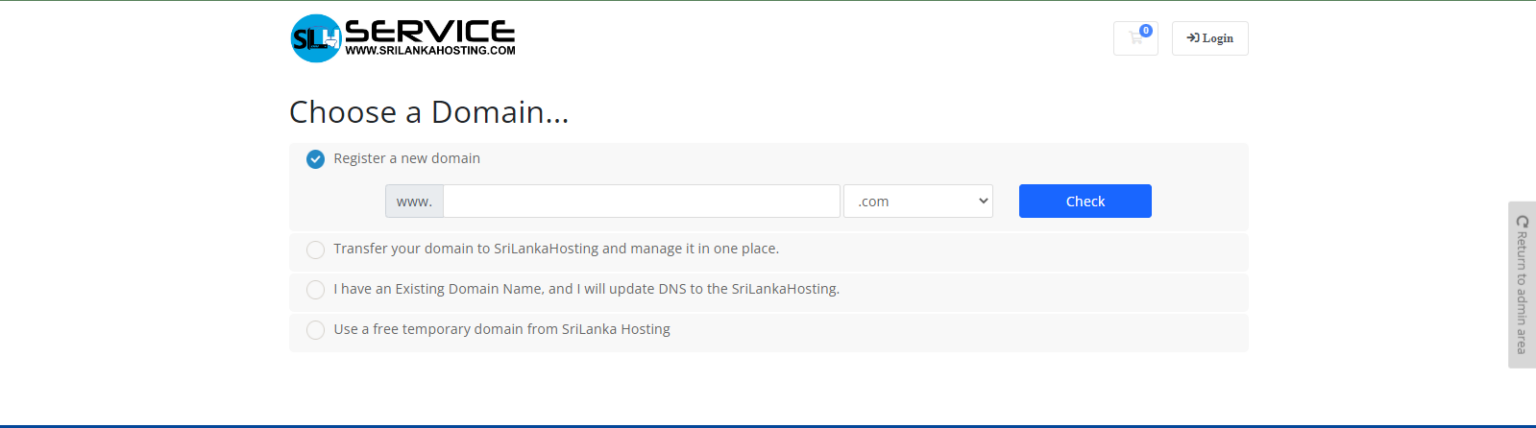
You have 4 options :
01: Register a new domain:
If you don’t have a domain name yet you can check availability and add it to the cart for registration.
02. Transfer your domain from another registrar
If you have a domain that was brought from another service you can select the transfer option.
03. I will use my existing domain and update my nameservers
Click on the Use or Check option
04. Use a free temporary domain from SriLanka Hosting
Click on the Use or Check option
Step 4: Select billing cycle
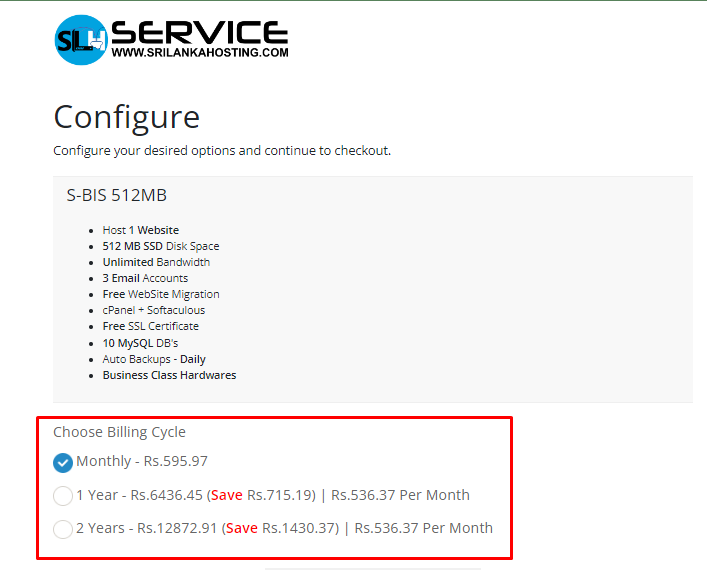
Step 5: Configure
Select configuration options & additional services as you wish to proceed
.png)
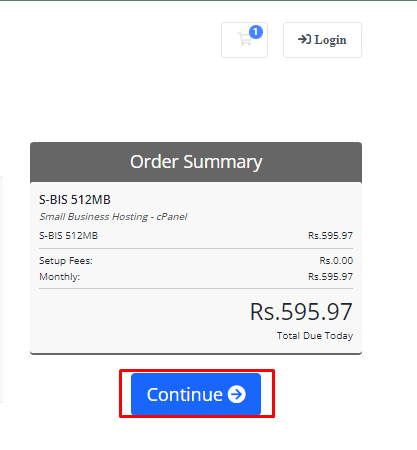
Step 6: Click on Continue
.png)
Don’t forget to check the order summary.
Step 7: Payment
.png)
Payment option guidelines with easy and simple steps.
Online payment option: https://www.srilankahosting.lk/knowledgebase/how-to-pay-online/
Offline Payment option: https://www.srilankahosting.lk/knowledgebase/how-to-pay-offline/
Pay with Helapay: https://www.srilankahosting.lk/knowledgebase/how-to-pay-with-hela-pay/


