

Singapore Web Hosting, Reseller Web Hosting, and Email Hosting are all included in the Pay As You Go category. To purchase these packages,
Please follow these steps:
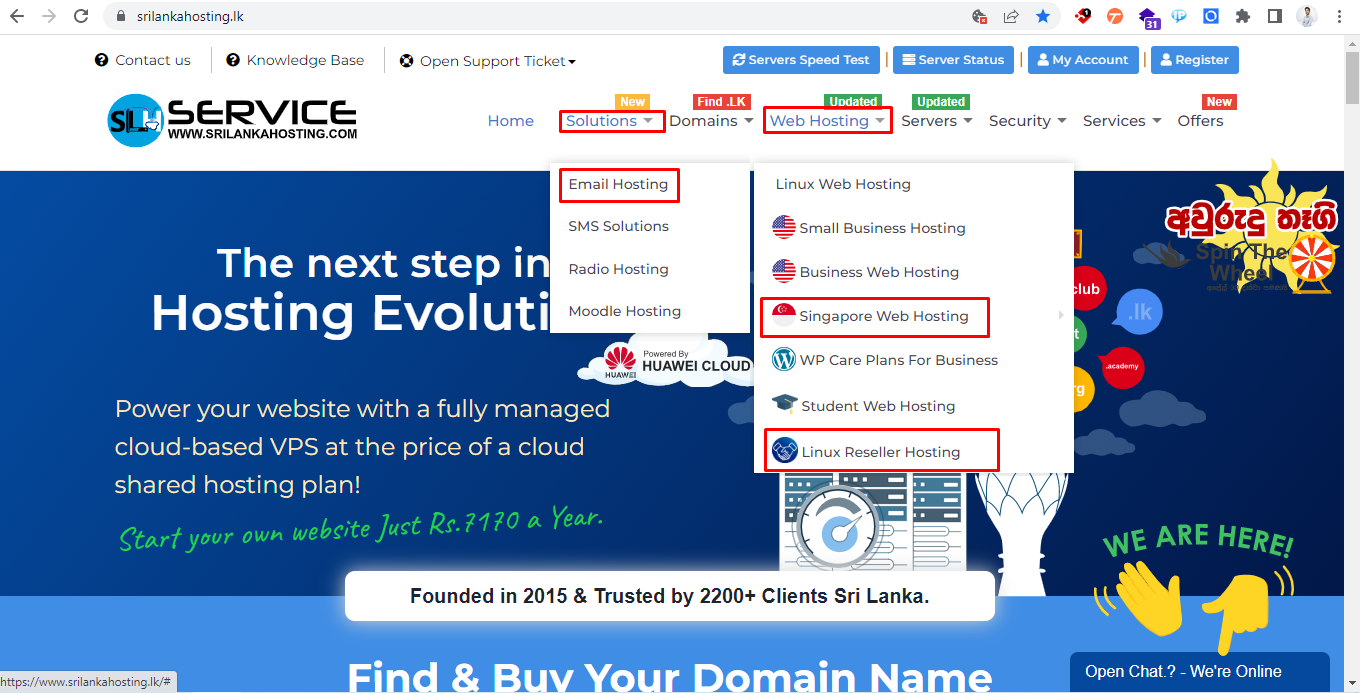
Step 1: Visit https://www.srilankahosting.lk/
Step 2: If you need to buy a Singapore Web hosting package.
Select Web Hosting → Singapore Web Hosting
.png)
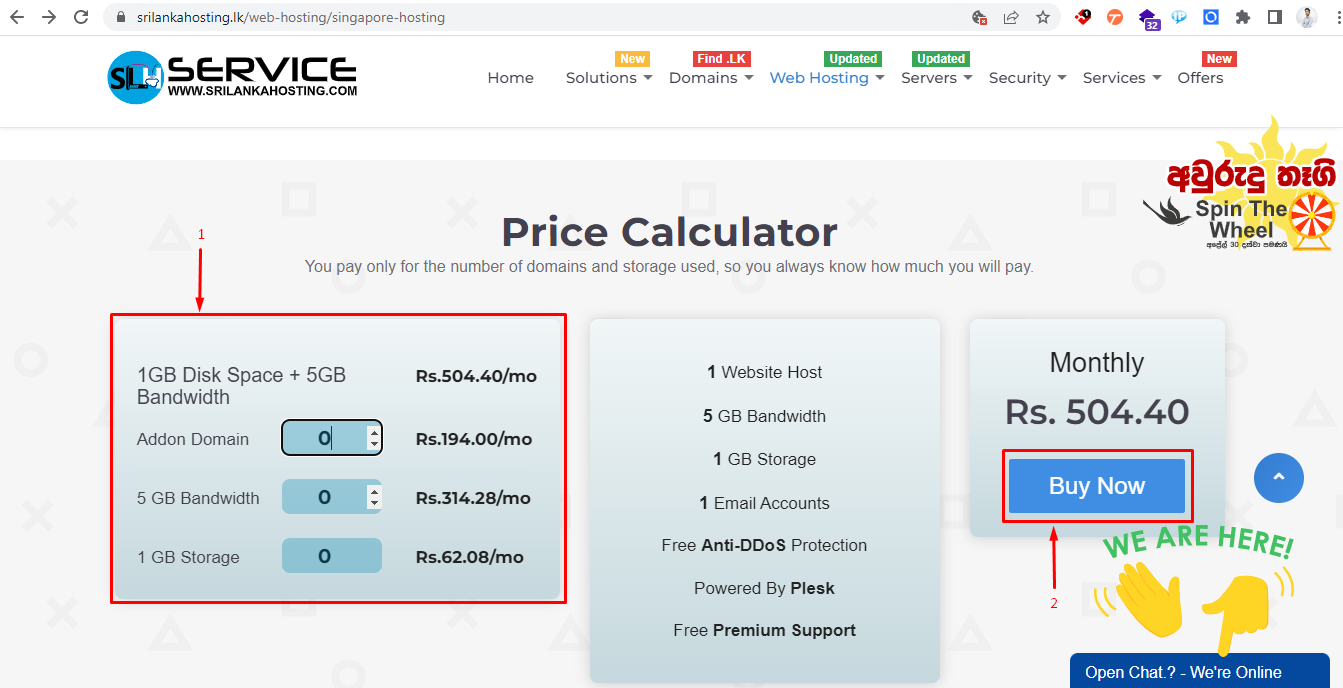
Step 3:
- You can check the price based on your needs.
- Hit the Buy Now button and move to the next step.
Step 4: Choose domain option
- Register a new domain: If you don’t have a domain name yet you can check availability and add it to the cart for registration.
- Transfer your domain from another registrar: If you have a domain that was brought from another service you can select the transfer option.
- I will use my existing domain and update my nameservers: Click on the Use or Check option
- Use a free temporary domain from SriLanka Hosting: Click on the Use or Check option
.png)
Step 5: Here, you can customize the package based on your needs.
- After customizing, click the Continue button and proceed to the next step.
.png)
Step 6: Review your package and click the Checkout button.
.png)
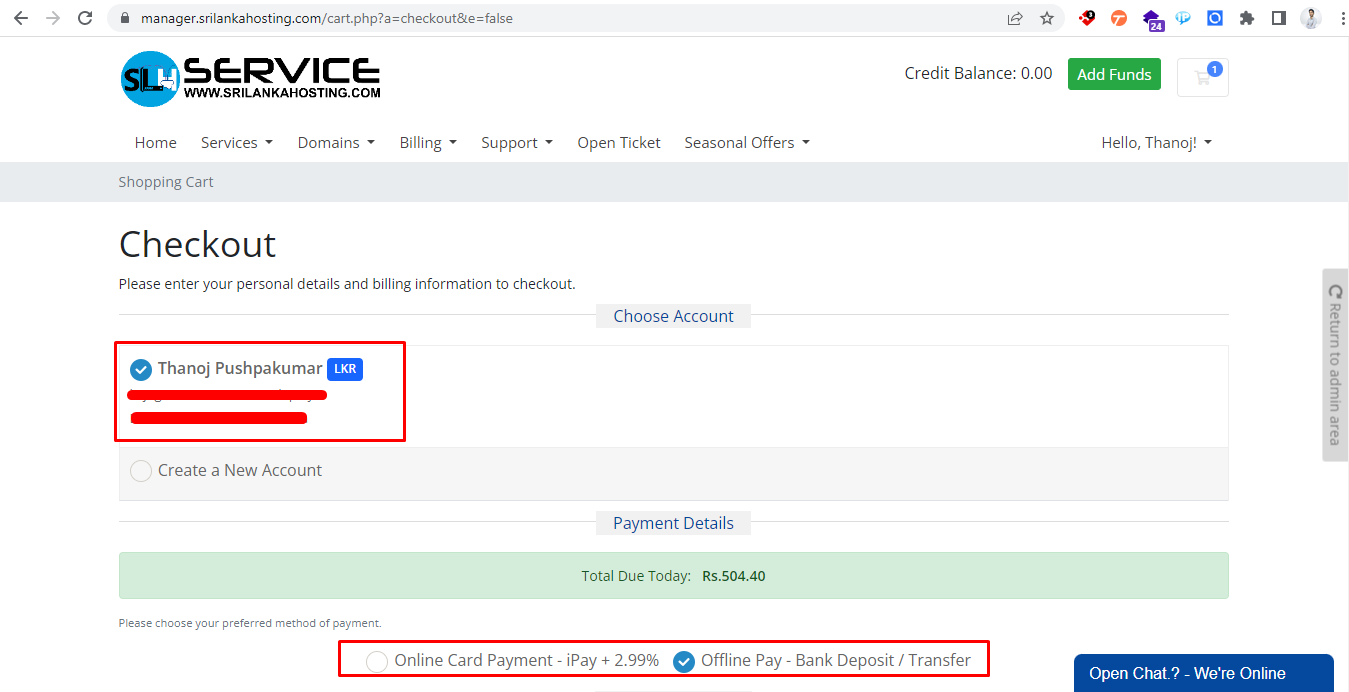
Step 7:
- Choose your account or create a new account.
- Select a payment option.
- Read and tick the checkbox I have read and agree to the Terms of Service
- Click the Complete Order button.
.png)
Once you complete these steps, you will be redirected to your invoice.


