Step 1: Build Your React Project
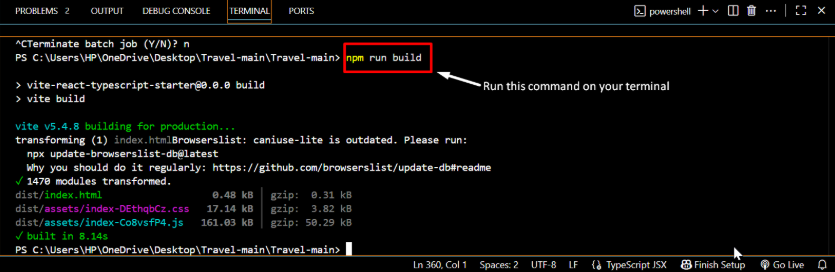
• Open your React project folder on your local computer and open powershell.
• Run the build command:
Step 2: Compress the Build Folder
• Go to the build folder in your project directory.
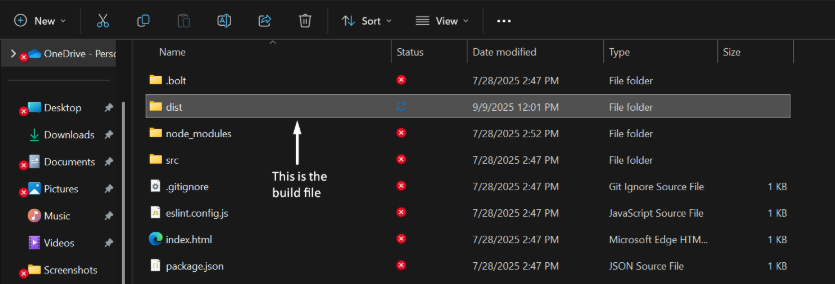
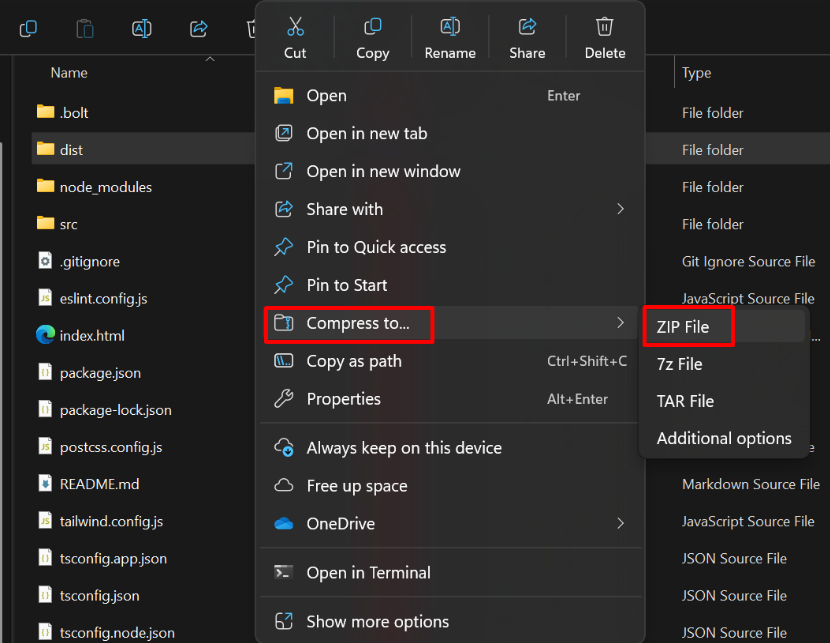
• Right-click → Compress/Zip the folder (you can name it react-build.zip).
Step 3: Log in to cPanel
• Open your cPanel account in a browser.
• First go to Tools.
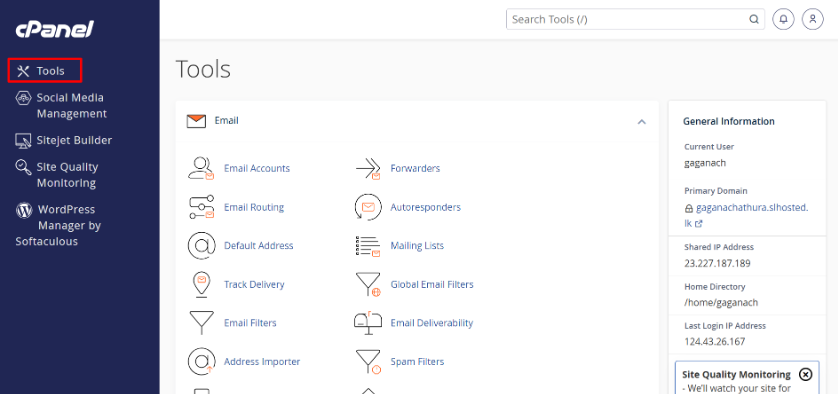
• Then go to File Manager.
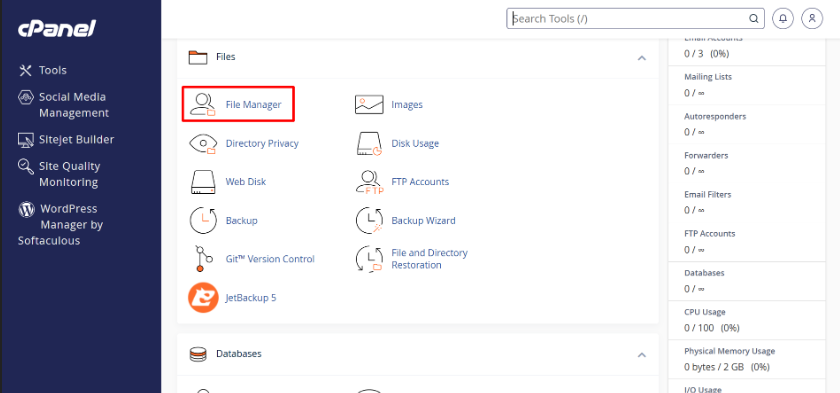
Step 4: Upload Your React Build Zip file
I. In File Manager, navigate to the folder you want to host your site go public_html on file manager.
FA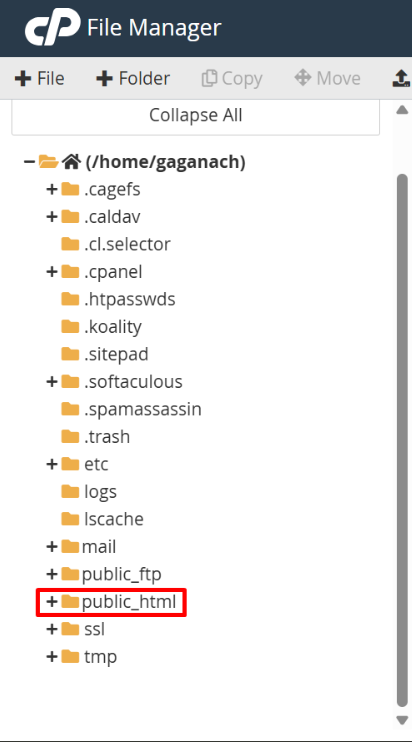
II. Must need to public_html folder is empty.
• if it has any files you can move it to trash.
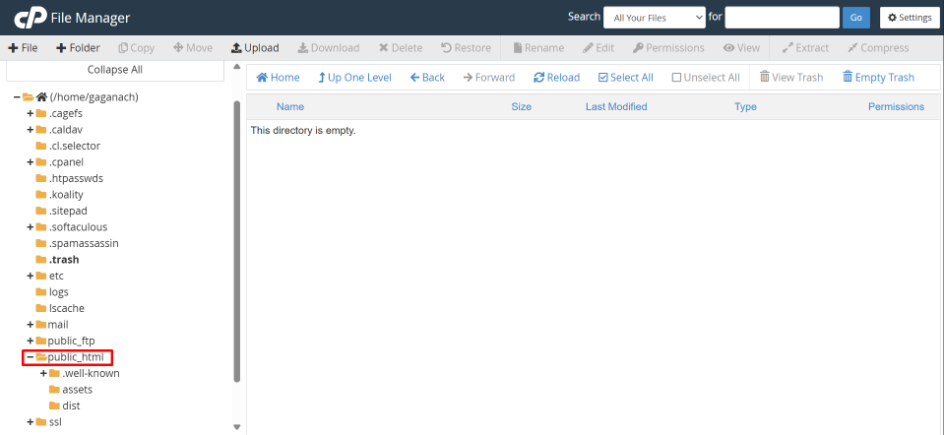
III. Now you can upload your build.zip to public_html folder upload area.
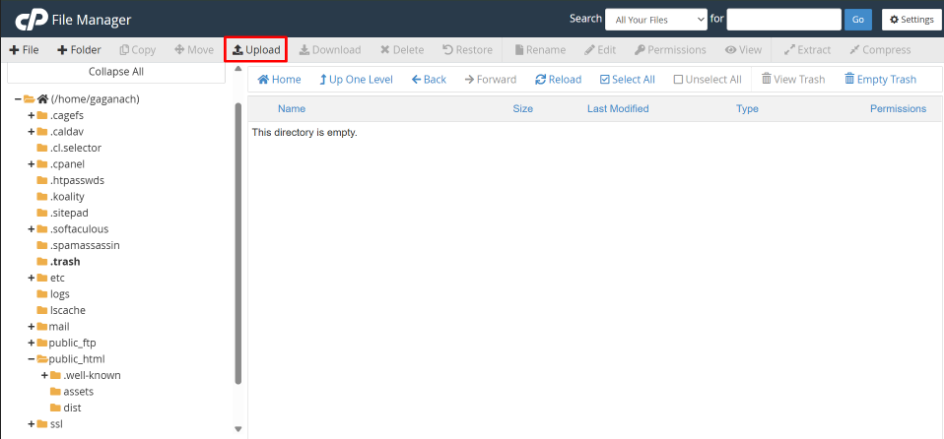
IV. Now you can extract zip file.
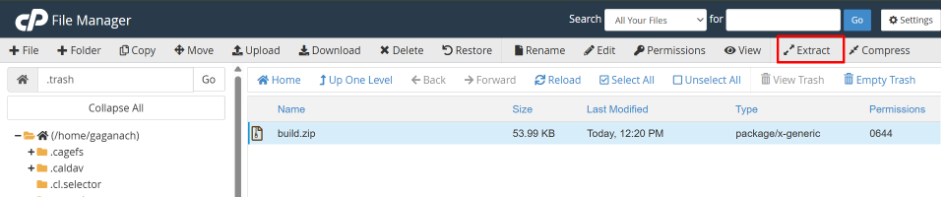
Make sure the index.html and other files are directly inside public_html (not nested inside another build folder).
Step 5: Set Up .htaccess for React Routing
• If your React app uses React Router, create a .htaccess file in public_html.
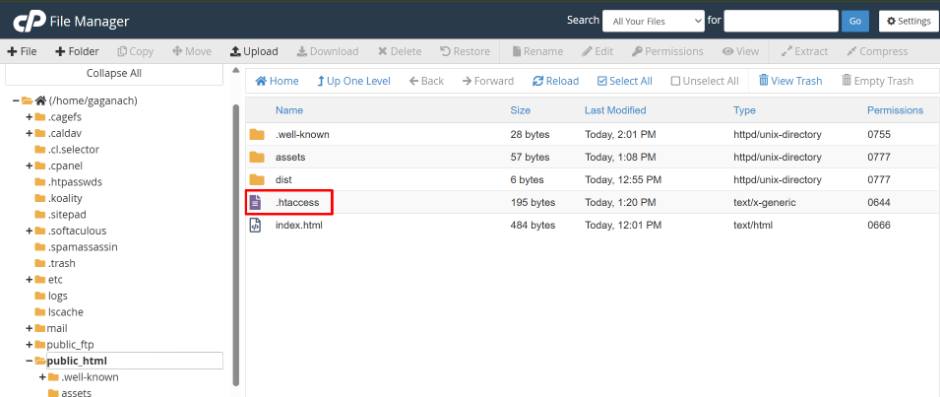
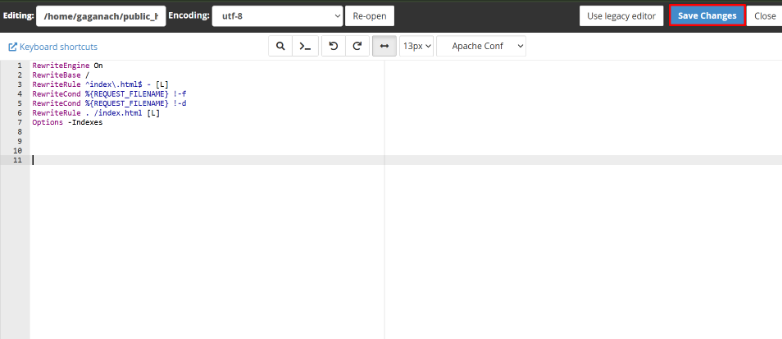
• You want to customize the content of .htaccess files according to your web site’s framework.(react,php,wordpress)
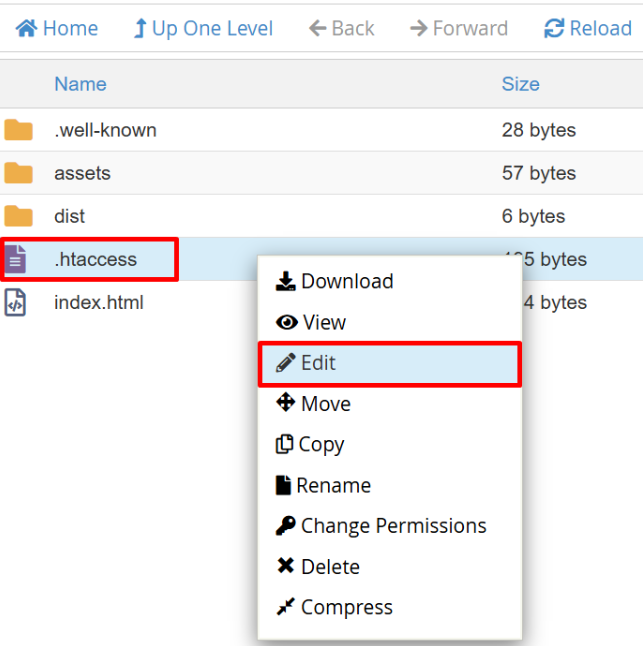
• Right click on .htaccess file and go edit. Then you can add the relevant content for your framework.
• After add your content and apply save changes.
Step 6: Test & Run Your Website
Open your domain in a browser.