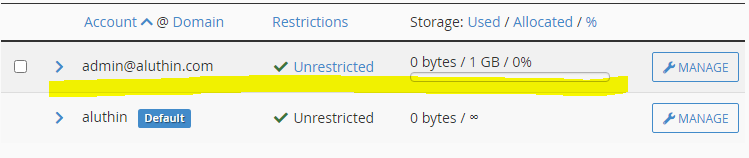
Step 1: Log in to your cPanel
Refer to the following link for a guide
//www.srilankahosting.com/knowledgebase-new/how-do-i-access-cpanel
Step 2: Find the Email Section
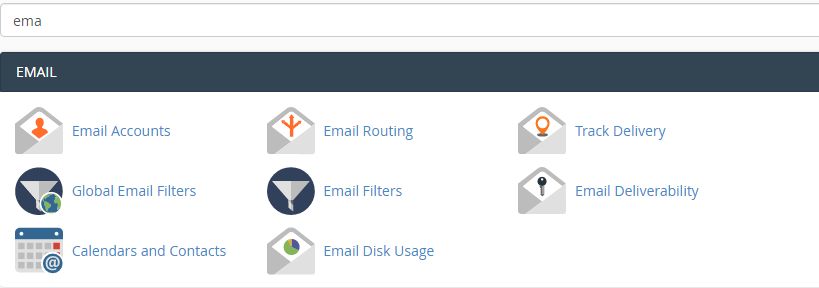
Click on the Email Accounts
You will be directed to a page as shown below.
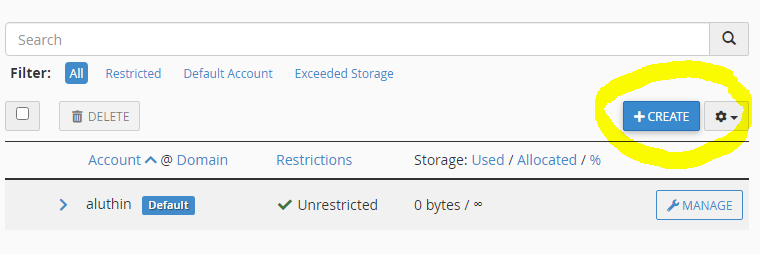
Click on create to proceed.
Step 4: Fill out your information as shown below
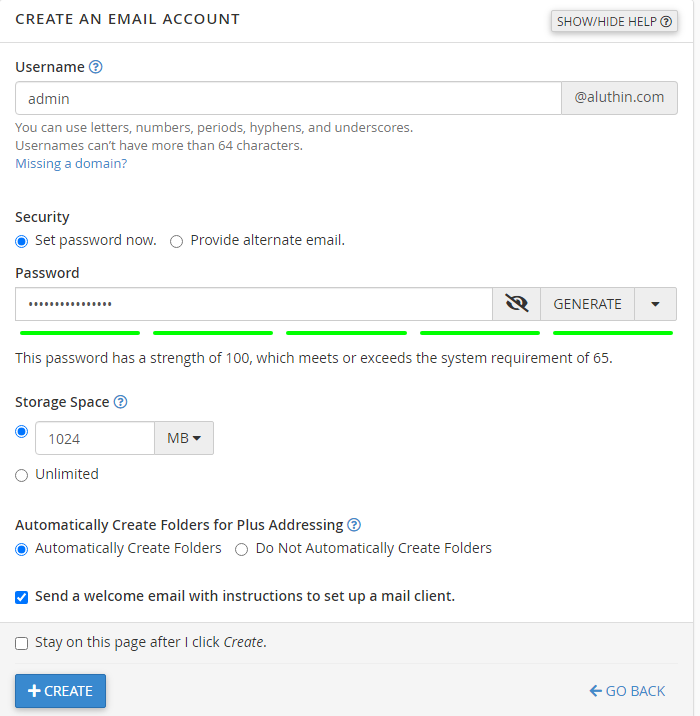
Make sure to generate a strong password and save it.
Step 5: Selecting Storage Space
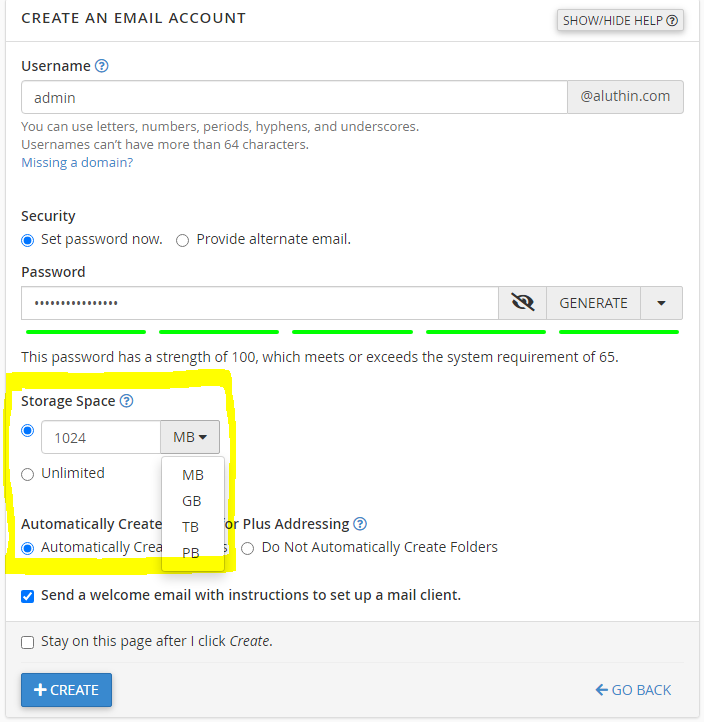
As highlighted in the above image choose the suitable storage space for your mails.
Then hit CREATE
Your email account is created now!