

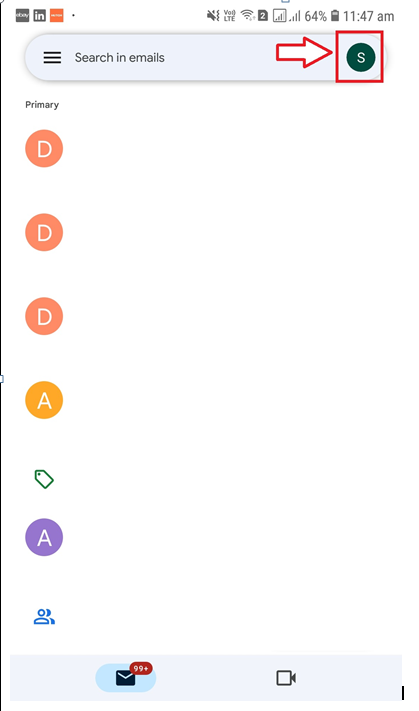
Step 1: Click on your profile picture icon in your Gmail app
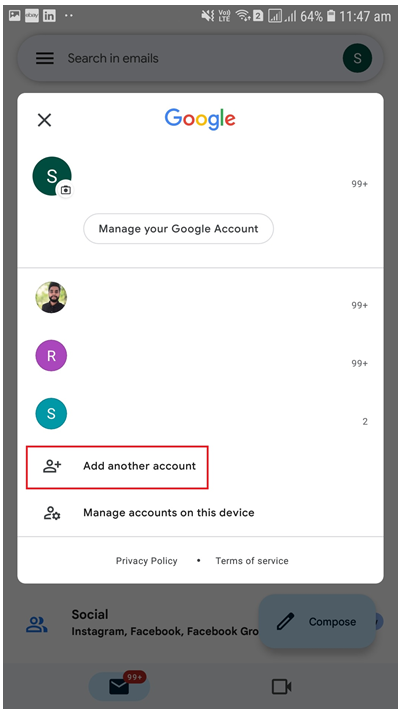
Step 2: Click Add Another Account
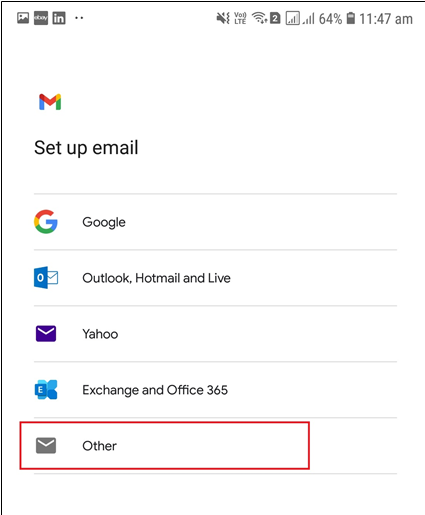
Step 3: Click Other
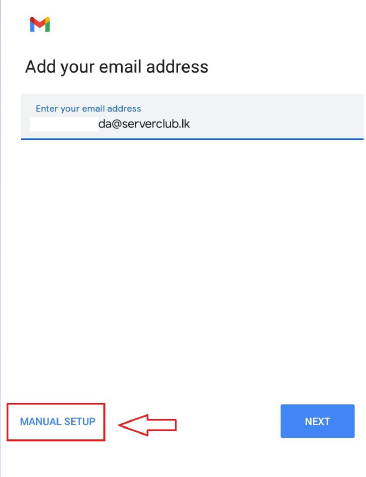
Step 4: Enter your Email address and click Manual Setup
Step 5: Click on Personal (IMAP)
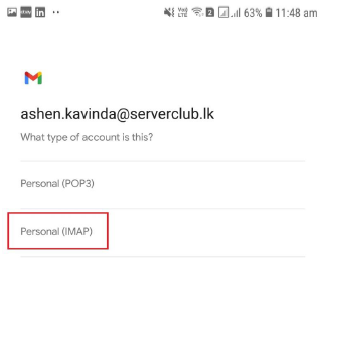
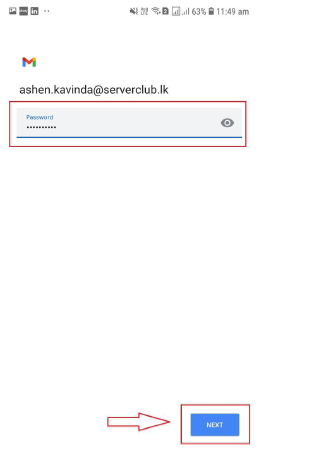
Step 6: Enter your password and click Next
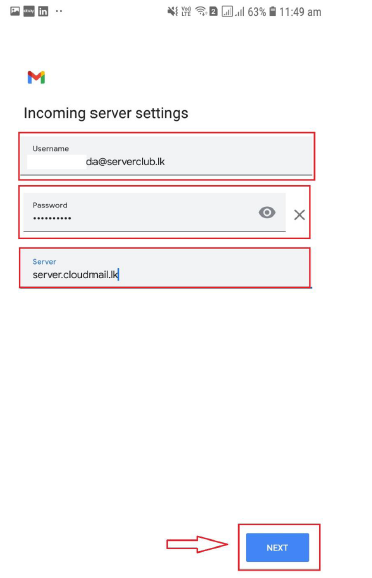
Step 7: For Incoming Server Settings, Enter your Username, Password and Server Address and click Next
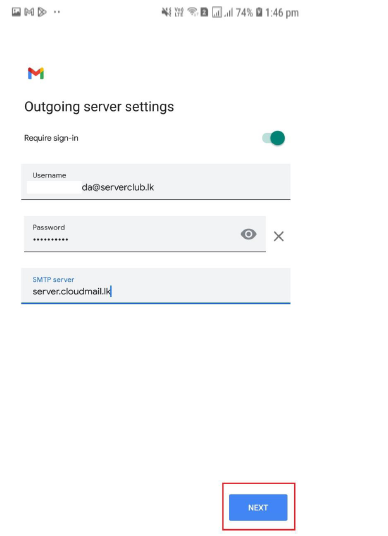
Step 8: For Outgoing Server Settings, Enter your Username,Password and Server Address and click Next
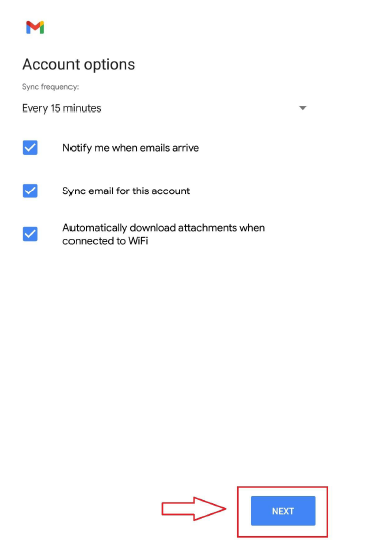
Step 9: Select options that you preferred and click Next
Step 10: Enter your Account Name and Your Name then click Next
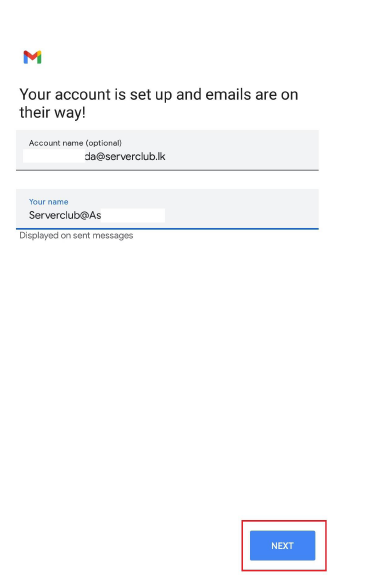
Email Configuration for Mobile Successful


