

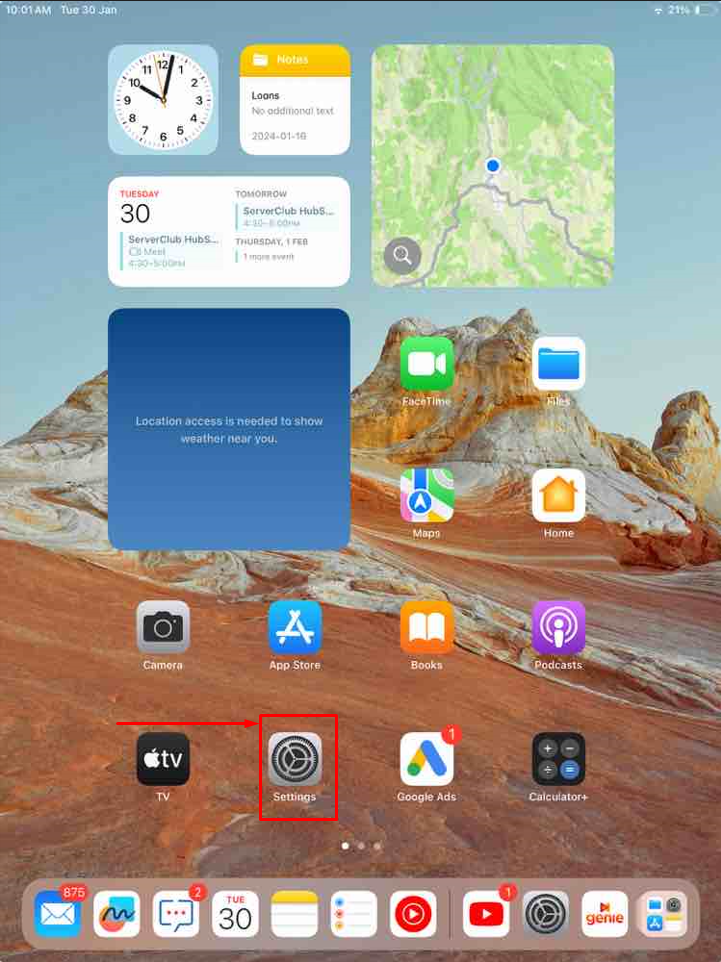
Step 2: Scroll down and find the Mail option. Tap on it
Under the Mail section, tap on Accounts
Step 3: Tap on Add Account
.png)
Step 4: Select Other
.png)
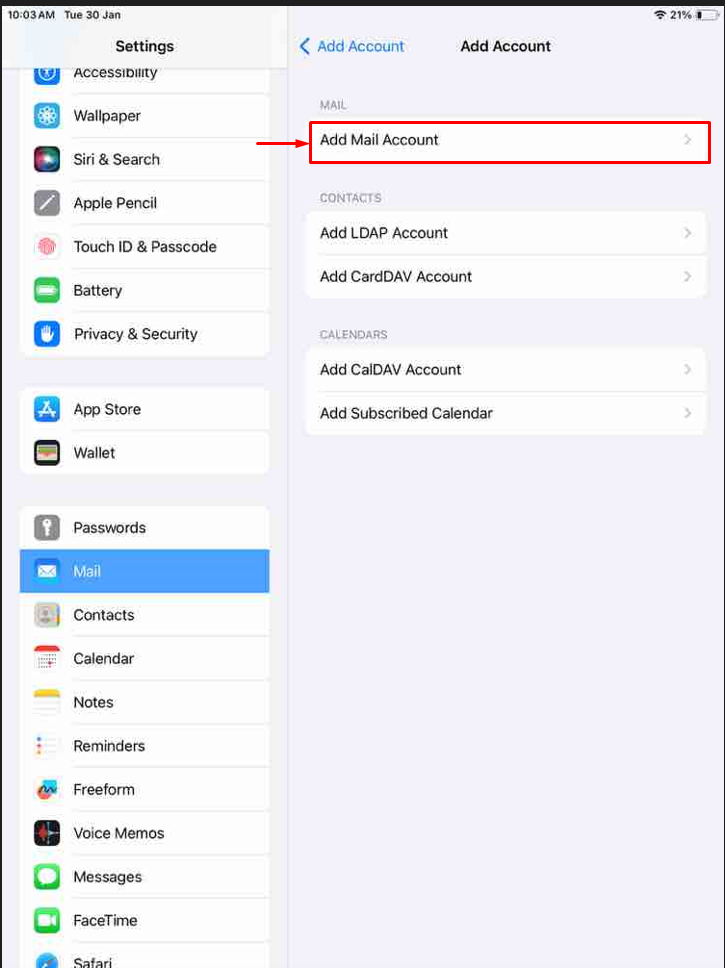
Step 5: Select Add Mail Account
Step 6: Now you will get a pop-up box to add a new account
- Name: Provide a name to identify your email
- Email: Type your email address here
- Password: Type your email password
- Description: Type a description for your email account
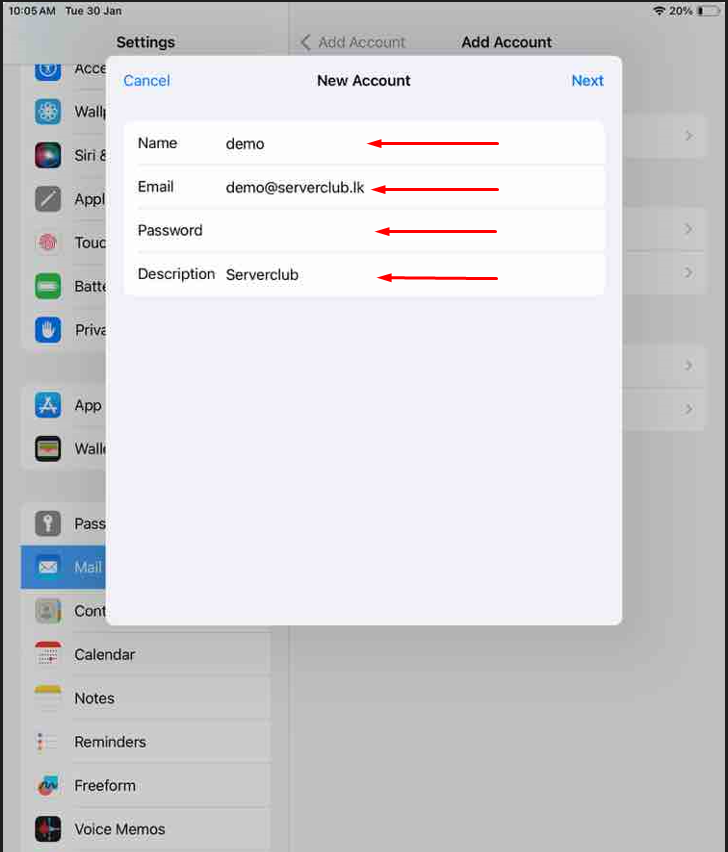
Select Next
Step 7: Fill This One
Incoming Mail Server
- Host Name: Server.cloudmail.lk
- User Name: Type your email address here
Outgoing Mail Server
- Host Name: Server.cloudmail.lk
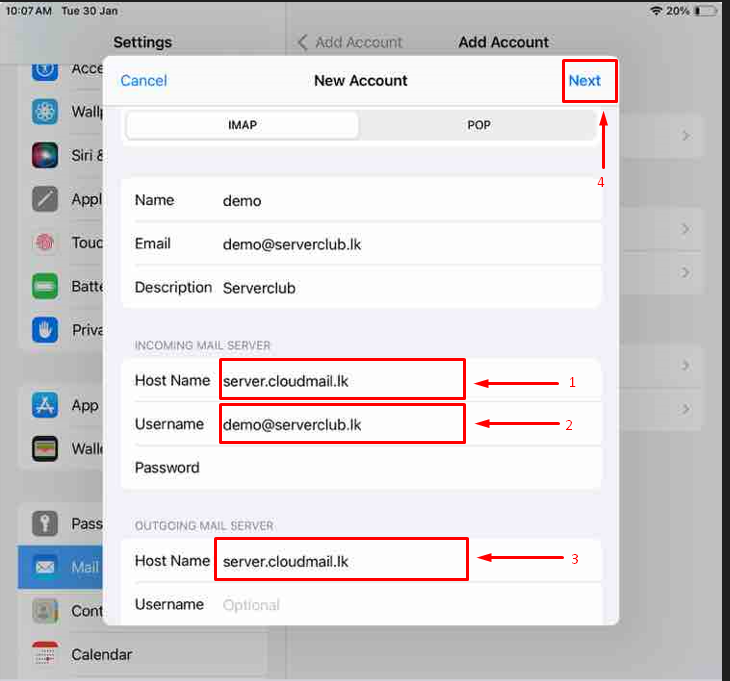
After entering all the information, tap Next or Save. Your iPhone will verify the settings
.png)
Your email account should now be configured on your iPhone.


