

To download a backup file from a backup storage within the Panel:
Step 1: First, you need to log in to your Plesk control panel. Refer below link https://www.srilankahosting.lk/knowledgebase-new/getting-started-with-plesk/
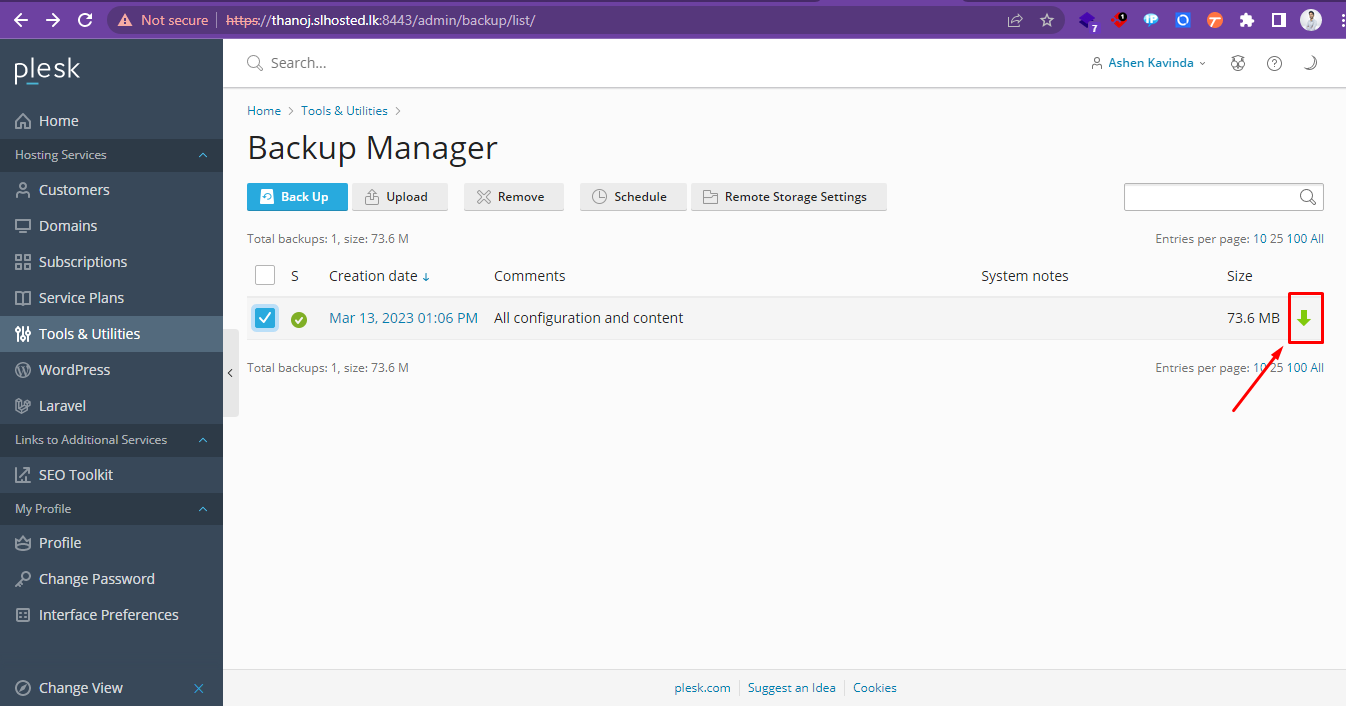
Step 2: Go to Tools & Utilities -> Backup Manager
.png)
Step 3: Click the download icon corresponding to the backup file you want to download
Step 4: Provide a new password for the backup and select OK
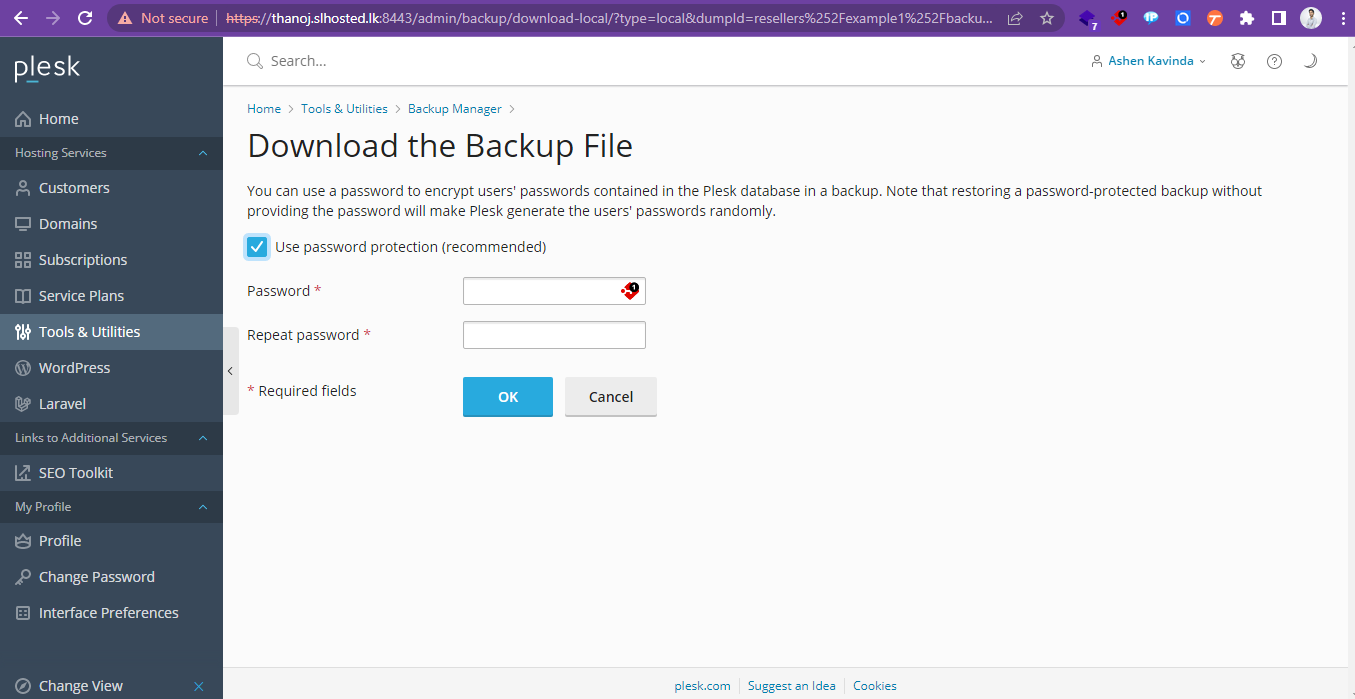
The backup file will be downloaded from the backup storage.


