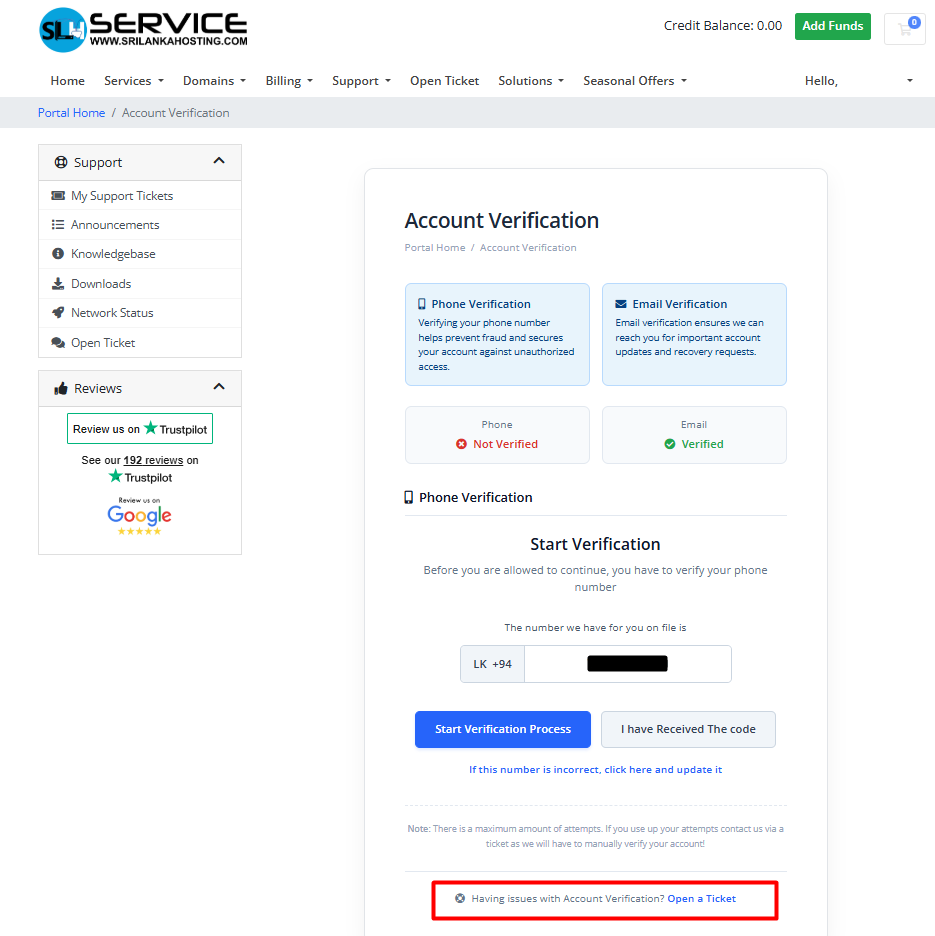

Account Verification
To enhance account security and ensure important notifications reach the correct recipient, we may request verification of your contact details.
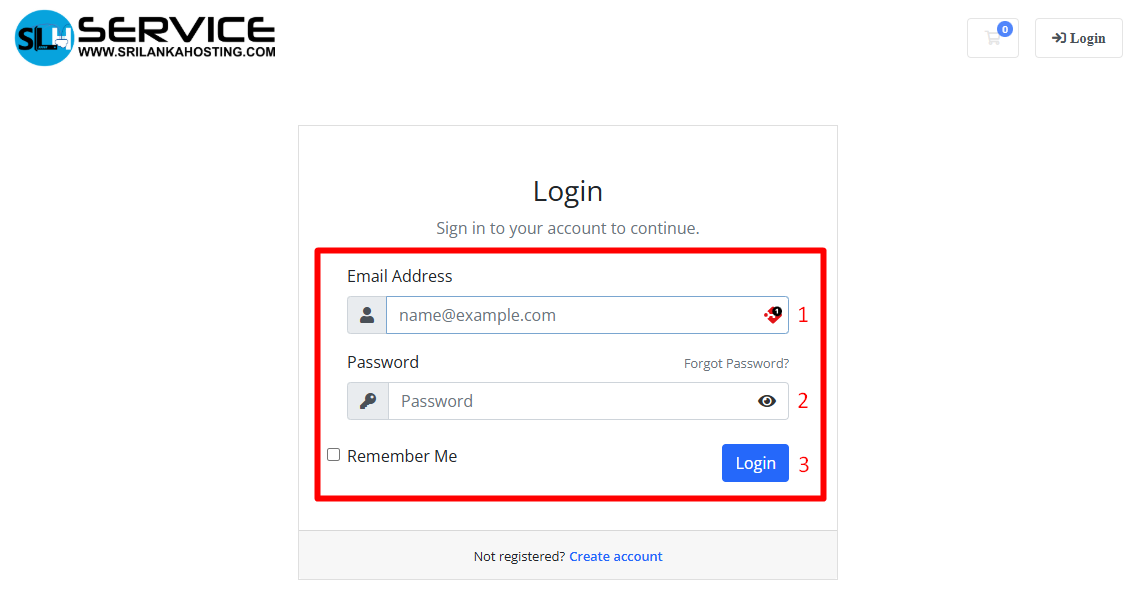
Step 1 - Login
- Log in to your Client Area.
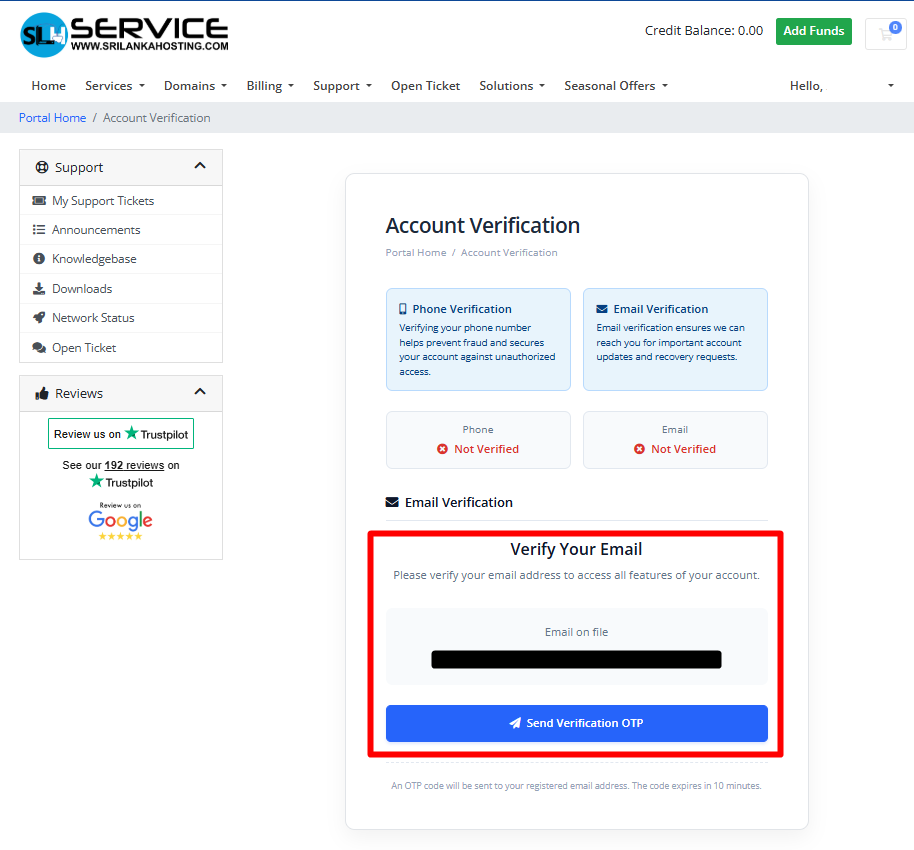
Step 2 - Email Verification
- Locate your email address on the screen.
- Click "Send Verification OTP" to request a verification code.
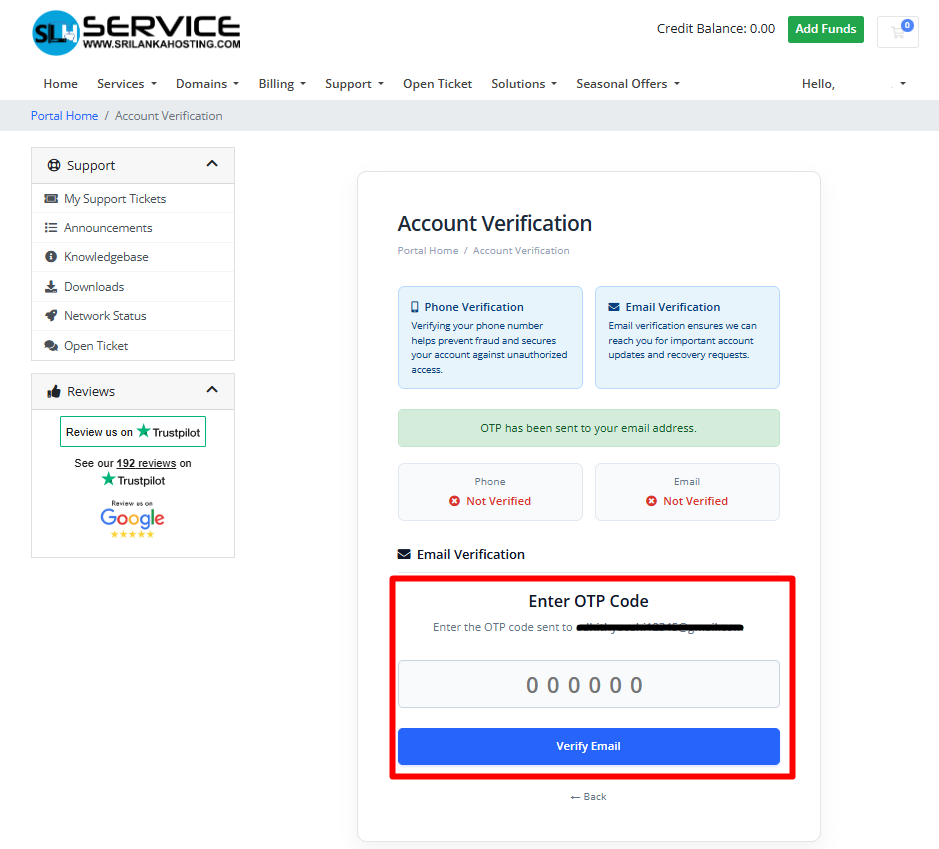
3. Enter the OTP received in your email and click "Verify Email".
4. Once successfully verified, your email will display a green checkmark.
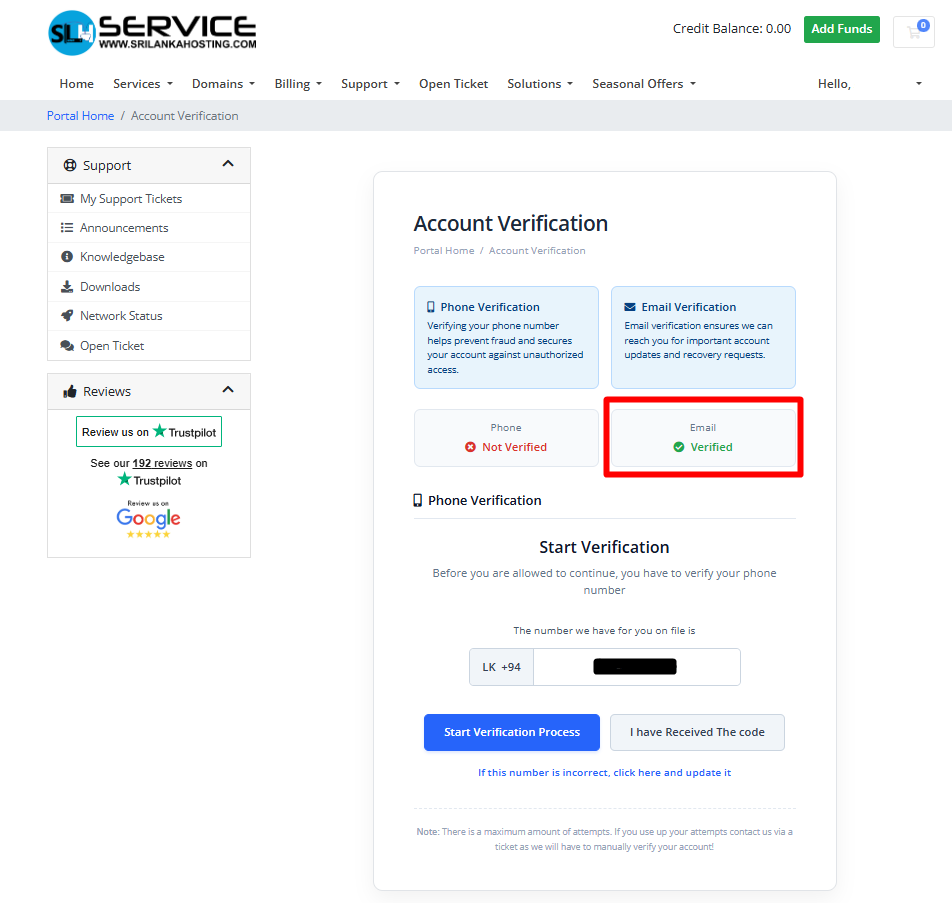
Step 3 - Mobile Number Verification
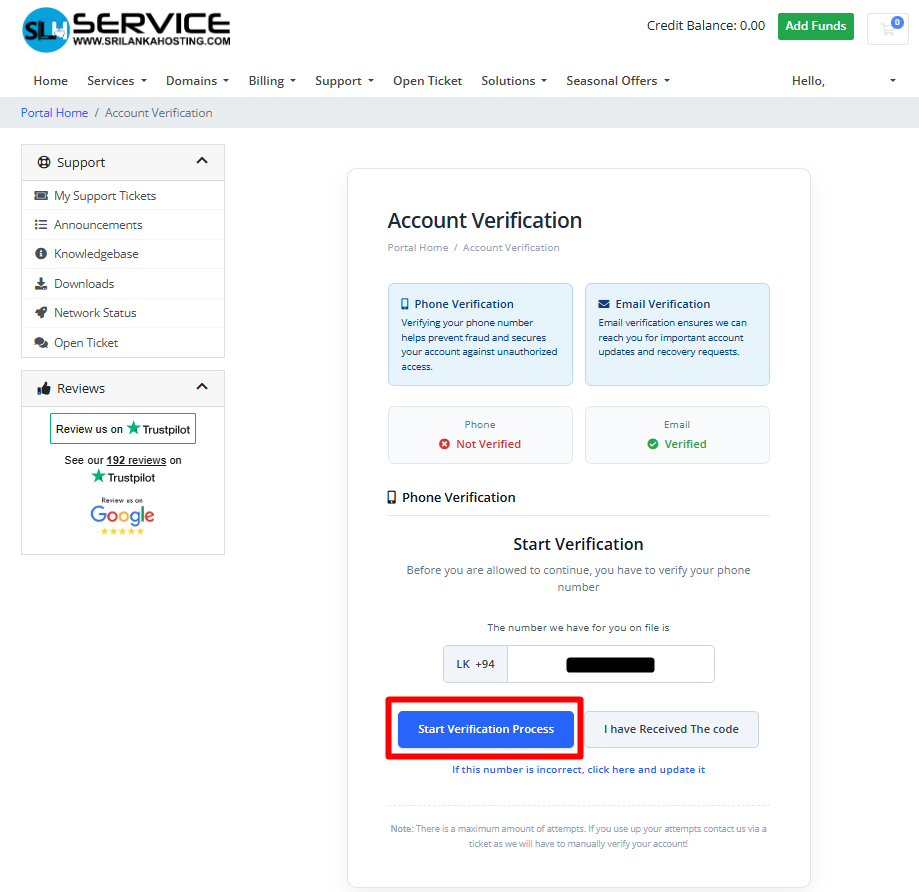
- Review your phone number. If it is correct, click the "Start Verification Process" button.
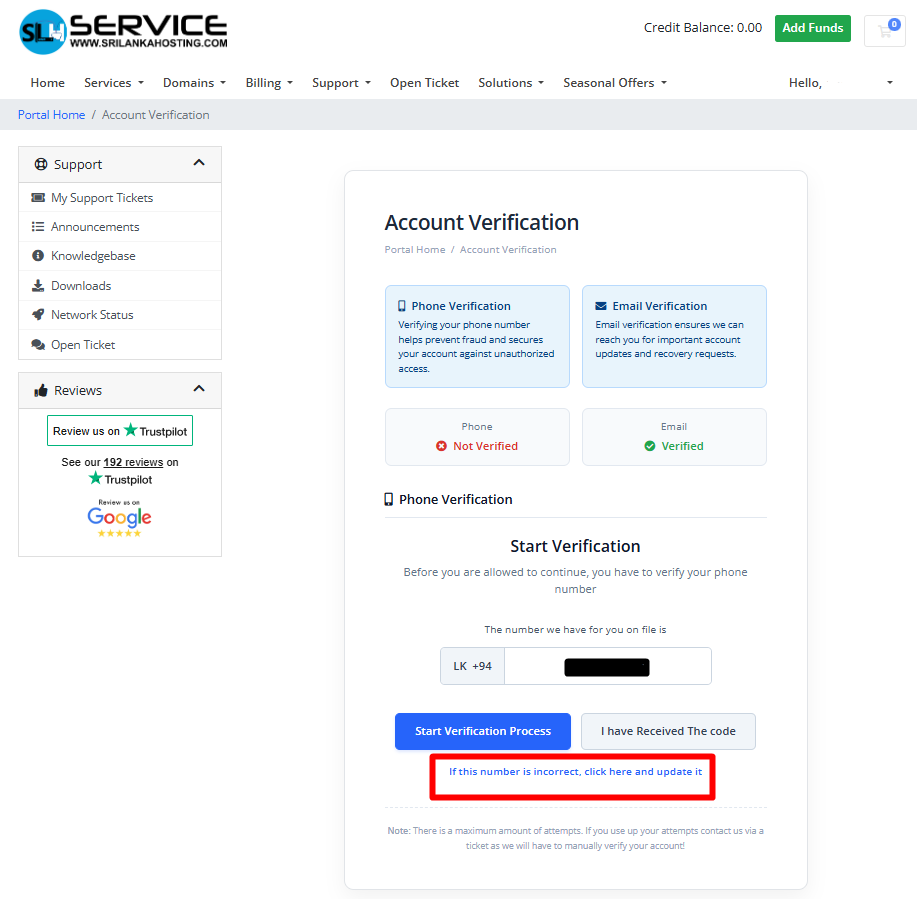
Note: If your number is incorrect, please use the option below and update your new phone number.
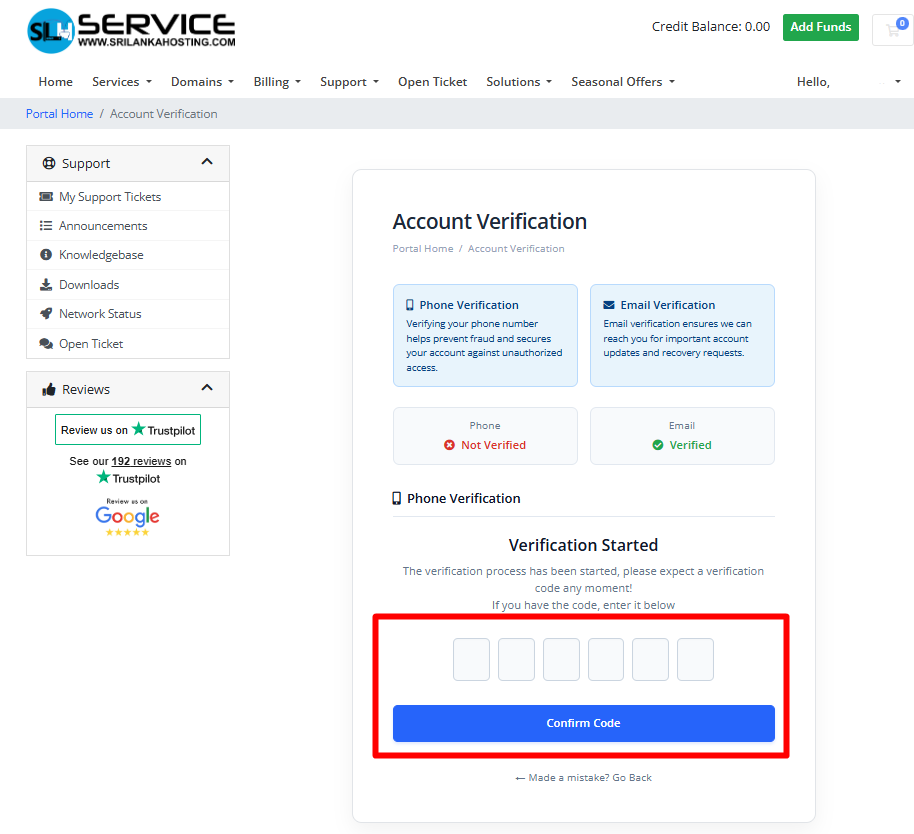
2. Enter the OTP (One-Time Password) sent to your phone, then click"Confirm Code".
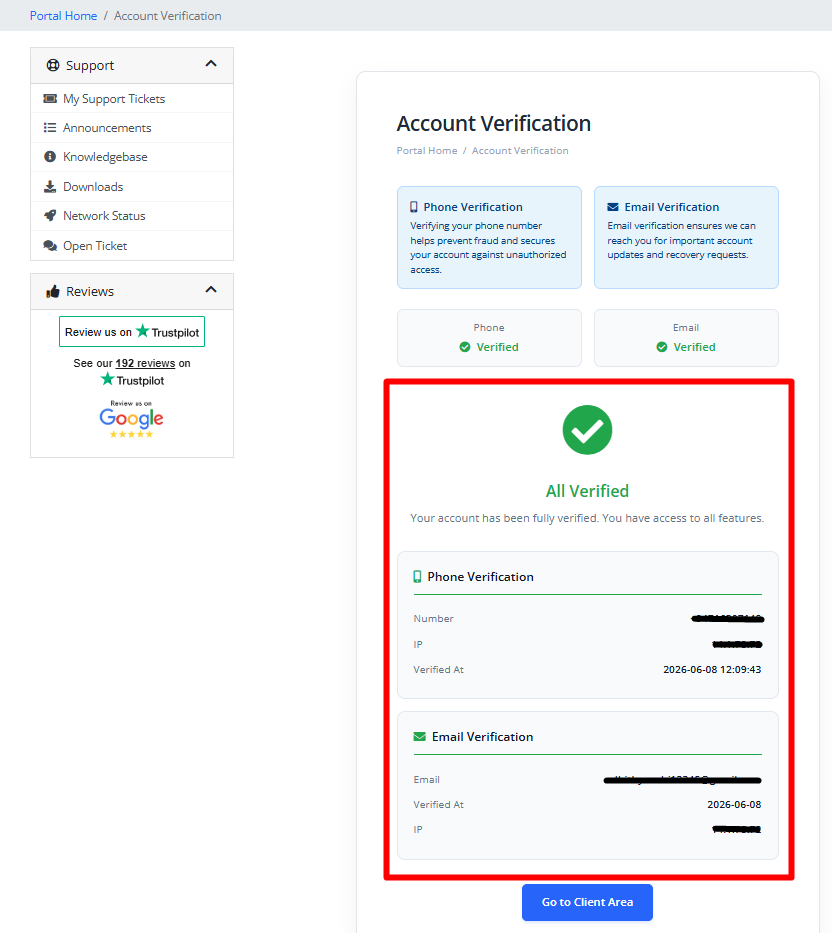
4. Once completed, your updated verification status will be displayed.
Note :
If you have any questions regarding this verification process, please contact us.
- Hotline: 0117 10 9693
- WhatsApp : 0774 233 244
- Open a Support Ticket