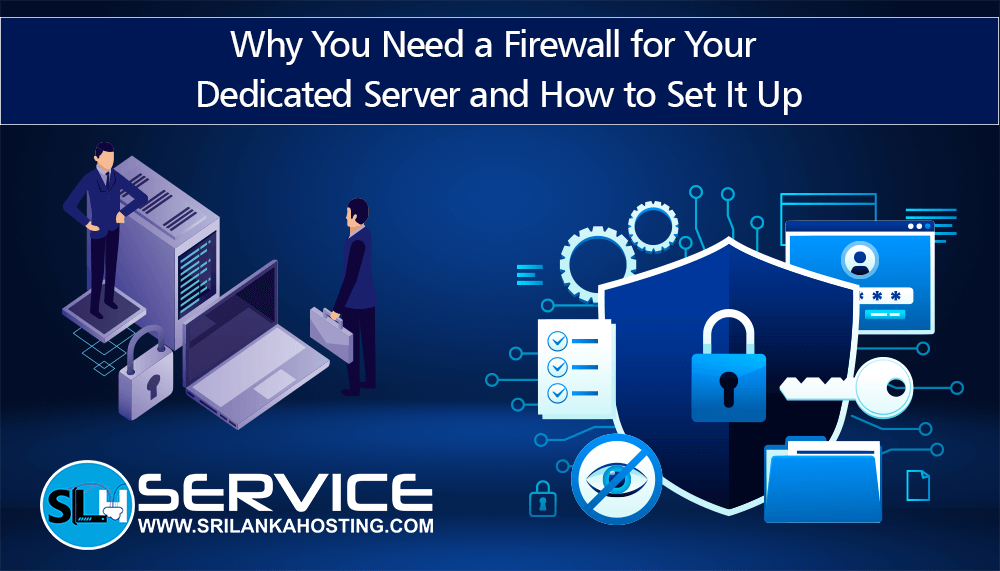
Why You Need a Firewall for Your Dedicated Server and How to Set It Up?
Jan 14, 2026
If you run a website or an online service on a dedicated server, security should be one of your top priorities. A dedicated server gives you full control, strong performance, and better reliability than shared hosting — just like the dedicated server plans offered by srilankahosting.lk.
But with this power comes responsibility: your server will be open to the internet and could be targeted by cyber threats. That’s where a firewall becomes essential.
What is a Firewall?
A firewall is a security tool that controls the flow of traffic between your server and the internet. It decides which data can come in and go out based on rules you set. Think of it like a security guard at the entrance of your server, checking and filtering all incoming and outgoing connections.
Why You Need a Firewall for Your Dedicated Server?
1. Protect Your Server from Attacks
Dedicated servers are valuable and sometimes targeted by hackers. Without a firewall, anyone can try to access your server, which can lead to stolen data or service disruptions. A firewall blocks unwanted traffic, keeping your server safe.
2. Meet Security Standards
If your site handles private information (like customer details, payments, or user accounts), you must meet security standards such as PCI DSS (Payment Card Industry Data Security Standard), GDPR (General Data Protection Regulation), or others. A firewall helps protect that data and can help you stay compliant.
3. Stop DDoS and Bad Traffic
A DDoS attack is when many computers send fake traffic to your server until it crashes. A firewall can recognize and block these suspicious patterns before they harm your website.
4. Full Control Over Server Access
With a firewall, you can choose exactly what type of traffic is allowed. For example:
Allow SSH (remote login) only from your IP address
Block ports that are not needed
This gives you strong control over your server’s security.
How to Set Up a Firewall on Your Dedicated Server?
Setting up a firewall is easier than many people think. Here are simple steps you can follow:
1. Use Built‑In Tools
Most servers come with a firewall tool already installed. On Linux systems, tools such as iptables, firewalld or UFW are commonly used. On Windows servers, the built-in Windows Firewall is available.
2. Create Your Firewall Rules
You should decide what traffic is allowed:
Allow web traffic: Ports 80 (HTTP) and 443 (HTTPS)
Allow SSH: Port 22 (or your custom SSH port)
Block Everything Else: Unless it’s needed
This helps close all doors except the ones your server really needs.
3. Enable the Firewall
After adding rules, make the firewall active. This step turns on protection so the rules start working.
4. Monitor and Update
Security isn’t one‑time — you should:
Regularly check firewall logs
Update rules as your needs change
Patch firewall software to stay protected against new threats
This way your server stays secure over time.
Conclusion
If you’re hosting your dedicated server with srilankahosting.lk, you already have a powerful and secure platform to build your website or service.
But to keep your server truly safe, adding a firewall is essential. It protects against hackers, helps meet security standards, blocks malicious traffic, and gives you full control over access. Setting up a firewall doesn’t have to be hard — with the right rules and monitoring, your dedicated server can stay safe and strong.