How to Plan a Safe Server Migration and Data Transfer
Oct 16, 2026
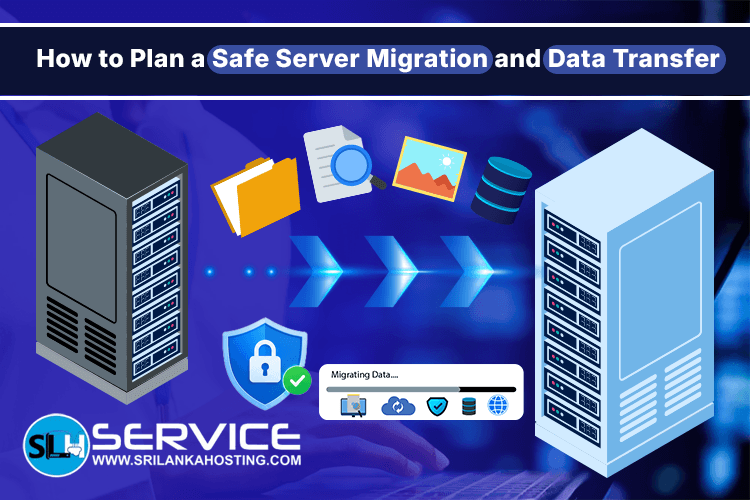
Moving a website, application, or business system to a new server can improve performance, security, and reliability. However, server migration needs careful planning. If files are missed, databases are not transferred correctly, or DNS settings are changed too early, your website may stop working or lose important data. For Sri Lankan businesses that depend on their websites and online services, a safe server migration helps reduce downtime and protect business information. With the right preparation, you can move your data to a new server with fewer problems.
1. Check Your Current Server
Before starting a migration, understand what is running on your existing server. Make a list of your websites, applications, databases, email accounts, domain names, and other important services. Check how much storage your data uses and how much CPU and memory your applications need. You should also identify the operating system, PHP version, database software, and control panel currently in use. This information helps you choose a suitable destination server. It also helps you identify software or configuration differences that could cause problems after the move.
2. Choose the Right New Server
Your new server should have enough resources to support your current workload and future growth. Consider storage capacity, memory, processing power, network performance, and security requirements. You should also check whether your applications are compatible with the new server's operating system and software versions. For example, an older application may not work correctly if the new server uses a different PHP version or database configuration. If you use a control panel such as cPanel, Plesk, or DirectAdmin, confirm that your migration method supports the platforms involved.
3. Create a Complete Backup
A reliable backup is one of the most important parts of server migration. Before transferring any data, create a backup of your website files, databases, email data, and important configuration files. Keep a separate copy of the backup in a secure location. Check that the files are complete and that the backup can be restored if needed. A backup that cannot be restored may not help when something goes wrong. Avoid deleting data from the old server immediately after migration. Keeping the original server available for a suitable period gives you a safer recovery option if unexpected issues appear.
4. Plan the Data Transfer
Once the new server is ready, prepare a clear transfer plan. Decide which files and databases need to move, how the transfer will happen, and when the work should take place. For busy websites, online stores, and business applications, choose a time when fewer users are active. If customers can place orders, submit forms, or update information during the migration, plan how to handle new data so that recent changes are not lost. Large databases and websites may need additional time for copying and verification. A test transfer can help identify issues before the final migration begins.
5. Protect Data During Migration
Business data should remain secure throughout the transfer. Use secure transfer methods, restrict server access to authorised users, and avoid sharing passwords through unsafe channels. Review firewall rules, user permissions, and security settings on the destination server. Check that the required services are configured correctly and that unnecessary access is disabled. Server configuration is also important after migration. Web server settings, DNS records, database connections, and security tools must work together to keep your website stable and protected.
6. Test Before Changing DNS
Do not assume that a successful file transfer means the migration is complete. Test the website or application on the new server before directing visitors to it. Check important pages, login functions, forms, images, database connections, payment processes, and other key features. If you use business email, test sending and receiving messages as well. You should also review SSL certificates, redirects, permissions, scheduled tasks, and application error logs. Fix any problems before making the new server live.
7. Update DNS and Monitor the New Server
When testing is complete, update the required DNS records to point to the new server. DNS changes can take time to reach users and networks, so some visitors may temporarily reach the old server. Monitor website availability, server resources, database performance, and error logs after the change. Check that important services continue to work as expected. Keep the old server available until you have confirmed that the migration is successful and that no important data is missing. A rollback plan should be ready in case a serious issue requires you to return to the previous setup.
Get Server Migration Support From SriLanka Hosting
Planning a server migration involves more than copying files. Server
compatibility, data integrity, DNS settings, security, and testing all play
an important role in a successful move. SriLanka Hosting provides server configuration services covering web server
setup, PHP and MySQL configuration, DNS, firewall setup, security hardening,
and server optimisation. Server-to-server and supported control panel
migrations are also available through its server management services. If you are planning to move your website or business system, visit the
SriLanka Hosting Server Configuration page
to explore the available services. Migration and data transfer may require a
separate fee, so contact the team with details about your server and the
number of users to discuss your requirements. With proper planning, careful testing, and the right technical support, you
can move to a new server while reducing the risk of downtime and data loss.