Server Hardening Explained: Reducing the Attack Surface
Oct 27, 2026
A server runs websites, applications, databases, and other important business services. However, if it is not properly secured, attackers may find ways to access it, exploit weaknesses, or disrupt its services. Server hardening is an important step in protecting a server from these risks. It involves removing unnecessary services, improving security settings, limiting access, and keeping software updated. For Sri Lankan businesses that depend on websites and online systems, server hardening can help reduce security risks and support more reliable operations.
What Is Server Hardening?
Server hardening is the process of making a server more secure by reducing unnecessary features and closing possible entry points for attackers. A new server may come with default settings, installed software, open network ports, and user accounts that are not all needed for its intended purpose. Each unnecessary service or weak setting may create an additional security risk. Hardening means reviewing these settings and allowing only the services, users, and connections that the server actually needs. For example, a server used only to host a website may not need remote access services or applications intended for other tasks. Disabling unnecessary services can reduce the number of ways an attacker might try to access the system.
What Does Attack Surface Mean?
An attack surface is the total number of points where someone could try to access or attack a system. For a server, this may include open network ports, remote login services, outdated software, weak passwords, unused applications, and incorrectly configured permissions. he larger the attack surface, the more potential weaknesses need to be managed. Reducing it does not guarantee that a server cannot be attacked, but it can lower the number of possible entry points.
1. Remove Unnecessary Services and Software
Every service running on a server uses resources and may introduce security risks if it is not maintained properly. Review the installed applications and running services. Disable or remove anything that is not required for the server's purpose. For example, a web server may not need unused file-sharing services or additional applications that are no longer used. Before removing a service, confirm that it is not required by a website, control panel, or business application. Disabling an important service without checking can cause websites or applications to stop working.
2. Secure Remote Server Access
Administrators often use SSH to manage Linux servers remotely. If remote access is not properly protected, attackers may try to guess passwords or use stolen login details. Use strong, unique passwords and SSH keys where appropriate. Restrict administrative access to trusted users and, where possible, approved IP addresses. Disable unused accounts and avoid giving every user full administrator permissions. For control panels and other management tools, use multi-factor authentication when available. These steps can help prevent unauthorized users from gaining control of the server.
3. Configure the Firewall Correctly
A firewall controls which network connections are allowed to reach a server. It helps block unwanted traffic while allowing the connections required by websites, applications, and administrators. For example, a public website normally needs access to HTTP and HTTPS services. Administrative ports and database connections should not be exposed to everyone unless there is a clear requirement. Review firewall rules regularly and remove permissions that are no longer needed. Incorrect firewall settings can block legitimate users or expose services that should remain private, so test changes carefully.
4. Keep Software and Security Updates Current
Outdated operating systems, control panels, web servers, and applications may contain known security weaknesses. Attackers can use these weaknesses to access systems that have not been updated. Install security updates regularly and follow the supported update process for your server software. Remove applications that are no longer maintained and replace them with supported alternatives where necessary. Before major updates, create a backup and plan for recovery. This helps reduce the impact if an update causes compatibility problems.
5. Use Secure Permissions and Account Settings
File and folder permissions determine who can read, change, or execute files. If permissions are too open, users or applications may gain access to information they do not need. Give users and applications only the permissions required for their work. Protect configuration files containing passwords or database details, and review administrator accounts regularly. Avoid using shared accounts when individual accounts can be created. This makes it easier to control access and identify who made changes to the server.
6. Monitor the Server and Keep Backups
Server hardening is not a one-time task. New vulnerabilities can appear, user requirements can change, and software settings may need regular review. Monitor system logs, login attempts, server activity, and security alerts. Investigate unusual behavior instead of ignoring repeated warnings. Keep regular backups of important files, databases, and configuration settings. Store backup copies securely and test that they can be restored. Backups do not prevent attacks, but they help your business recover when data is lost or a system needs to be rebuilt.
Get Server Security Configuration Support from SriLanka Hosting
Server hardening involves several areas, including access control, firewall
rules, software updates, permissions, and security settings. Incorrect
changes can affect websites and business applications, so it is important to
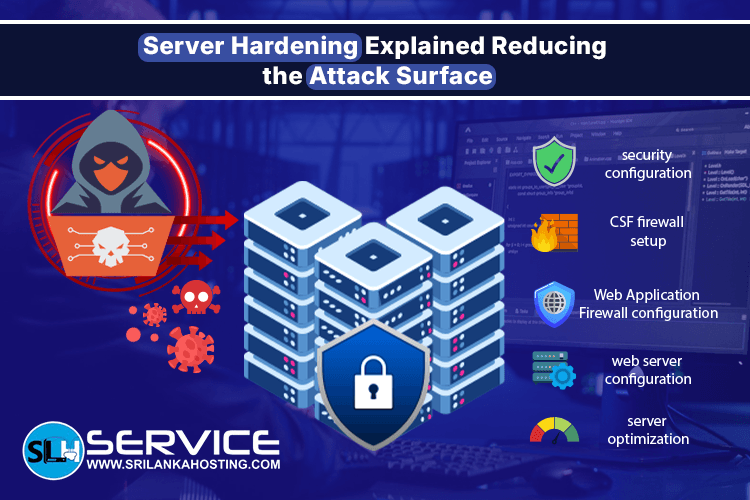
configure the server carefully. SriLanka Hosting provides server configuration services that include
security configuration, CSF firewall setup, Web Application Firewall (WAF)
configuration, web server configuration, and server optimization. If you are setting up a new server or improving the security of an existing
one, visit the
SriLanka Hosting Server Configuration page
to explore the available services. By reducing unnecessary access, keeping software updated, and reviewing
security settings regularly, you can reduce your server's attack surface and
build a safer hosting environment for your business.