Step-by-Step Guide to Create a Website Using a Site Builder
Mar 23, 2026
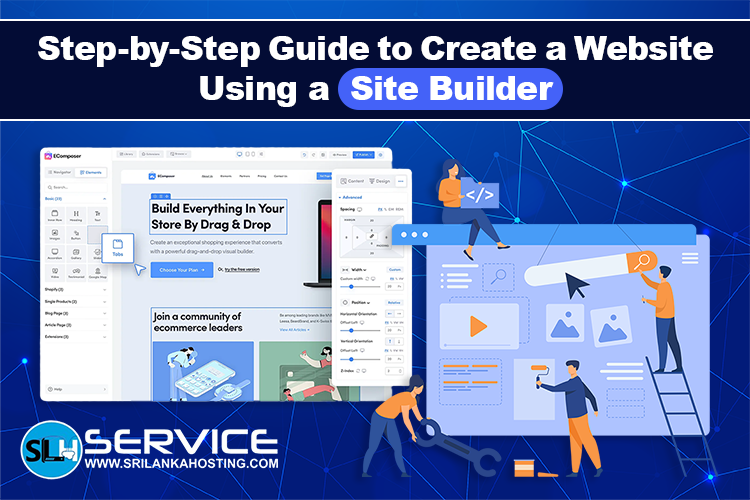
Creating a website used to require coding knowledge and technical skills. Today, a site builder makes it possible for anyone to create a professional website quickly and easily. With a simple drag and drop interface, ready made templates, and built in tools, you can design and launch your website without writing code.
In this guide, we will walk through the step by step process of creating a website using a site builder.
What is a Site Builder
A site builder is a tool that allows you to create and design a website visually. Instead of writing code, you can add elements such as text, images, buttons, and forms using simple editing tools. Most site builders also include templates that help you build a professional looking website in minutes. Site builders are commonly used for business websites, personal portfolios, blogs, and small online stores.
Step 1: Choose a Domain Name
The first step to creating a website is choosing a domain name. A domain name is the address people type in their browser to visit your website. Choose a name that is easy to remember, simple to spell, and related to your business or brand. A good domain name helps visitors easily find your website online.
Step 2: Select a Web Hosting Plan
Web hosting is the service that stores your website files and makes them available on the internet. When selecting a hosting plan, make sure it supports a built in site builder. Reliable hosting ensures your website loads fast, stays online, and can handle visitors without issues.
Step 3: Access the Site Builder
After purchasing your hosting plan, log in to your hosting control panel and open the site builder tool. Most hosting providers include a site builder that you can launch with one click. Once opened, you will be able to start designing your website using templates and visual editing tools.
Step 4: Choose a Website Template
Templates are pre designed website layouts that help you create a professional design quickly. Select a template that matches your website type. For example, business websites, portfolios, blogs, and online stores usually have different template designs. You can customize the template later to match your brand colors and content.
Step 5: Customize Your Website Design
After selecting a template, you can begin customizing your website.
You can easily modify:
- Add your logo and brand colors
- Edit text content
- Upload images
- Add buttons and contact forms
- Create sections for services or products
Most site builders allow you to drag and move elements anywhere on the page.
Step 6: Add Important Pages
A good website should include several important pages that provide useful information for visitors.
Common pages include:
- Home
- About Us
- Services or Products
- Blog
- Contact Page
These pages help visitors understand your business and make it easier for them to reach you.
Step 7: Optimize Your Website for Mobile
Many visitors will access your website using smartphones. A good site builder automatically creates mobile friendly pages, but it is still important to preview how your website looks on different screen sizes. Make sure text is easy to read and buttons are easy to click on mobile devices.
Step 8: Add SEO Settings
Search Engine Optimization helps your website appear in search results. Most site builders allow you to add important SEO settings such as:
- Page titles
- Meta descriptions
- Image alt text
- Friendly page URLs
These settings help search engines understand your website content and improve visibility.
Step 9: Preview Your Website
Before publishing, preview your website to make sure everything looks correct.
Check the following:
- All links work properly
- Images load correctly
- Text has no errors
- Pages load smoothly
Testing your website ensures visitors will have a good experience.
Step 10: Publish Your Website
Once everything is ready, click the publish button in your site builder. Your website will become live on the internet and visitors can start accessing it through your domain name. After publishing, you can continue updating your website by adding new content, blog posts, or services.
Final Thoughts
A site builder makes website creation simple, fast, and accessible for
everyone. With the right template and customization options, you can build a
professional website without technical knowledge. By following these steps, you can launch a fully functional website and
start building your online presence. Regular updates, good content, and
proper SEO will help your website grow and attract more visitors over time.