How to Add PayPal to Your WordPress Website Using WooCommerce
Jun 9, 2026
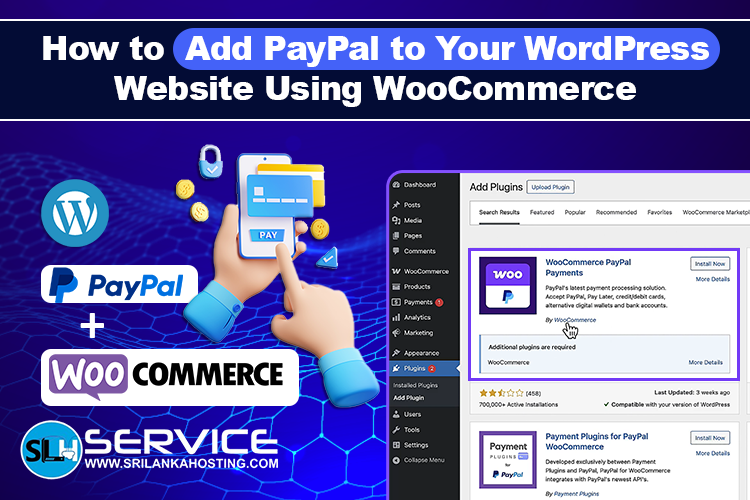
If you run an online store using WordPress, offering secure and trusted payment options is important for customer satisfaction and sales. One of the most popular payment methods used worldwide is PayPal. By adding PayPal to your WooCommerce store, you can allow customers to make payments quickly and securely using their PayPal balance, debit cards, or credit cards. If you are looking WordPress Care Plans for your business, you can visit Our Website. : WordPress Care Plans
Why Use PayPal for WooCommerce?
PayPal is trusted by millions of users worldwide and offers a simple payment experience for online shoppers.
Benefits of PayPal include:
- Secure online payments
- Fast checkout process
- Global payment support
- Customer trust and confidence
- Support for multiple currencies
- Easy WooCommerce integration
Adding PayPal can help improve the shopping experience and increase customer confidence during checkout.
What You Need Before Getting Started
Before setting up PayPal, make sure you have:
- A WordPress website
- WooCommerce installed and configured
- A PayPal Business account
- SSL certificate installed on your website
- A hosting plan that supports WooCommerce
A reliable hosting environment is important because payment gateways require a secure and stable website.
Step 1: Install WooCommerce
If WooCommerce is not already installed:
- Log in to your WordPress dashboard.
- Navigate to Plugins > Add New.
- Search for WooCommerce.
- Click Install Now.
- Activate the plugin.
Follow the WooCommerce setup wizard to configure your store settings.
Step 2: Install the PayPal Payment Plugin
WooCommerce offers official PayPal integration options.
To install:
- Go to Plugins > Add New.
- Search for "WooCommerce PayPal Payments (by WooCommerce)."
- Install the plugin.
- Activate the plugin.
This plugin allows your website to connect directly with your PayPal Business account.
Step 3: Connect Your PayPal Account
After activation:
- Go to WooCommerce > Settings.
- Select the Payments tab.
- Find PayPal Payments.
- Click Set Up or Manage.
- Connect your PayPal Business account.
Follow the authorization process provided by PayPal. Once connected, WooCommerce will communicate directly with your PayPal account.
Step 4: Configure Payment Settings
After connecting PayPal, you can customize settings such as:
- Payment methods
- Checkout appearance
- Currency settings
- Customer payment options
- Transaction preferences
Make sure all settings match your business requirements.
Step 5: Test the Payment Process (Using PayPal Sandbox)
Before accepting live payments from real customers, it is essential to test your checkout process to ensure everything works correctly without using real money.
To do this, you should use PayPal Sandbox mode:
-
Log in to your PayPal Developer Dashboard (developer.paypal.com) and create a Sandbox buyer and seller account.
-
In your WordPress dashboard, go to WooCommerce > Settings > Payments > PayPal Payments.
-
Change the Environment setting from Live to Sandbox.
-
Enter your Sandbox API credentials or connect via the automated prompt.
-
Once Sandbox mode is enabled, perform a test purchase and check:
-
Product purchases: Ensure the checkout flow completes without errors.
-
Order confirmations: Verify that customers are redirected to the "Thank You" page.
-
Payment processing: Check your PayPal Developer account to see if the fake funds were transferred successfully.
-
Customer notifications: Ensure order emails are sent to the customer.
-
WooCommerce order status updates: Verify that the order status changes to "Processing" or Completed" automatically.
Testing in Sandbox mode helps identify and resolve connection or configuration issues before your store goes public.
Step 6: Enable Live Payments
Once testing is complete:
- Enable live mode.
- Save your settings.
- Place a real test order if needed.
Your customers can now make payments through PayPal on your WooCommerce store.
Tips for Better WooCommerce Payment Performance
Use Reliable Hosting
A slow website can cause checkout problems and abandoned carts. Choose hosting optimized for WordPress and WooCommerce.
Install an SSL Certificate
SSL encryption helps protect customer information and is essential for online payments.
Keep WordPress Updated
Regular updates improve security and compatibility with payment plugins.
Monitor Transactions
Review payment activity regularly to ensure orders are processing correctly.
Use Strong Security Practices
Protect your store with secure passwords, backups, and website security tools.
Common PayPal Integration Issues
Some website owners may experience:
- Connection errors
- API configuration issues
- Currency mismatches
- Plugin conflicts
- SSL related problems
Most issues can be resolved by updating plugins, checking account settings, and ensuring the hosting environment is properly configured.
Choosing the Right Hosting for WooCommerce
A WooCommerce store requires more resources than a standard website.
Your hosting should provide:
- Fast website performance
- Reliable uptime
- SSL support
- Security features
- WordPress compatibility
- WooCommerce optimization
A stable hosting environment helps ensure smooth payment processing and a better customer experience.
WordPress Hosting Solutions
At Sri Lanka Hosting , we provide reliable WordPress hosting solutions designed for business websites, blogs, and WooCommerce stores.
Our hosting services offer:
- Fast website performance
- Secure hosting environments
- WordPress optimized servers
- SSL support
- Reliable uptime
- Professional technical support
Whether you are starting a new online store or expanding an existing business, choosing the right hosting platform is an important part of your success.
Final Thoughts
Adding PayPal to WooCommerce is a simple way to provide customers with a
secure and trusted payment option. With the right setup, PayPal can improve customer confidence, simplify
checkout, and support online sales growth. By combining WooCommerce, PayPal, and reliable WordPress hosting, you can
build a professional online store that delivers a smooth shopping experience
for your customers.