Plesk Installation and Initial Setup for Website Hosting
Oct 1, 2026
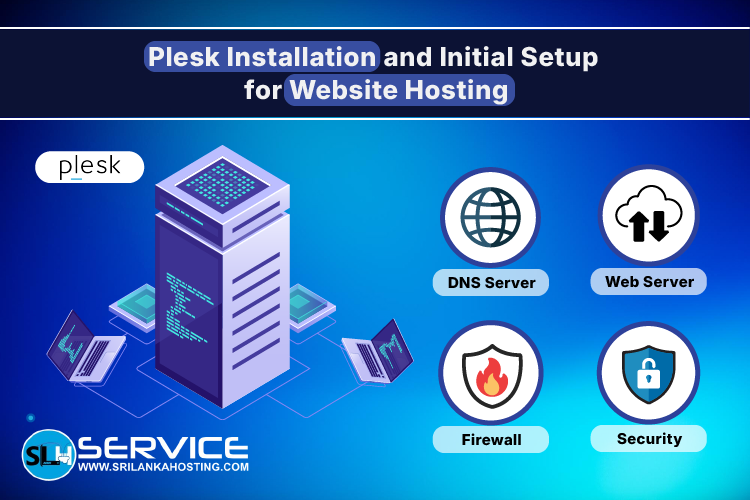
Plesk is a popular web hosting control panel that makes it easier to manage websites, domains, email accounts, databases, and other hosting services. It can be a useful choice for businesses and developers who want an easy way to manage their hosting server. However, installing Plesk is only the first step. The server also needs to be configured correctly before hosting websites and other services.
What Is Plesk?
Plesk is a web-based hosting control panel that allows server administrators to manage hosting services from one interface. It can be used to manage websites, domains, email accounts, databases, DNS settings, files, and security features. It supports both Linux and Windows server environments, making it suitable for different hosting requirements.
What Is Needed Before Installing Plesk?
Before installing Plesk, the server should have a supported operating system and enough resources for the websites and applications you plan to host. A properly configured hostname, network connection, and server access are also important. It is also a good idea to check the Plesk system requirements before starting the installation.
Install Plesk on the Server
Plesk can be installed on a compatible server using its installation tools. During installation, the required Plesk components and services are added to the server. Once the installation is complete, administrators can access the Plesk control panel and continue with the initial configuration.
Configure the Web Server
The web server is responsible for handling website requests. After installing Plesk, the web server should be configured according to the websites and applications that will run on the server. Proper web server configuration can help websites run efficiently and avoid common hosting issues.
Configure PHP and MySQL
Many websites use PHP and MySQL or MariaDB. These services should be configured based on the requirements of the websites and applications being hosted. Selecting suitable PHP versions and database settings can help ensure that websites work correctly.
Configure DNS
DNS settings connect domain names with the correct server. A domain must point to the correct server before visitors can access the website. During the initial Plesk setup, DNS configuration should be checked carefully to make sure domains, websites, and email services work correctly.
Configure the Firewall
A firewall helps protect the server by controlling network connections. Only the ports and services required by the server should be accessible. Proper firewall configuration is an important part of preparing a Plesk server for production use.
Optimise the Server
After the basic configuration is complete, the server can be reviewed and optimised based on its available resources and expected workload. Server optimisation may include reviewing services, checking resource usage, and adjusting web server, database, and other settings.
Secure Your Plesk Server
Security should also be considered during the initial setup. This can include keeping the operating system and server software updated, using secure administrator access, configuring a firewall, and applying suitable security settings. Regular monitoring and maintenance can help keep the server secure and reliable over time.
Plesk Server Configuration in Sri Lanka
Setting up Plesk correctly requires knowledge of web servers, PHP, databases, DNS, firewalls, and server security. For businesses and developers in Sri Lanka, professional configuration can save time and help avoid common server setup problems. SriLanka Hosting provides Plesk server configuration services that include the latest version installation, web server configuration, PHP and MySQL configuration, DNS configuration, firewall configuration, and complete server optimisation.
Other Server Configuration Services
Plesk is not the only platform supported by SriLanka Hosting . Server configuration services are also available for cPanel, DirectAdmin, FastPanel, Moodle, Nextcloud, and Passbolt. Additional configuration services include FTP configuration, WAF configuration, web server optimisation, CSF firewall setup, MySQL/MariaDB tuning, DNS configuration, security configuration, and server optimisation.
Final Thoughts
Plesk can make website and server management much easier, but a proper
initial setup is important for a reliable hosting environment. Web server,
PHP, database, DNS, firewall, and security settings should all be configured
correctly before hosting live websites. If you need help with
Plesk installation and server configuration in Sri Lanka
, SriLanka Hosting provides
professional setup and optimisation services for different hosting
environments.