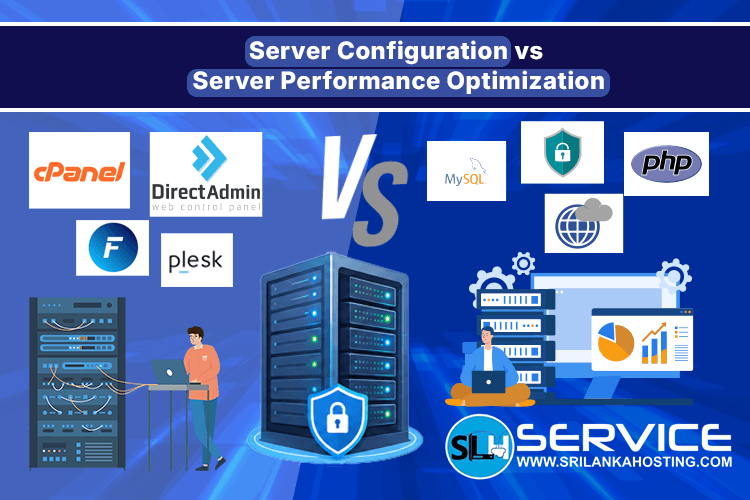
How to Create a Secure Server Configuration from the Beginning
Nov 23, 2026

Setting up a new server is an important step for any business that runs websites, applications, databases, or online services. However, installing an operating system and starting the required services is not enough. The server must also be configured properly to protect business data and prevent unauthorized access. A poor server configuration can create security weaknesses from the beginning. Open ports, weak passwords, outdated software, and unnecessary services can make a server an easier target for attackers. Creating a secure server configuration from the start helps reduce these risks and provides a strong foundation for future growth.
1. Choose the Right Operating System and Server Software
The first step is choosing an operating system that matches your server requirements. Linux and Windows Server are common options, but the right choice depends on the applications and services you plan to run. Choose a supported operating system that receives regular security updates. You should also check whether your required software, control panel, database, and applications are compatible with it. Avoid using outdated operating systems or software versions that no longer receive security updates. Unsupported software can contain known security weaknesses that may not be fixed.
2. Update the Server Before Using It
A new server may not always include the latest security updates. Before making it available to users, install the latest supported operating system updates and security patches. You should also update important server software, including:
- Web servers such as Apache, Nginx, or LiteSpeed
- PHP and other application runtimes
- MySQL or MariaDB databases
- Control panels such as cPanel or Plesk
- Other installed applications and services
Regular updates help fix known vulnerabilities and improve system stability. Plan how updates will be tested and installed without causing unnecessary service interruptions.
3. Secure Server Access
Server access should be limited to authorised users. Weak passwords and unnecessary administrator accounts can create serious security risks. Follow these practices when configuring access:
- Use strong, unique passwords for administrator accounts.
- Avoid using default usernames and passwords.
- Create separate user accounts instead of sharing administrator access.
- Give each user only the permissions needed for their work.
- Use SSH key authentication for Linux servers where appropriate.
- Disable direct root login over SSH where suitable.
- Enable multi-factor authentication where supported.
For Windows servers, secure Remote Desktop access and restrict it to authorised users and trusted network connections. Avoid exposing management services directly to the public internet without proper protection.
4. Configure a Firewall and Restrict Open Ports
A firewall controls which network connections are allowed to reach your server. It helps prevent unwanted access to services that should not be publicly available. Start by identifying which ports are required for your server. For example, a public website normally needs HTTP and HTTPS access, while remote administration should be restricted. Close ports that are not required and disable unused network services. Do not leave database services, control panel access, or remote management ports open to everyone unless there is a clear business need. Review firewall rules regularly because server requirements may change over time.
5. Install Only the Software You Need
Installing unnecessary applications and services can increase the number of possible entry points for attackers. For example, if your server only needs to host websites, you may not need additional services for file sharing, mail, or other functions. Before installing software, consider whether it is required. Remove unused applications, disable unnecessary services, and avoid keeping test files or default applications on a production server. A simpler server environment is often easier to manage, monitor, and secure.
6. Configure Web Server and Database Security
If your server hosts websites or business applications, the web server and database must also be configured securely. For Apache, Nginx, or LiteSpeed, use suitable security settings, enable HTTPS, and avoid exposing unnecessary server information. Install a valid SSL/TLS certificate to protect information exchanged between websites and visitors. For MySQL or MariaDB, secure administrator accounts, remove unnecessary accounts, and restrict database access to the applications or users that need it. Avoid allowing public access to database ports unless specifically required and properly protected. Also review file and folder permissions. Website files should not have more permissions than necessary, and sensitive configuration files should be protected from unauthorised access.
7. Set Up Backups and Recovery
Even a properly configured server can experience hardware failures, software problems, accidental file deletion, or security incidents. Regular backups help protect important business data and make recovery easier when something goes wrong. A good backup plan should include:
- Website files and application data
- Databases
- Important server configuration files
- Email data, where required
- Control panel and system settings
Store backups separately from the main server where possible. Protect them from unauthorised access and test the restoration process regularly. A backup is only useful if the data can be restored successfully.
8. Enable Monitoring and Security Logging
After configuring the server, you need a way to identify problems and unusual activity. Monitoring helps you understand whether the server is working properly. Important areas to monitor include CPU usage, memory, storage space, network activity, and running services. You should also review server logs for failed login attempts, unexpected service changes, application errors, and other unusual activity. Set up alerts for important issues so that the technical team can respond before a small problem becomes a serious one.
9. Test the Server Before Going Live
Before connecting a new server to production services, perform a final security and performance review. Check that unnecessary ports are closed, administrator access is restricted, updates are installed, firewall rules are working, and backups are configured. Test the websites and applications to confirm that they work correctly after security settings are applied. Also check that legitimate users can access the services they need. Document the final server configuration. This makes future maintenance, troubleshooting, and security reviews easier.
Why Professional Server Configuration Matters
Server configuration involves more than installing software and making a website work. Every setting can affect server security, performance, and reliability. An incorrect firewall rule, database permission, web server setting, or security configuration can create problems that may be difficult to identify later. Professional server configuration helps ensure that the operating system, web server, database, firewall, DNS, and other required services are set up according to the server's purpose. SriLanka Hosting provides server configuration services covering areas such as web server setup, firewall configuration, MySQL and MariaDB tuning, DNS configuration, security hardening, and server optimisation.
Build a Secure Server from Day One
A secure server starts with the right decisions during the initial setup.
Choosing supported software, restricting access, configuring firewalls,
removing unnecessary services, protecting data, and enabling monitoring can
help reduce common security risks. Security should also continue after the server goes live. Regular updates,
backups, monitoring, and configuration reviews help keep the server
protected as your business requirements change. If you need help setting up a secure server environment, visit
SriLanka Hosting Server Configuration
to explore the available services.